Prerender Ember.js and Backbone.js for Search and AI Crawlers
Content rendered client-side in Ember.js or Backbone.js can be missed by search engines and AI crawlers. Prerender serves complete, cached HTML from your public pages, making content, links, and metadata accessible without JavaScript execution.
Improve Ember.js and Backbone.js SEO and support AI search visibility without replacing your frontend or changing your visitors’ experience.

Make Ember.js and Backbone.js content accessible to crawlers
Client-rendered Ember.js and Backbone.js pages can leave content out of the initial HTML response. Crawlers that don’t execute JavaScript may miss it.
Prerender renders your public routes and serves cached HTML to search engines and AI crawlers, including:
- Product details, listings, articles, and other page content
- Crawlable internal links
- Page titles, canonical tags, and social metadata
- Structured data added during rendering
- Content loaded through APIs and asynchronous requests
Improve crawler access without migrating frameworks or rebuilding your frontend. Visitors keep the same interactive application.
Improve machine experience for your Ember.js, Backbone.js, or custom JavaScript site
Prerender improves the machine-readable experience of your Ember.js, Backbone.js, or custom JavaScript site by providing search engines and AI crawlers with complete, readable HTML. Content, links, and metadata rendered by your application become accessible without crawlers running JavaScript, helping your public pages get evaluated for search results and AI answers while visitors keep the same interactive experience.
One rendering layer, two different application patterns
Ember.js: Capture the finished route
Ember routes can resolve models, services, components, and asynchronous data before the page is complete. Prerender captures the resulting content for crawlers without requiring the application to run through an Ember FastBoot server for every visitor.
Backbone.js: Turn views and AJAX data into readable HTML
Backbone applications commonly assemble views in the browser and update them with data fetched through AJAX. Prerender gives crawlers the completed route, including the content and links produced after those requests finish.
Other client-rendered JavaScript applications
Prerender operates outside the component or view layer. It can also support custom SPAs and other JavaScript frameworks when each public URL can be loaded in a browser, and crawler requests can be routed through a supported CDN, proxy, or web server.
Make valuable JavaScript routes ready before crawlers arrive
Serve the complete page
Give crawlers the rendered content, internal links, metadata, and structured data—not only the shell returned before the application runs.
Improve route discovery
Expose links and stable URLs for products, categories, listings, articles, documentation, and other pages with independent search value.
Reach search and AI crawlers
Serve ready-to-read HTML to Googlebot, Bingbot, recognized AI crawlers, social bots, and additional user agents configured by your team.
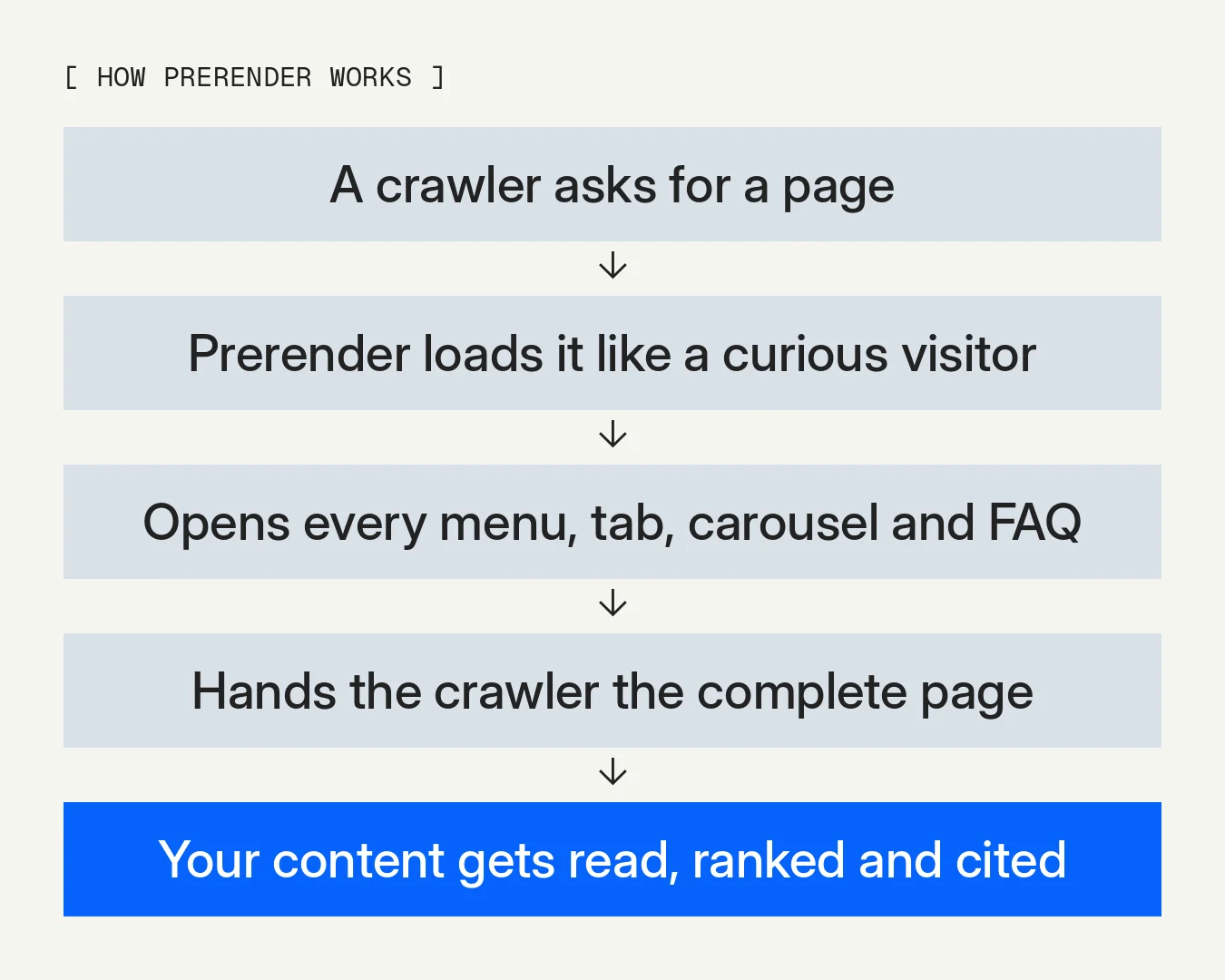
From crawler request to cached HTML
Prerender handles rendering outside the application codebase.
- A search engine, AI crawler, or social bot requests a public URL.
- Your CDN, reverse proxy, or web server identifies the crawler’s user agent.
- Prerender loads the page in a browser and waits for the application content to render.
- It caches the result and returns the content, links, metadata, and structured data as HTML.
Visitors never enter this flow. They continue receiving the live client-rendered application directly from your website.
Prerender vs Ember FastBoot, custom SSR, and static generation
Ember FastBoot renders Ember.js applications on the server. Backbone.js and custom SPAs need a separate solution to generate HTML outside the browser. Prerender provides crawler-facing rendering without replacing the application visitors use.
| Approach| Best fit|
| --- | ------ |
| Prerender | An existing Ember, Backbone, or custom SPA needs crawler-ready HTML without a major rebuild. |
| Ember FastBoot | An Ember team wants server-side rendering and can maintain server-compatible application code and deployment infrastructure. |
| Custom SSR | A team needs server-rendered HTML for users and crawlers and is prepared to build and operate the rendering layer. |
| Static generation | Public routes are known in advance, change less frequently, and can be generated during a build or publishing process. |
Do you need Prerender with Ember FastBoot or existing SSR?
If FastBoot, custom SSR, or static generation already returns complete content, links, and metadata, Prerender isn’t required to make that content readable. It is most useful when important public content still depends on client-side JavaScript.
Add Prerender to an Ember or Backbone application
The integration point depends on how web requests reach the application—not on the framework version.
1. Choose the public routes worth rendering
Prioritize products, categories, listings, articles, documentation, locations, and landing pages. Exclude authenticated dashboards, account areas, checkout flows, personalized views, and URLs that should not be indexed.
2. Make every route directly requestable
Important Ember Router and Backbone Router destinations should have stable URLs that load correctly outside an in-app navigation. For Backbone, prefer pushState routes over hash fragments where practical. Configure the origin server to handle deep links and return real error statuses for missing pages.
3. Check when the page is actually complete
Test representative routes with fresh sessions. Confirm that important content loads without a click, scroll, login, or other interaction. Pay particular attention to Ember model data, Backbone AJAX requests, lazy-loaded assets, third-party widgets, and long-running asynchronous work.
4. Connect the request-handling layer
Integrate through a CDN or edge provider, a reverse proxy such as Nginx or Apache, or a Node.js/Express server receiving website traffic. The integration belongs outside the browser bundle.
5. Configure caching and verify deep routes
Submit a sitemap or URL list, then set recache rules based on how often the content changes. Test the homepage and several deep routes with a crawler user agent. Confirm that each response:
- Includes the
x-prerender-request-idheader - Returns the intended HTTP status
- Contains the expected title, canonical, copy, links, and structured data
- Matches the public content visitors receive after the application renders
Then check cached URLs and failed renders in the Prerender dashboard and inspect priority pages through Google Search Console.
Give AI crawlers complete JavaScript content
AI visibility begins with access. If an AI crawler retrieves only an application shell, it may miss the information needed to evaluate a page for an answer, citation, or recommendation.
Prerender can serve complete HTML to recognized AI crawlers and additional user agents configured in your integration. This gives them access to the same public text, links, metadata, and structured data that appear after Ember, Backbone, or another JavaScript application finishes rendering.
Prerendering improves technical access. It does not guarantee that an AI platform will index, cite, or surface the page; content quality, authority, crawler policy, and each platform’s own systems still determine visibility.
Indexing is really fast thanks to Prerender. At this point, the indexing is on 10k pages per day. For us, that’s perfect.
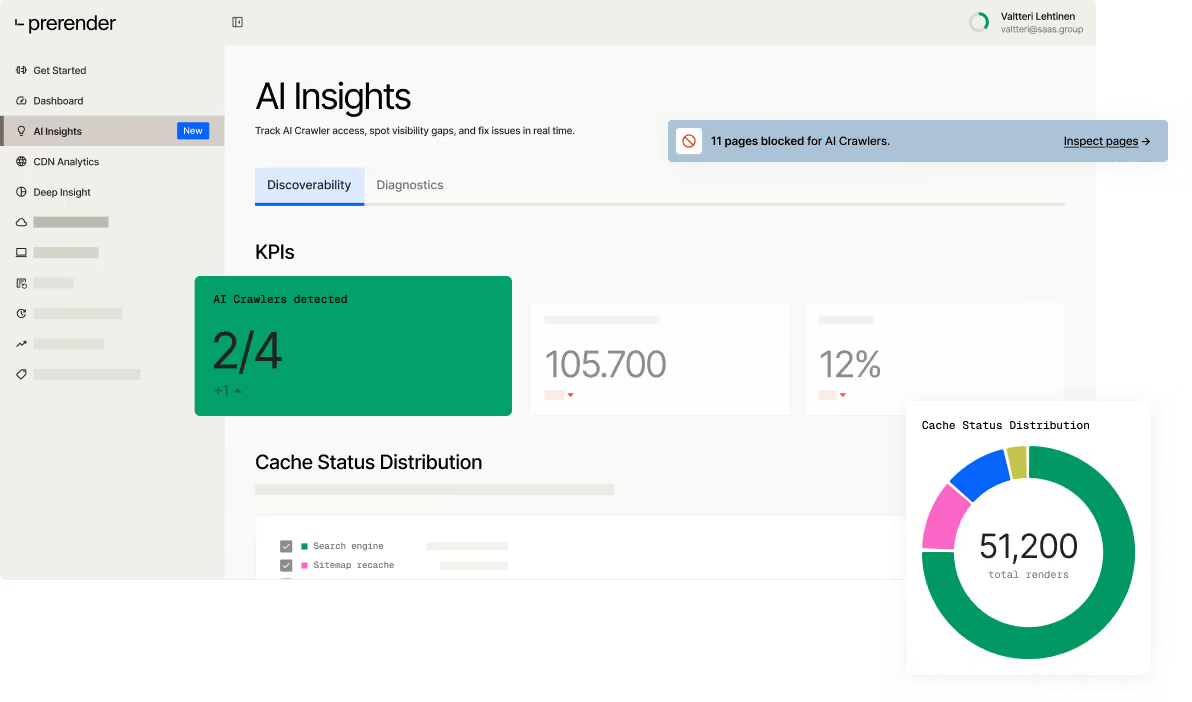
Make your JavaScript content visible to search and AI
Serve search engines and AI crawlers complete HTML from your Ember.js, Backbone.js, or custom JavaScript application without rebuilding your frontend.
FAQs about Ember and Backbone prerendering
AJAX and JavaScript are not inherently bad for SEO, but they can create crawler-access problems when important content appears only after scripts run. Search engines and AI crawlers have different JavaScript capabilities, and even Google’s rendering can be affected by blocked resources, errors, delays, or interaction-dependent content. Review the common JavaScript SEO problems, then inspect the rendered HTML before blaming the framework alone.
Prerender.io can improve the response delivered to supported crawlers by serving cached HTML instead of requiring them to execute the application. It does not automatically make the client-rendered experience faster for human visitors or guarantee better Core Web Vitals. Visitor performance still depends on the application, assets, hosting, and network. Learn how Prerender.io caching supports crawler delivery.
Prerender.io does not work only with Google. It can serve rendered HTML to supported search-engine bots, social crawlers, recognized AI crawlers, and additional user agents configured by your team. Check the integration allowlist and crawler controls for the channels that matter to you, then learn how to add additional bots.
Prerender.io works with both Ember.js and Backbone.js because it operates outside their component, view, and build systems. The integration is added to the CDN, reverse proxy, hosting, or web-server layer handling crawler requests. It can also support other client-rendered JavaScript applications when the public route can be loaded and rendered in a browser. Explore the available Prerender.io integrations.
Prerender.io can handle Backbone Router and deep links when each public route has a stable URL that can be requested directly. Prefer pushState routes over hash fragments where practical, configure the server to return the application for valid deep links, and return a real 404 for missing routes. Add valuable URLs to the sitemap or cache workflow. The SPA SEO guide covers the broader crawlability requirements.
Prerender.io can capture Ember model data and Backbone AJAX content when those requests finish successfully during the rendering session. Important public information should not require a click, scroll, login, or other user action, and required APIs must be accessible to the rendering service. Inspect several cached routes to confirm the expected copy, links, metadata, and structured data are present.
You should not prerender every route in your JavaScript application. Focus on public URLs with independent search or crawler value and exclude dashboards, account pages, checkout flows, user-specific views, and routes that should not be indexed. This keeps the cache focused and reduces the risk of exposing personalized content. The Prerender.io getting-started guide explains URL discovery and caching.
Prerender.io can make public Ember and Backbone content technically accessible to recognized AI crawlers by serving rendered HTML. Additional crawler user agents can be configured so bots receive the text, links, metadata, and structured data without executing the application themselves. This does not guarantee indexing, citation, or recommendation by an AI platform. Explore AI Search Visibility and learn how to add AI crawlers.