Make Angular sites visible to Search and AI Crawlers
Content rendered client-side in Angular can be missed by search engines and AI crawlers. Prerender serves complete, cached HTML from your public Angular pages, making content, links, and metadata accessible without JavaScript execution.
Improve Angular SEO and support AI search visibility without migrating to Angular SSR or changing your visitors’ experience.

How Prerender makes Angular pages crawlable
Client-rendered Angular pages depend on JavaScript to display content. Crawlers that don’t render it may miss your content, links, and metadata.
Prerender renders your public Angular routes and serves cached HTML to search engines and AI crawlers. That HTML includes
- Page content, including data loaded from APIs
- Crawlable internal links to products, listings, articles, and landing pages
- Page titles, canonical tags, and other metadata
- Structured data added during rendering
Improve Angular SEO and crawler access without migrating to Angular SSR. Visitors keep the same interactive application.
Improve machine experience for your Angular site
Prerender improves the machine-readable experience of your Angular site by providing search engines and AI crawlers with complete, readable HTML. Content, links, and metadata rendered by Angular become accessible without crawlers running JavaScript, helping your public pages get evaluated for search results and AI answers while visitors keep the same interactive experience.
Fix crawler access without redesigning the Angular architecture
Deliver the completed route
Serve the rendered copy, links, metadata, and structured data from public Angular routes—not only the application shell returned before JavaScript runs.
Capture asynchronous Angular content
Let API requests, lazy-loaded routes, components, and other browser-side work finish before the crawler response is cached.
Reach AI and search crawlers
Give Googlebot, Bingbot, recognized AI crawlers, social bots, and additional configured user agents ready-to-read HTML.
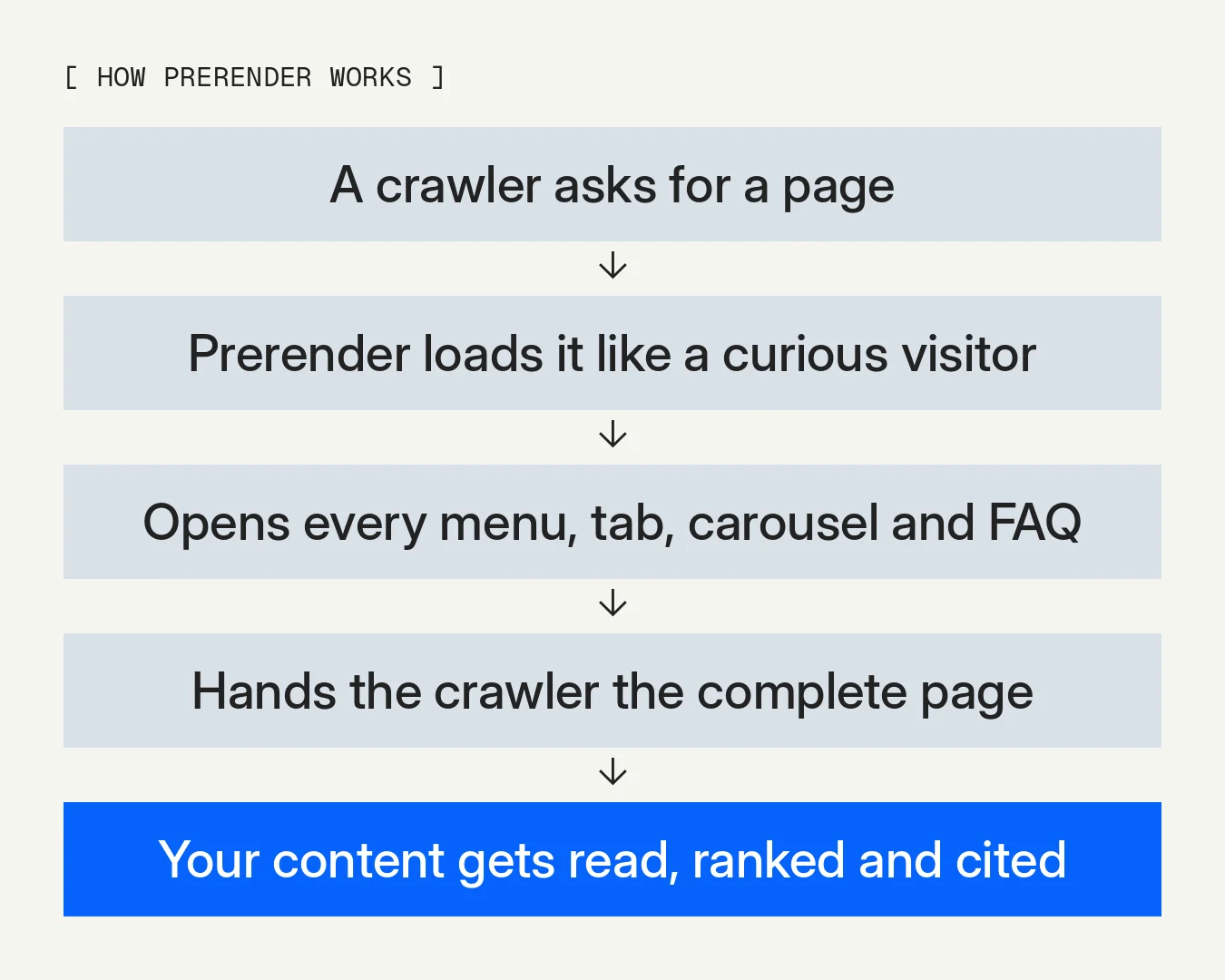
What happens when a crawler requests an Angular route
Prerender handles crawler requests outside the Angular component tree.
- A search engine, AI crawler, or social bot requests a public Angular URL.
- Your CDN, reverse proxy, or web server recognizes the crawler’s user agent.
- Prerender loads the route in a browser and waits for the Angular page to finish rendering.
- It caches the resulting HTML and returns the route’s content, links, metadata, and structured data.
The application served to visitors does not change. This makes Prerender useful for established Angular SPAs where crawler visibility is the problem and an SSR migration is not the product goal.
Prerender vs Angular SSG vs Angular SSR
The right rendering approach depends on who needs the HTML and when. Angular SSG prepares pages at build time, while Angular SSR renders them on request for visitors and crawlers. Prerender focuses on crawler access, serving cached HTML while visitors use your existing Angular application.
| Approach| Best fit|
| --- | ------ |
| Prerender | An existing client-rendered Angular application needs crawler-ready HTML without a major architectural change |
| Angular SSG/prerendering | Public routes are known at build time, change less frequently, and can be regenerated during deployment. |
| Angular SSR | Routes need fresh server-generated HTML on the initial request, and the team can maintain server-compatible code and infrastructure. |
| Mixed route rendering | The application uses different native Angular rendering modes for different route groups. |
Do you need Prerender with Angular SSR or SSG?
If your Angular routes already return complete content, links, and metadata through SSR or SSG, Prerender isn’t required to make that content readable. It is most useful where important content still depends on client-side JavaScript.
How to add Prerender to an Angular application
The integration belongs where crawler requests enter your infrastructure—not inside an Angular component.
1. Select routes with public search value
Prioritize product pages, categories, listings, articles, documentation, locations, and landing pages. Exclude authenticated dashboards, account areas, checkout flows, personalized views, and routes that should not be indexed.
2. Confirm that routes can be requested directly
Every important Angular Router destination should have a stable URL and return the correct status when loaded directly. Ensure your server handles deep links correctly, include discoverable routes in a sitemap, and avoid relying on hash-based URLs for separate indexable pages.
3. Connect the request-handling layer
Integrate wherever crawler requests are handled first: your CDN or edge provider, Nginx or Apache, a Node.js server, or middleware in the server layer that serves the app. A static Angular build with nothing in front of it has no request layer of its own, so use the CDN or hosting layer there.
4. Check asynchronous and deferred content
Load representative routes and confirm that their important public content appears without a click, scroll, login, or other user interaction. Pay particular attention to API responses, lazy-loaded routes, route resolvers, third-party widgets, and `@defer` blocks. Anything that has not rendered when the snapshot is captured will not appear in the cached HTML.
5. Configure caching and verify the response
Submit a sitemap or URL list, then set recache rules around how frequently the content changes. Test the homepage and several deep routes with a crawler user agent. Confirm that each response:
- Includes the `x-prerender-request-id` header
- Returns the intended HTTP status
- Contains the expected title, canonical, copy, links, and structured data
- Matches the public content visitors receive after Angular renders
Then review cached URLs and failed renders in the Prerender dashboard and inspect important routes through Google Search Console.
Give AI crawlers complete Angular content
AI visibility begins with technical access. If an AI crawler retrieves only an Angular app shell, it may not receive the public information needed to evaluate the page for an answer, citation, or recommendation.
Prerender can serve rendered HTML to recognized AI crawlers and additional user agents configured by your team. This exposes the same public text, links, metadata, and structured data that appear after the Angular route finishes rendering.
Prerendering improves access; it does not guarantee that an AI platform will index, cite, or surface the page. Content quality, authority, crawler policy, and each platform’s own systems still determine visibility.
Before Prerender, our AngularJS single-page app faced indexing issues. Prerender’s easy integration quickly led to thousands of our pages being crawled and indexed, boosting our organic traffic significantly. Their responsive support was a bonus!
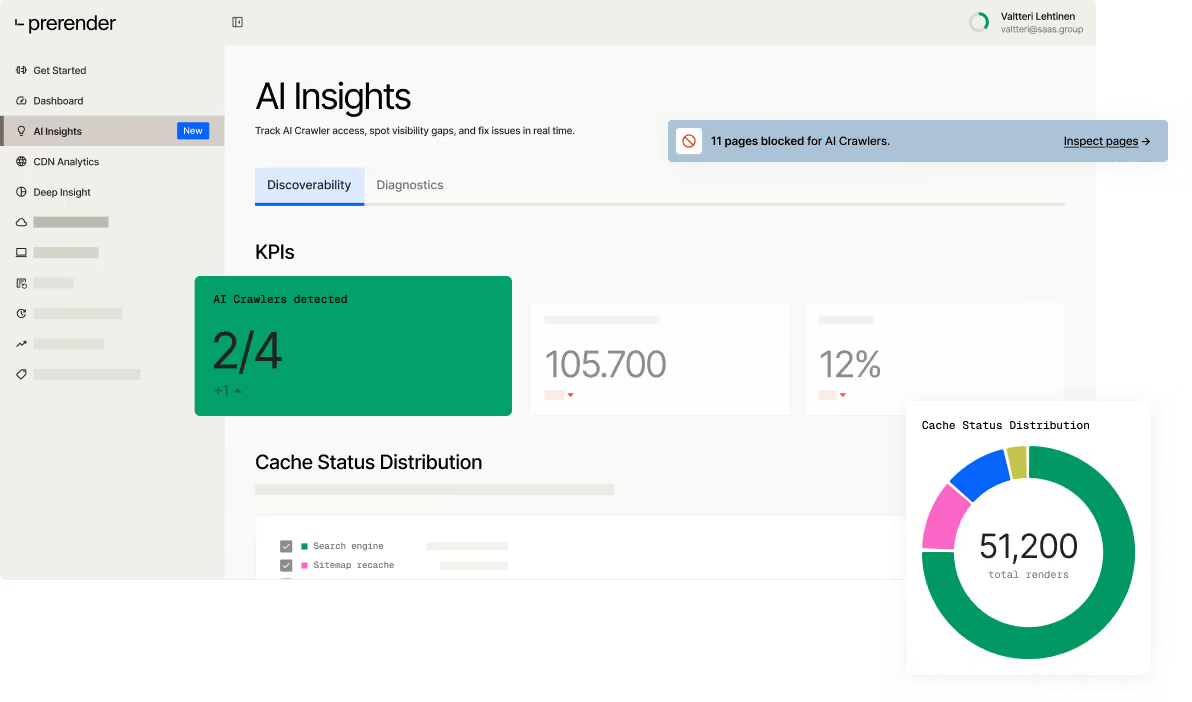
Use Prerender for JS prerendering for Angular
Serve search and AI crawlers complete HTML without rebuilding an Angular application that already works for your users.
FAQs About Angular prerendering for SEO and AEO
Your Angular pages may not be indexed consistently because important content is added only after JavaScript runs. Google can render JavaScript, but blocked resources, errors, delays, or interaction-dependent content can affect the result, while other crawlers may execute less JavaScript or none at all. Review the common JavaScript SEO problems, then check the rendered HTML, status code, canonical, robots directives, sitemap, and internal links.
Prerender.io supports modern Angular as well as legacy AngularJS applications because the integration operates outside the frontend framework. It identifies crawler requests at the CDN, proxy, or server layer and renders the public URL in a browser. Modern Angular and AngularJS are different frameworks, so their application code and native rendering options should not be treated as interchangeable. Legacy teams can read the dedicated AngularJS SEO guide.
Prerender.io is different from Angular’s native prerendering. Angular’s SSG mode generates HTML for selected routes during the application build, whereas Prerender.io renders and caches crawler-facing HTML outside that build pipeline. Native prerendering can suit stable routes known at build time; Prerender.io can suit an existing client-rendered SPA that needs crawler access without a rendering-architecture migration. Compare SSR and prerendering before choosing.
You do not always need Prerender.io if you use Angular SSR. Routes that already return complete, correct HTML through SSR or SSG make a second rendering layer optional, although cached delivery can still shave a few milliseconds off the crawler response. Prerender.io is worth adding when particular public routes remain client-rendered, depend on browser-only data loading, or return incomplete HTML to the crawlers you care about. Test routes individually instead of making one decision for the whole application.
Prerender.io can handle third-party JavaScript in an Angular app when those resources are available and finish rendering during the browser session. Scripts blocked by consent flows, authentication, firewalls, errors, or user interaction may not appear in the snapshot. Test representative cached pages and ensure third-party content is appropriate to expose publicly before relying on it for search visibility. See how Prerender.io renders JavaScript websites.
Prerender.io can handle Angular Router and dynamically generated URLs when each public route has a stable, directly requestable URL. Add known routes through a sitemap or URL-list workflow, make deep links return the correct status, and let crawler requests trigger rendering for uncached public URLs supported by your integration. The SPA SEO guide covers routing, discovery, and internal-link considerations.
Prerender.io can capture API data, lazy routes, and `@defer` content when they resolve during the rendering process. Important public content should not require a click, scroll, login, or other interaction, and required APIs must be reachable from the rendering service. Check several cached deep routes to confirm the expected copy, links, metadata, and structured data are present.
You should not prerender every route in your Angular application. Focus the cache on public URLs with independent search or crawler value and exclude dashboards, account pages, checkout flows, personalized views, and URLs marked not to be indexed. This keeps rendering capacity focused and reduces the risk of exposing user-specific content. The Prerender.io getting-started guide explains URL discovery and caching.
Prerender.io can make public Angular content technically accessible to recognized AI crawlers by serving rendered HTML. Additional crawler user agents can be configured so bots receive the text, links, metadata, and structured data without running the Angular application themselves. This does not guarantee indexing, citation, or recommendation by an AI platform. Explore AI search visibility and learn how to add AI crawlers.