Make Vue sites visible to search and AI crawlers
Content rendered client-side in Vue.js can be missed by search engines and AI crawlers. Prerender serves complete, cached HTML from your public Vue.js pages, making content, links, and metadata accessible to search engines and AI crawlers.
Improve Vue.js SEO and support AI search visibility without migrating to server-side rendering or changing your visitors’ experience.

How client-rendered Vue.js creates SEO and AI crawler gaps
Googlebot can render JavaScript, but many AI crawlers cannot. When rendering fails or remains incomplete, crawlers may miss:
Googlebot can render JavaScript, but many AI crawlers cannot. Crawlers that don’t execute JavaScript or finish rendering may miss:
- Content loaded through
onMounted, async components, or API requests - Internal links rendered through Vue Router
- Page titles, canonical tags, and social metadata added client-side
- Structured data added after the initial response
Dynamic routes can also go undiscovered if they lack crawlable internal links or sitemap entries.
Prerender serves complete, rendered HTML so search engines and AI crawlers can access your Vue.js content without executing JavaScript. Visitors keep the same interactive application.
Improve machine experience for your Vue.js site
Your Vue.js site’s machine experience shapes what search engines and AI systems can learn about your products, services, and expertise. Prerender helps make that public information available for evaluation, supporting the SEO and AI search work your team already invests in without rebuilding your Vue.js application.
Make dynamic Vue content readable for crawlers
Capture async and API-loaded content
Render the public content that appears after Vue resolves components, data requests, and client-side logic, not only the initial HTML shell.
Reach search and AI crawlers
Serve ready-to-read content to Googlebot, Bingbot, recognized AI crawlers, social bots, and other user agents configured by your team.
Reach search and AI crawlers
Serve ready-to-read content to Googlebot, Bingbot, recognized AI crawlers, social bots, and other user agents configured by your team.
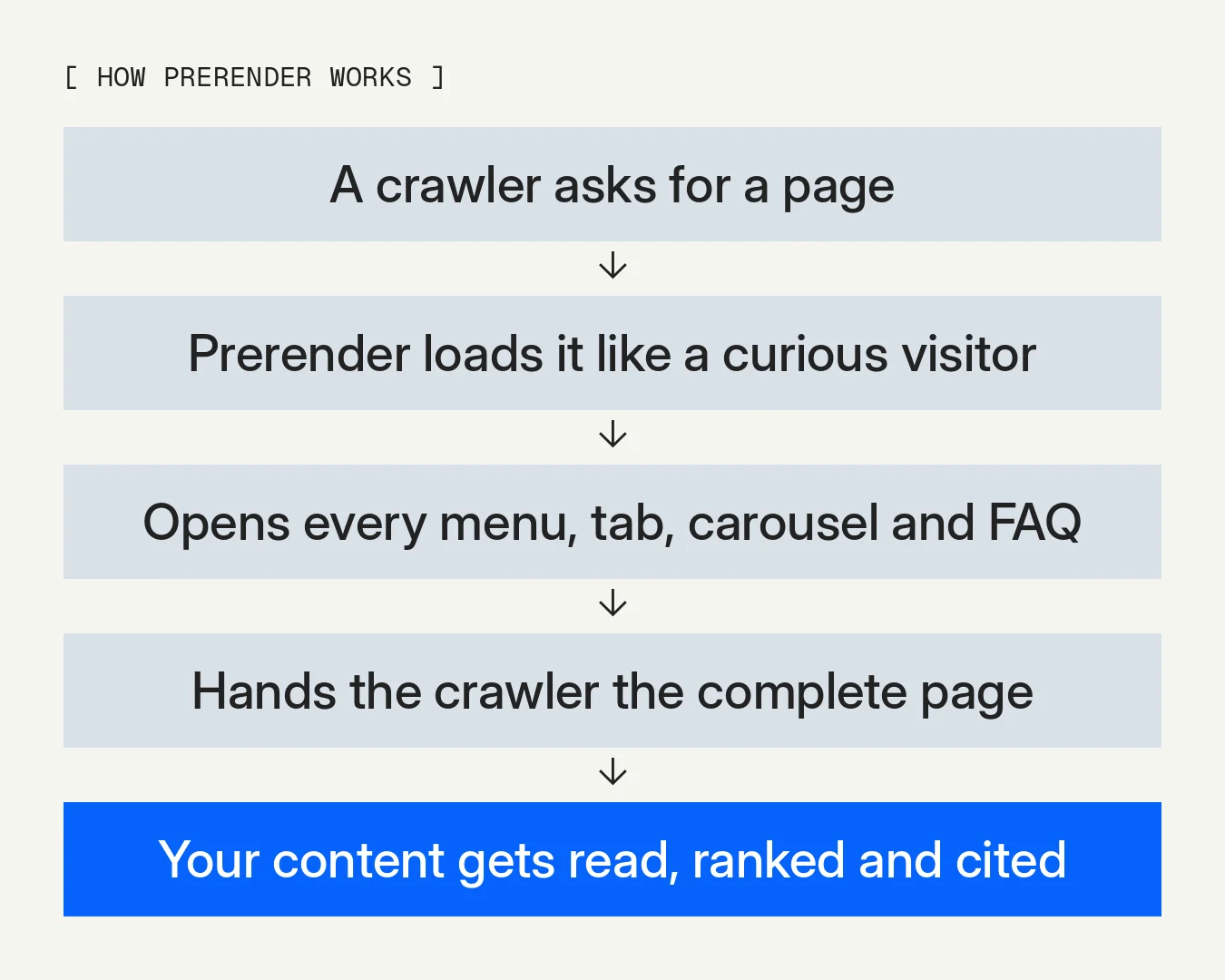
From Vue app shell to complete HTML with prerendering
Prerendering gives crawlers a finished representation of the page without replacing the application served to users.
- A search engine or AI crawler requests a public Vue URL.
- Your CDN, reverse proxy, or web server identifies the crawler’s user agent.
- Prerender loads the route in a browser and waits for the Vue content to render.
- It caches the resulting HTML and returns the content, links, metadata, and structured data to the crawler.
Because Prerender sits outside the Vue component tree, the same approach works across Vite builds, Vue Router applications, custom Vue stacks, and client-rendered Nuxt routes.
Prerender vs Nuxt rendering
Nuxt supports server-side rendering (SSR), static site generation (SSG), client-side rendering, and hybrid rendering. Your choice depends on when pages need to be rendered and which parts of the rendering infrastructure your team wants to manage.
Prerender serves cached HTML to search engines and AI crawlers without changing your client-rendered Vue.js application.
| Approach| Best fit|
| --- | ------ |
| Prerender | Existing Vue.js or client-rendered Nuxt pages need crawler-ready HTML without migrating to SSR. |
| Nuxt universal rendering | Pages need HTML generated on request, with your team managing server rendering, data loading, and hydration. |
| Nuxt prerendering or SSG | Public routes can be generated at build time and regenerated when content changes. |
| Nuxt prerendering or SSG | Different routes need different rendering or caching strategies within the same application. |
Do you need Prerender with Nuxt SSR or SSG?
If your Nuxt routes already return complete content, links, and metadata through SSR or SSG, Prerender isn’t required to make that content readable. It is most useful where important content still depends on client-side JavaScript.
How to add Prerender to a Vue.js application
Connect Prerender where crawler requests reach your website. The integration depends on your hosting setup, whether you use Vue.js with Vite, Vue Router, or Nuxt.
1. Choose public routes with search value
Prioritize product, category, listing, article, documentation, and location pages. Exclude authenticated dashboards, account pages, checkout flows, and personalized content.
For Vue Router, use HTML5 history mode for indexable pages. Each public URL should load directly, with your server configured to handle deep links.
2. Connect through your CDN, proxy, or server
For static Vue.js or Vite builds, integrate through your CDN or hosting layer.
For server-hosted applications, use a reverse proxy such as Nginx or Apache, or middleware in the server handling requests. Nuxt deployments can use the hosting layer or a compatible Nitro server integration.
3. Check API-loaded and asynchronous content
Confirm that important content appears without clicks, scrolling, or login. Check that API responses, async components, page metadata, and structured data have rendered before Prerender captures the HTML.
4. Configure URL discovery and caching
Submit a sitemap or URL list to render and cache priority pages early. Other public URLs requested by crawlers through the integration can also be rendered and cached.
Set recache rules to match content changes. Use URL and query-parameter rules to exclude duplicate or low-value variations.
5. Verify the HTML crawlers receive
Test the homepage and representative Vue Router deep links with a crawler user agent. Confirm each response:
- Includes the
x-prerender-request-idheader - Returns the correct HTTP status
- Contains the page title, canonical tag, content, links, and structured data
- Matches the public content visitors see after Vue renders
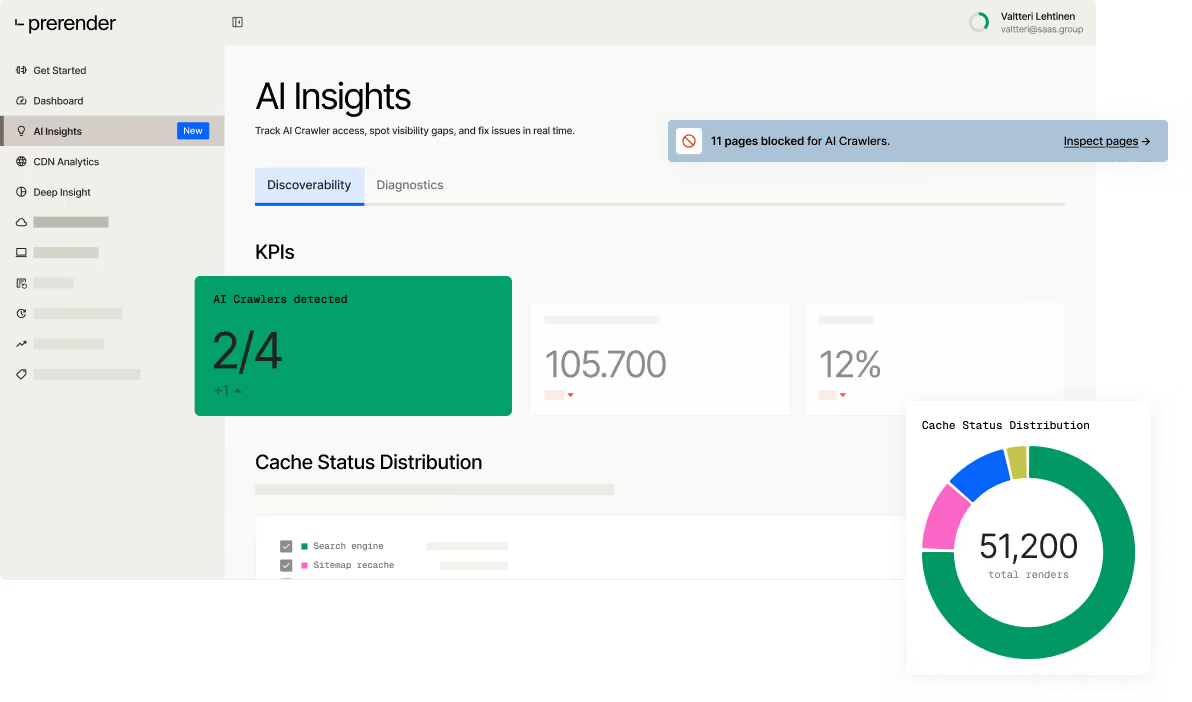
Review cached URLs and failed renders in the Prerender dashboard, then inspect priority pages in Google Search Console.
Help AI crawlers access complete Vue pages
AI crawlers need readable HTML to understand your Vue.js pages. When content depends on client-side JavaScript, crawlers that don’t execute it may miss key information.
Prerender serves fully rendered HTML to recognized AI crawlers and any additional user agents configured in your integration. This makes your public text, links, metadata, and structured data accessible without JavaScript execution.
Prerendering supports AI search visibility by improving content access. It does not guarantee indexing, citations, or recommendations from AI platforms.
Shopping directly in LLMs doesn’t quite exist yet, but it will soon. We’re using Prerender® to help us stay visible in AI search when that day comes.
Use Prerender for JS prerendering for Vue.js
Serve search and AI crawlers complete HTML without replacing the Vue experience your users already know.
FAQs about Vue prerendering for SEO and AEO
Your Vue.js pages may not be indexed consistently because meaningful content is often added after JavaScript runs. Google can render JavaScript, but blocked resources, errors, rendering delays, or interaction-dependent content can affect the result. Other crawlers may execute less JavaScript or none at all. Review the common JavaScript SEO problems, then check the rendered HTML, status code, canonical, robots directives, and internal links.
Dynamic rendering is not automatically better than server-side rendering for Vue; the right choice depends on the application. SSR or Nuxt universal rendering can be a strong architectural choice when your team wants server-rendered HTML for users and crawlers. Prerender.io is often more practical for an existing client-rendered Vue SPA that needs crawler-ready HTML without a migration. Compare SSR and prerendering before choosing.
Yes, Prerender.io is simple to install. The process is completed in three main steps:
- Identify your tech stack and preferred installation method
- Install the middleware code block appropriate for your tech stack
- Test Prerender’s integration to ensure the middleware is working properly
You do not always need Prerender.io if you use Nuxt. Routes using universal rendering, SSR, SSG, or Nuxt prerendering may already return complete HTML, which makes a second rendering layer optional rather than necessary — though cached delivery can still trim a few milliseconds off the crawler response. Prerender.io is worth adding when certain public routes use client-side rendering, depend on browser-only data loading, or return incomplete HTML to the crawlers you care about. Test each route’s initial and rendered response before deciding.
Prerender.io can handle Vue Router routes when each public route has a stable URL that can be requested directly. Use HTML5 history mode, configure the server to handle deep links correctly, include important routes in the sitemap or caching workflow, and verify that unmatched URLs return a real 404. Our SPA SEO guide covers the wider crawlability considerations.
Prerender.io can render async components and API-loaded Vue content when that content loads successfully during the browser-rendering process. Important public content should not depend on a click, scroll, login, or other user action. Test the cached HTML for representative routes to confirm that the expected copy, links, metadata, and structured data are present.
You should not prerender every route in your Vue application. Focus on public URLs with search or crawler value and exclude authenticated dashboards, checkout flows, user-specific views, and routes that should not be indexed. This keeps the cache focused and prevents personalized content from being served to crawlers. The Prerender.io getting-started guide explains URL discovery and caching.
Prerender.io can make public Vue content technically accessible to recognized AI crawlers by serving rendered HTML. Additional crawler user agents can also be added to the integration, allowing bots to retrieve the text, links, metadata, and structured data without executing the Vue application. This does not guarantee indexing or citation by an AI platform. Explore AI Search Visibility and learn how to add AI crawlers.