Prerender makes sure Googlebot gets a page it can read. But once it does, is that page showing up in Google Search?
Until now, answering that took time. Engineering makes sure Prerender serves rendered pages to Googlebot, while the SEO team checks how those pages perform in Google Search. Before anyone could look into a page that underperforms, you needed to pull data from both sides and match it up.
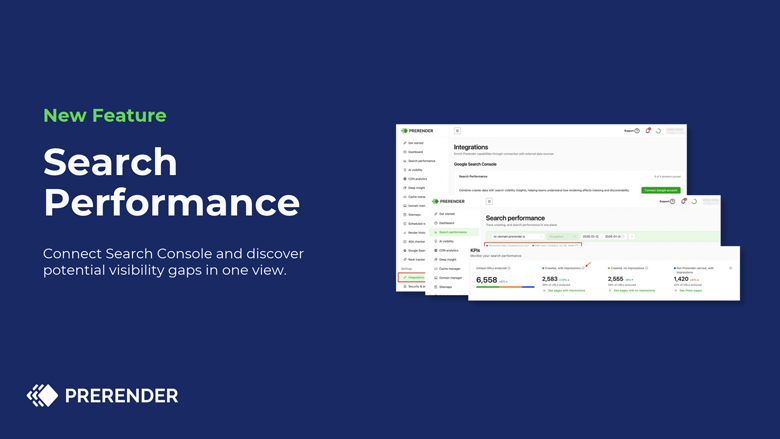
Meet Search Performance, a new feature inside the Prerender platform. Connect Google Search Console and see, side by side, what Prerender served to Googlebot and what Google Search recorded for the same pages, so your team spends less time gathering data and more time understanding it.
When we launched AI Insights, we gave you a way to check whether AI crawlers can reach your pages. Search Performance covers the next step for Google Search: what happens after Googlebot gets your page.
What you get
- See whether your key pages show up in Google Search, with every URL sorted into three groups that always add up to your total.
- Start with your biggest gap, with site sections like /products/ or /countries/ ranked by how many served pages have no impressions.
- Spot what Googlebot couldn’t load, with delivery errors flagged by section and by page.
- Find pages Google shows that Prerender isn’t serving, and decide whether to extend your coverage.
- Check any single page in one row: HTTP status, last crawled, impressions, clicks and CTR.
Start with the section that needs your eyes most
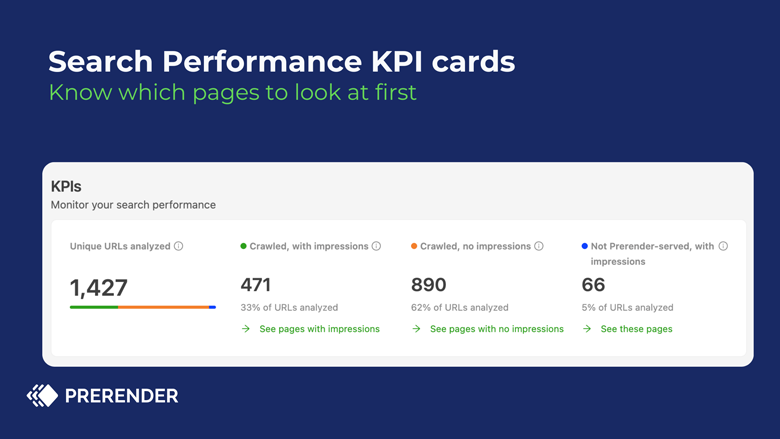
Every URL lands in one of three groups:
- Crawled, with impressions (served and showing up in Google Search)
- Crawled, no impressions (served, but not showing up yet)
- Not Prerender-served, with impressions (showing up without going through Prerender, often because part of the site runs on a different setup, like a main site built with Angular and a blog on WordPress)
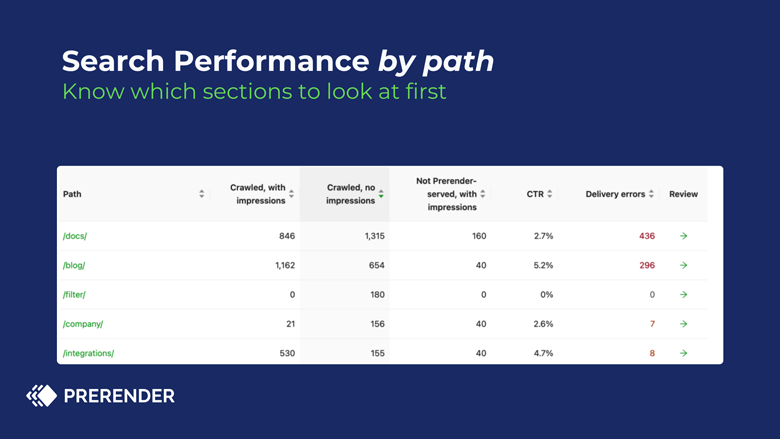
No impressions can be completely expected, like a thank-you or order confirmation page that was never meant to rank. Or it can be worth a closer look. Click Review to see the pages behind a section.
Search Performance won’t tell you why a page has no impressions. It tells you where to look, which is usually where the grunt work is.
See it in action
Get started
Search Performance is available for Prerender customers on Pro and Enterprise Plus plans. On Starter or Growth? Upgrade your plan to get access.
Already a Prerender customer?
- Go to Integrations in your Prerender account and find the Search Performance card.
- Select Connect Google account and sign in with a Google account that has access to your Search Console property (Owner, Full or Restricted user).
- Choose your domain (Pro) or up to five domains (Enterprise Plus), then select Activate.
We’ll email you when your data is ready.
Not a Prerender.io customer yet? Sign up and get instant access. For more details about the feature, check out our knowledge base.