SEO-ready Ember.js and Backbone.js
Your JavaScript framework should not decide whether crawlers can read your content. But when an Ember.js or Backbone.js application builds the page in the browser, search engines and AI crawlers may receive an incomplete HTML response.
Prerender.io serves them a complete, cached version of every important public route. Visitors keep the application you already built, and your team gets crawler-ready HTML without replacing the frontend.
JavaScript framework SEO
Ember.js and Backbone.js applications can still deliver valuable, modern experiences. The visibility problem begins when the content that users see is missing from the first HTML response.
Prerender.io closes that gap by loading the public route, waiting for its content, and returning complete HTML to crawlers. They can receive:
Human visitors continue using the same interactive application. That makes Prerender.io a practical option for established codebases where crawler access needs attention, but a framework migration does not make business sense.

Built for how Ember.js and Backbone.js applications work
Ember routes can resolve models, services, components, and asynchronous data before the page is complete. Prerender.io captures the resulting content for crawlers without requiring the application to run through an Ember FastBoot server for every visitor.
Backbone applications commonly assemble views in the browser and update them with data fetched through AJAX. Prerender.io gives crawlers the completed route, including the content and links produced after those requests finish.
Prerender.io operates outside the component or view layer. It can also support custom SPAs and other JavaScript frameworks when each public URL can be loaded in a browser, and crawler requests can be routed through a supported CDN, proxy, or web server.
Why use Prerender.io?
Give crawlers the rendered content, internal links, metadata, and structured data—not only the shell returned before the application runs.
Expose links and stable URLs for products, categories, listings, articles, documentation, and other pages with independent search value.
Serve ready-to-read HTML to Googlebot, Bingbot, recognized AI crawlers, social bots, and additional user agents configured by your team.
Integrate at the CDN, reverse proxy, or web-server layer while visitors continue using the Ember, Backbone, or custom JavaScript application.
JavaScript framework prerendering
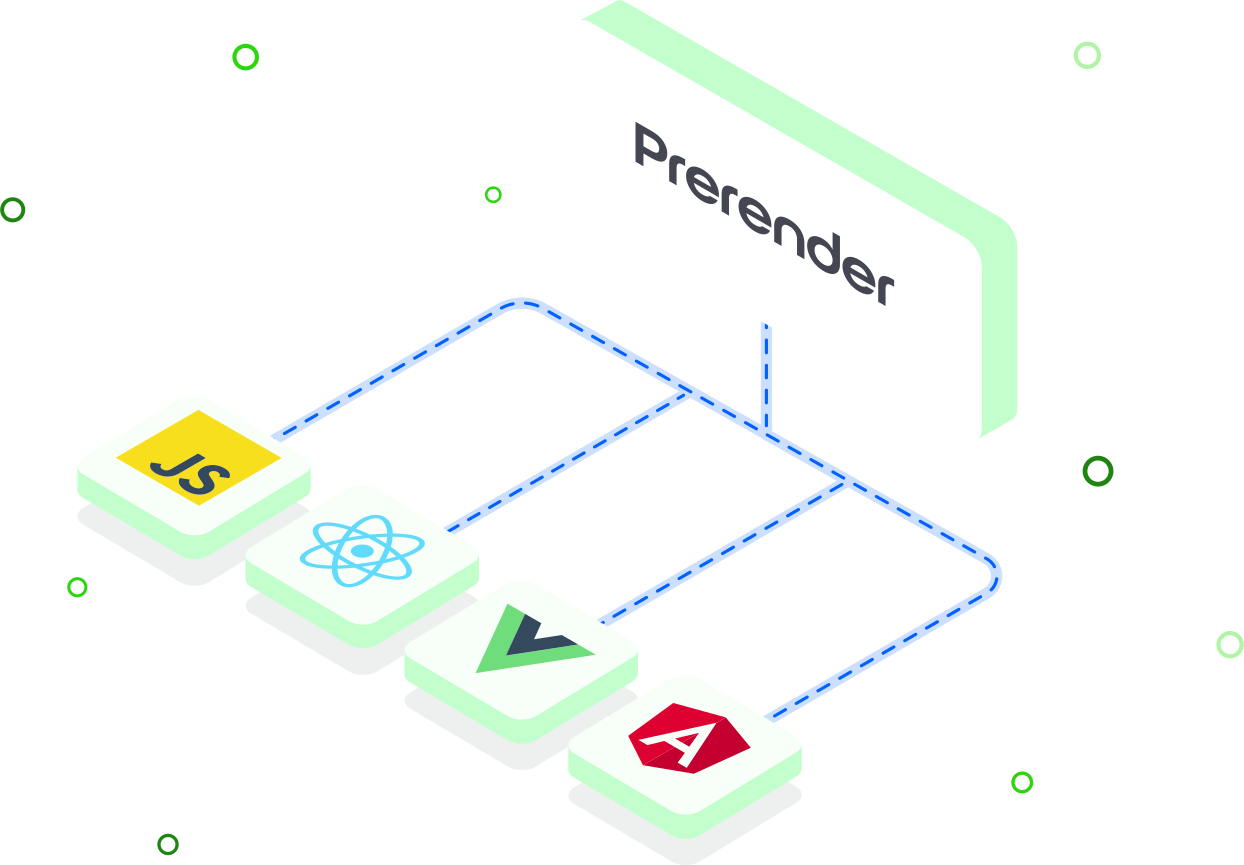
Prerender.io handles rendering outside the application codebase.
Visitors never enter this flow. They continue receiving the live client-rendered application directly from your website.
Rendering options
There is more than one way to return HTML from a JavaScript application. The right choice depends on how much of the rendering architecture your team wants to own.
Approach | Best fit |
|---|---|
Prerender.io | An existing Ember, Backbone, or custom SPA needs crawler-ready HTML without a major rebuild. |
Ember FastBoot | An Ember team wants server-side rendering and can maintain server-compatible application code and deployment infrastructure. |
Custom SSR | A team needs server-rendered HTML for users and crawlers and is prepared to build and operate the rendering layer. |
Static generation | Public routes are known in advance, change less frequently, and can be generated during a build or publishing process. |
Where FastBoot, custom SSR, or static generation already returns complete HTML, Prerender.io is optional rather than required, though a cached response can still reach the crawler a few milliseconds sooner. Its advantage is low disruption: the existing client-rendered application keeps working for users while crawlers get HTML they can process consistently.
The integration point depends on how web requests reach the application—not on the framework version.
Prioritize products, categories, listings, articles, documentation, locations, and landing pages. Exclude authenticated dashboards, account areas, checkout flows, personalized views, and URLs that should not be indexed.
Important Ember Router and Backbone Router destinations should have stable URLs that load correctly outside an in-app navigation. For Backbone, prefer pushState routes over hash fragments where practical. Configure the origin server to handle deep links and return real error statuses for missing pages.
Test representative routes with fresh sessions. Confirm that important content loads without a click, scroll, login, or other interaction. Pay particular attention to Ember model data, Backbone AJAX requests, lazy-loaded assets, third-party widgets, and long-running asynchronous work.
Integrate through a CDN or edge provider, a reverse proxy such as Nginx or Apache, or a Node.js/Express server receiving website traffic. The integration belongs outside the browser bundle.
Submit a sitemap or URL list, then set recache rules based on how often the content changes. Test the homepage and several deep routes with a crawler user agent. Confirm that each response:
x-prerender-request-id headerThen check cached URLs and failed renders in the Prerender.io dashboard and inspect priority pages through Google Search Console.
AI visibility begins with access. If an AI crawler retrieves only an application shell, it may miss the information needed to evaluate a page for an answer, citation, or recommendation.
Prerender.io can serve complete HTML to recognized AI crawlers and additional user agents configured in your integration. This gives them access to the same public text, links, metadata, and structured data that appear after Ember, Backbone, or another JavaScript application finishes rendering.
Prerendering improves technical access. It does not guarantee that an AI platform will index, cite, or surface the page; content quality, authority, crawler policy, and each platform’s own systems still determine visibility.

Indexing is really fast thanks to Prerender. At this point, the indexing is on 10k pages per day. For us, that’s perfect.
We were serving Google fully rendered pages across 5700+ URLs per month in no time.
We definitely saw an uptick in search… It was literally within hours of implementation, and our team was like, ‘Oh, problems solved.’
We’ve seen a strong performance increase after implementing Prerender. This has translated into tangible revenue growth for our business.
Shopping directly in LLMs doesn’t quite exist yet, but it will soon. We’re using Prerender.io® to help us stay visible in AI search when that day comes.
Before Prerender.io, our AngularJS single-page app faced indexing issues. Prerender’s easy integration quickly led to thousands of our pages being crawled and indexed, boosting our organic traffic significantly. Their responsive support was a bonus!
I saw value almost immediately – within about a week. I could see the uptick in Google crawling activity right after implementing Prerender, and the social media previews started working properly. Those were both immediate wins that I really valued.
Enhancing the Pagespeed Insights (PSI) score for my React website was a challenge. Fortunately, I found Prerender. Their easy setup required no additional development efforts… I was elated to see my PSI score turn green!
Indexing is really fast thanks to Prerender. At this point, the indexing is on 10k pages per day. For us, that’s perfect.
We were serving Google fully rendered pages across 5700+ URLs per month in no time.
We definitely saw an uptick in search… It was literally within hours of implementation, and our team was like, ‘Oh, problems solved.’
We’ve seen a strong performance increase after implementing Prerender. This has translated into tangible revenue growth for our business.
Shopping directly in LLMs doesn’t quite exist yet, but it will soon. We’re using Prerender.io® to help us stay visible in AI search when that day comes.
Serve search and AI crawlers complete HTML without replacing the Ember.js, Backbone.js, or custom JavaScript experience your users already know.
AJAX and JavaScript are not inherently bad for SEO, but they can create crawler-access problems when important content appears only after scripts run. Search engines and AI crawlers have different JavaScript capabilities, and even Google’s rendering can be affected by blocked resources, errors, delays, or interaction-dependent content. Review the common JavaScript SEO problems, then inspect the rendered HTML before blaming the framework alone.
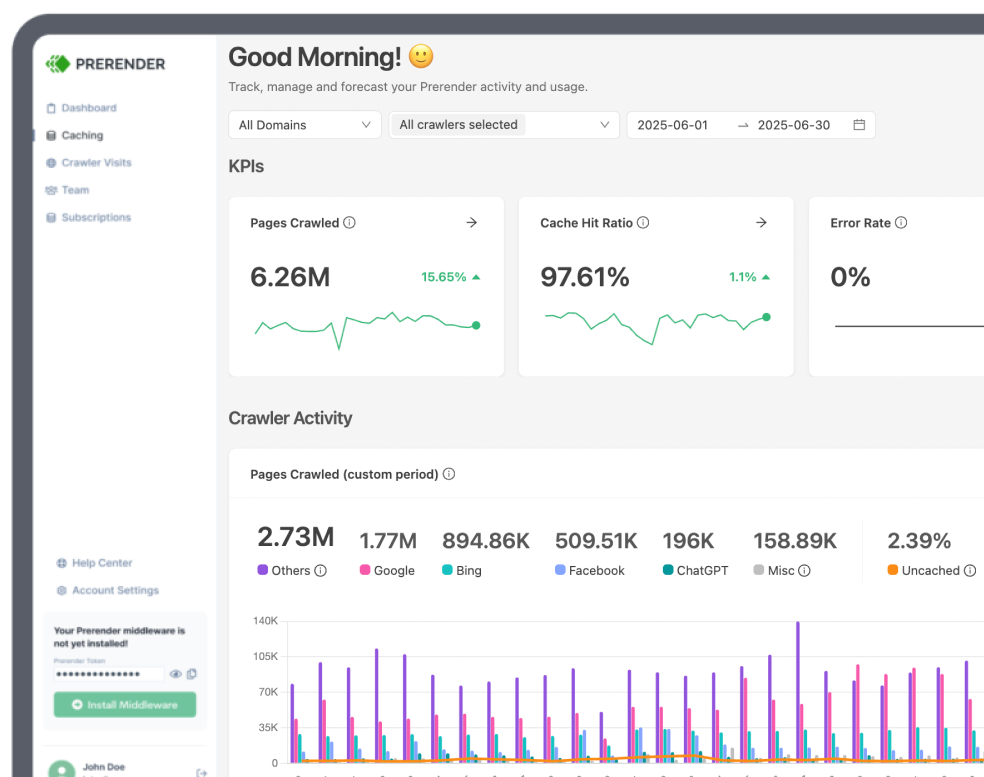
Prerender.io can improve the response delivered to supported crawlers by serving cached HTML instead of requiring them to execute the application. It does not automatically make the client-rendered experience faster for human visitors or guarantee better Core Web Vitals. Visitor performance still depends on the application, assets, hosting, and network. Learn how Prerender.io caching supports crawler delivery.
Prerender.io does not work only with Google. It can serve rendered HTML to supported search-engine bots, social crawlers, recognized AI crawlers, and additional user agents configured by your team. Check the integration allowlist and crawler controls for the channels that matter to you, then learn how to add additional bots.
Prerender.io works with both Ember.js and Backbone.js because it operates outside their component, view, and build systems. The integration is added to the CDN, reverse proxy, hosting, or web-server layer handling crawler requests. It can also support other client-rendered JavaScript applications when the public route can be loaded and rendered in a browser. Explore the available Prerender.io integrations.
Prerender.io can handle Backbone Router and deep links when each public route has a stable URL that can be requested directly. Prefer pushState routes over hash fragments where practical, configure the server to return the application for valid deep links, and return a real 404 for missing routes. Add valuable URLs to the sitemap or cache workflow. The SPA SEO guide covers the broader crawlability requirements.
Prerender.io can capture Ember model data and Backbone AJAX content when those requests finish successfully during the rendering session. Important public information should not require a click, scroll, login, or other user action, and required APIs must be accessible to the rendering service. Inspect several cached routes to confirm the expected copy, links, metadata, and structured data are present.
You should not prerender every route in your JavaScript application. Focus on public URLs with independent search or crawler value and exclude dashboards, account pages, checkout flows, user-specific views, and routes that should not be indexed. This keeps the cache focused and reduces the risk of exposing personalized content. The Prerender.io getting-started guide explains URL discovery and caching.
Prerender.io can make public Ember and Backbone content technically accessible to recognized AI crawlers by serving rendered HTML. Additional crawler user agents can be configured so bots receive the text, links, metadata, and structured data without executing the application themselves. This does not guarantee indexing, citation, or recommendation by an AI platform. Explore AI Search Visibility and learn how to add AI crawlers.