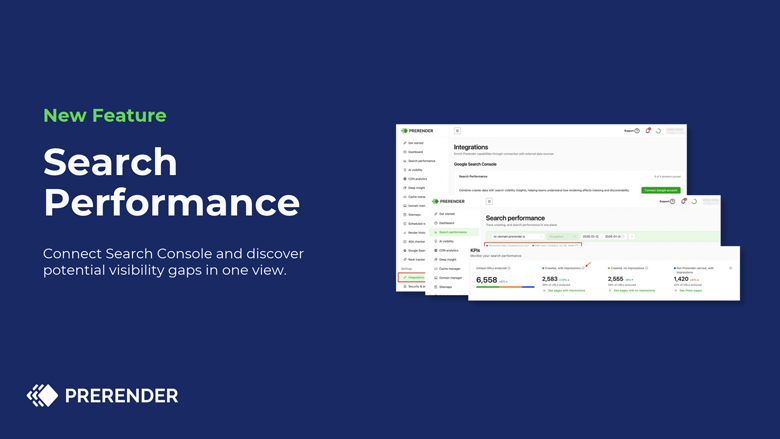
Google Search Console tells you what Google did with your site: impressions, clicks, and which pages got indexed. It can show the page Google fetched, but one URL at a time, and only its latest visit. What your site handed Googlebot and what happened next in search have always lived in different tools.
On this episode of Get Discovered, host Joe Walsh talks to Aliya Mirzakhmet, Senior Product Manager at Prerender. Aliya led the build of Search Performance, a new feature in the Prerender platform that puts both views side by side
Why Google Search Console data alone isn’t enough
The gap wasn’t only technical. The person who signed up for Prerender might sit in marketing, while the person in Search Console sits in engineering. “Connecting two datasets was not only two different tools,” Aliya says. “It’s also different workflows of two different teams.”
Search Performance shows how Prerender delivered pages to Googlebot next to how they performed in search. It also shows Prerender’s value without the riskiest test there is: switching it off and waiting for traffic to recover.
What is an API-agnostic integration platform?
Picture an airport. It serves many airlines from the same runways. Nobody builds a new airport for each airline. Search Performance runs on that kind of reusable foundation, and Search Console is the first source connected to it.
Building Search Performance: three lessons from the pilot
Before building the feature in the product, the team sent pilot customers PDF reports with aggregated data. Three lessons came back:
- URL matching is the core. Each source formats URLs its own way. One clean URL across sources is what makes the data tell a story.
- Accurate isn’t actionable. Customers trusted the numbers, then asked to check specific URLs. Aliya took that as a good sign.
- Names matter. Labels like “visible” and “not visible” confused people, so they changed.
How Search Performance groups your URLs
| Group | What it means | What to check |
|---|---|---|
| Crawled, with impressions | Prerender served the page to Googlebot, and it earned impressions | The sections that matter most to you |
| Crawled, no impressions | Prerender served it, but it earned no impressions | Whether that’s expected: parameter URLs, thin pages, or new pages |
| Not served, has impressions | The page earns impressions, but Prerender didn’t serve it | Your coverage. It may be on purpose, or part of your site isn’t connected |
Can you trust Search Performance data?
Search Performance doesn’t recreate Google’s data. Customers give consent, choose their domains, and the feature combines two datasets. The search numbers come from Google. What Prerender adds is where it sits: it handed Google the page, so it knows what Googlebot got. Search Performance shows where the two halves don’t line up.
Impressions vs. indexing: two Search Console misconceptions
No impressions doesn’t mean not indexed. Search Console’s performance data only lists URLs with impressions. A page can be indexed and still have none.
Fixing rendering doesn’t show in traffic the next day. “We serve the pages to the machines,” Aliya says, “and the rest is out of our control.” How soon Googlebot or GPTBot returns is up to Google and OpenAI.
What to check in Google Search Console this week
In Search Console, open the Performance report, check your indexing data, and inspect the pages you care about most. You won’t see whether those pages were delivered in full. “The information is there, but it’s not complete,” Aliya says.
Search Performance is in beta on Pro and Enterprise plans. On another plan? Contact support via the dashboard for a no-cost, three-month trial.
Tune in to the full conversation
Listen to the full episode of Get Discovered and subscribe across YouTube, Spotify, and Apple Podcasts so you don’t miss any conversation on the fundamentals of online discovery and machine experience.
To follow Aliya’s work, find her on LinkedIn. Find out more on Search Performance or if you’re already a Prerender customer, use our guide to connect Google Search Console.
About Search Performance:
Search Performance is a Google Search Console integration inside your Prerender.io dashboard that cross-checks your crawl data against your Google Search Console performance. It shows you which pages Prerender served that are showing up in Google Search, which ones aren’t, and which pages have impressions in Google that Prerender never served, all in one place.
Discover more on Search Performance, from connecting Google Search Console to understand the KPI card.