AI platforms like ChatGPT are transforming the search landscape. But unfortunately, there’s a good chance that your website’s important information might be completely invisible to AI crawlers.
And if your content isn’t accessible to AI crawlers, it won’t show up in answers from AI platforms like ChatGPT, Perplexity, or Claude.
Whether your content is visible or not largely depends on JavaScript, a website framework that makes beautiful websites, but is hard for bots and crawlers to access efficiently.
So, what are the differences between ‘traditional’ crawlers and AI ones? What content does JavaScript impact most? How do you optimize your content for AI crawlers, and how can solutions like prerendering help?
Let’s dive into all these questions and answers. Read on for details.
What are the Differences Between Traditional and AI Crawlers?
Traditional crawlers like Googlebot crawl, index, and render website content. Even though Google’s crawlers have their own JavaScript limitations, they can still render JavaScript. But AI crawlers, on the other hand, won’t execute JavaScript at all.
Furthermore, AI crawlers still largely rely on what’s available in SERPs to feed their database. Since traditional crawlers can struggle to index JavaScript content, there’s a good chance that this content is hidden from AI crawlers, too.
AI crawlers primarily focus on static HTML websites and prefer clear, structured, and well-formatted text-based content. Your site’s interactive JS elements—such as pop-ups, interactive charts or maps, infinite scroll content, or content hidden behind clickable tabs—might be completely blocked to AI crawlers. They also come with extra limitations:
- OpenAI’s GPTbot only focuses on and parses the raw HTML content it sees on the initial page load. This means your content won’t be seen if it’s injected via JavaScript.
- To ensure efficient scalability, AI crawlers impose resource constraints and tight timeouts (1-5 seconds). If your web pages load too slowly, the crawlers might skip them altogether.
- Major AI crawlers don’t execute JavaScript, making dynamic content, such as user reviews, product listings, and lazy-loading sections on SPAs and JavaScript-heavy websites nearly invisible.
| Features | Traditional bots | AI bots |
|---|---|---|
| Primary purpose | Indexing web pages for search engine ranking results | Collecting data to train and improve LLMs and AI models’ performance to generate human-like text responses using NLP and ML models |
| Crawling and indexing | Supports deep and recursive crawling, storing a vast database of pages to index and rank relevant results | Supports targeted, selective, and context-aware indexing, prioritizing content relevance over volume |
| Page rendering | Supports dynamic web page rendering, with limitations | Focuses on static HTML content scraping |
| JavaScript execution | Yes, with limitations | No |
| Crawling frequency | Regular, depending on the website’s authority and popularity. Higher authority websites get crawled more often | Exhibits more frequent and aggressive crawling patterns, mostly in shorter bursts than traditional crawlers |
| Robots.txt support | Respects and follows instructions in the robots.txt files | Some AI crawlers may ignore robots.txt files; however, OpenAI’s bots follow robots.txt |
| SEO relevance | It has a direct impact on search ranking and visibility | Doesn’t directly impact search engine ranking |
This difference in both crawlers’ crawling capabilities makes AI crawlers see a stripped-down version of your website. This is especially applicable for websites built on the Angular, React, or Vue frameworks. That’s because these frameworks often rely on Client-Side Rendering (CSR), where most of the page’s content loads on the user’s browser using JavaScript, after it’s initially served.
And since AI crawlers don’t typically wait for JavaScript to load, they only scan the raw HTML available at the first load. If your page’s key content isn’t present in the HTML and appears only after client-side scripts run, it won’t be visible to the AI crawlers at all.
This is where prerendering or server-side rendering helps ensure that fully-rendered HTML is accessible to AI crawlers, improving its chances of appearing on AI results for users.
Learn more about the difference between prerendering and other rendering options.
What Do We Know About OpenAI’s Crawlers?
ChatGPT is, by far, one the most popular AI search tools. As of July 2025, it currently receives over four billion visits per month.
But OpenAI has a few different crawlers that navigate the web, and it’s important to be aware of each ones’ strengths and limitations. (Note: Oncrawl’s Log Analyzer can help you track this.)
Here’s a high-level overview of each of the three major OpenAI crawlers:
- GPTBot: This is an offline and asynchronous bot that crawls your website to collect information and train AI and language models, thereby improving AI results. This means that while your website is used to train AI models, it doesn’t necessarily rank in GPT search results.
- ChatGPT-User: This bot indicates that a real user query made ChatGPT crawl your website in real time to fetch up-to-date content. Requests from this bot indicate the best signal of visibility. Ensuring these pages are accessible is crucial for boosting visibility in ChatGPT’s results.
- OAI-SearchBot: This is the indexing bot that runs asynchronously to augment and refresh search results from Bing and other sources.
And the crawl frequency of OpenAI’s bots differs significantly from traditional bots. While Google’s bots crawl web pages more frequently depending on content freshness, update history, and authority, GPTBot has an infrequent or broad crawl frequency with long revisit intervals for a page. Unless a page is of high value and authority, it may crawl a page once in a few weeks.
OAI-SearchBot, on the other hand, has a periodic but limited and very infrequent crawl frequency than traditional bots. Similarly, ChatGPT-User is triggered by a user prompt, immediately crawling a bunch of URLs upon user requests. This means it doesn’t continuously crawl URLs like traditional bots.
Unlike traditional bots, the crawl budget and volume of OpenAI bots are quite low, selective, and quality-driven, maximizing data quality and prioritizing clean and well-structured content.
Understanding how each of these crawlers operates can help you build out a stronger SEO strategy. And ultimately, Oncrawl’s analysis confirms that none of the OpenAI crawlers execute JavaScript. Despite downloading .js files, OpenAI bots don’t run them.
As a result, without rendering support, your .js content likely won’t be crawlable by the world’s most popular LLM, ChatGPT. And this can have knock-on effects on your bottom line.
The Impact of Poor JavaScript Rendering on Businesses
This limited visibility can harm your website’s performance, but not all parts of your website are affected equally. Here are the elements to be mindful of:
- Dynamic product information, such as product availability, prices, variants (color/sizes), and discounts.
- Lazy-loaded content, like images, reviews, testimonials, and comments.
- Interactive elements, such as carousels, tabs, modals, and sliders.
- Client-side rendered text is often missed by AI crawlers, as they get a blank page instead of a fully rendered page.
Here’s a chart to help keep track of this at a glance:
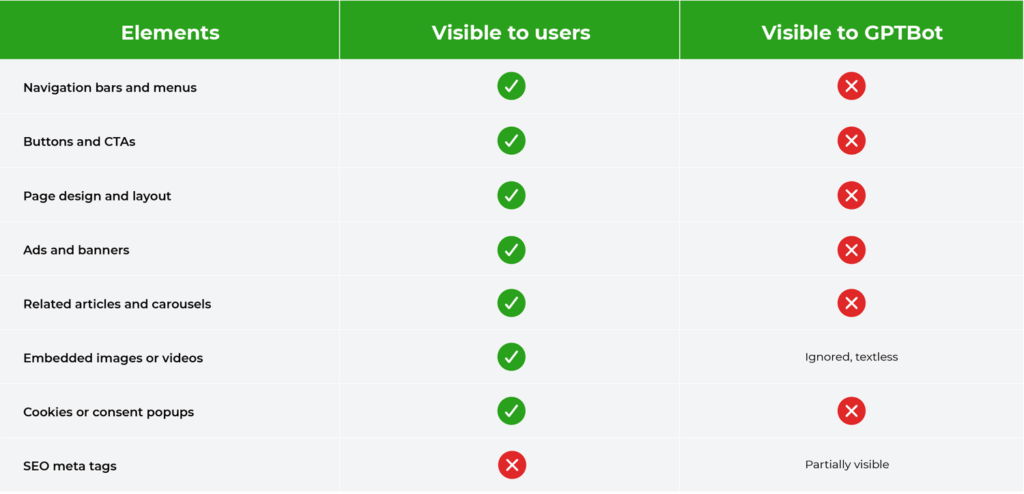
How Poor JavaScript Rendering Can Hurt Your Bottom Line
Any of this hidden JavaScript content can impact your business, particularly large websites, content-heavy sites with frequent updates, or ecommerce businesses with dynamic content.
For example, ecommerce websites that rely on dynamic product details or quick-changing inventory have the most issues with this. And SaaS brands like Asana suffer from content gap issues, as they utilize JavaScript for interactive features and elements across their websites.
This issue of the JavaScript blind spot has major repercussions for brands and businesses, the most significant one being lost visibility, missing content, and as a result, a decline in traffic, especially with the growing popularity of AI search results and AI Overviews.
Besides the loss of visibility, JS visibility issues can also result in an incorrect or incomplete representation of your website’s content, like product details or missing product prices, resulting in customer distrust.
So, how can you solve this?
How Prerendering Can Fix Your AI Visibility Issues
If you’re worried that your content is invisible to AI crawlers because of JavaScript, that’s where prerendering can help.
How Prerendering Works
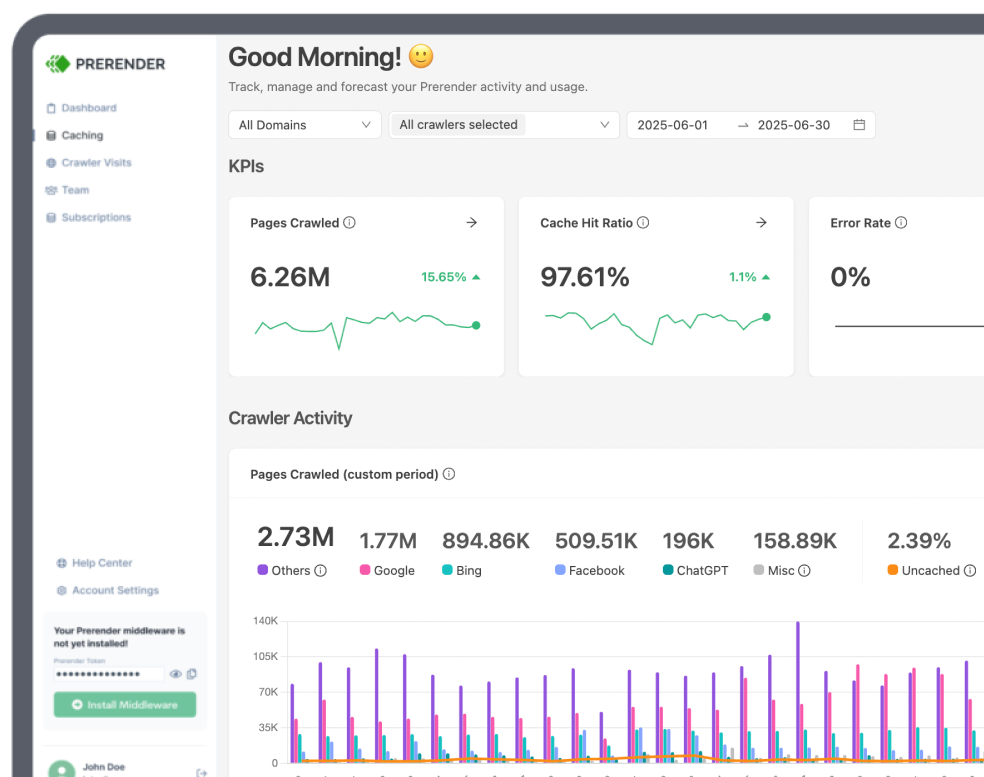
Prerendering solutions like Prerender.io generate a fully rendered, static version of your web pages before bots or crawlers request them. This means that they’re ready to go when an AI crawler visits your page—both traditional and AI crawlers can process HTML much more efficiently.
This rendered HTML version comprises all the essential elements, including the text, images, metadata, dynamic content, videos, and links, without requiring the bots to rely on JavaScript rendering. This means that your important information previously hidden behind JavaScript doesn’t get missed.
Since AI crawlers like OAI-SearchBot and GPTBot have limited JavaScript capabilities and tight timeouts, they may completely skip JS-heavy, complex and slow pages. This is where prerendering can add an extra advantage for you:
- AI crawlers don’t need to wait for scripts to run.
- Prerendering provides full context and elements of the page in the initial HTML response.
- Crawlers don’t need to rely on dynamic JavaScript rendering to ensure visibility.
Especially when you use tools like Prerender.io that enhance your website’s rich snippets and structured data, you can ensure better AI crawlability and faster indexing of your website.
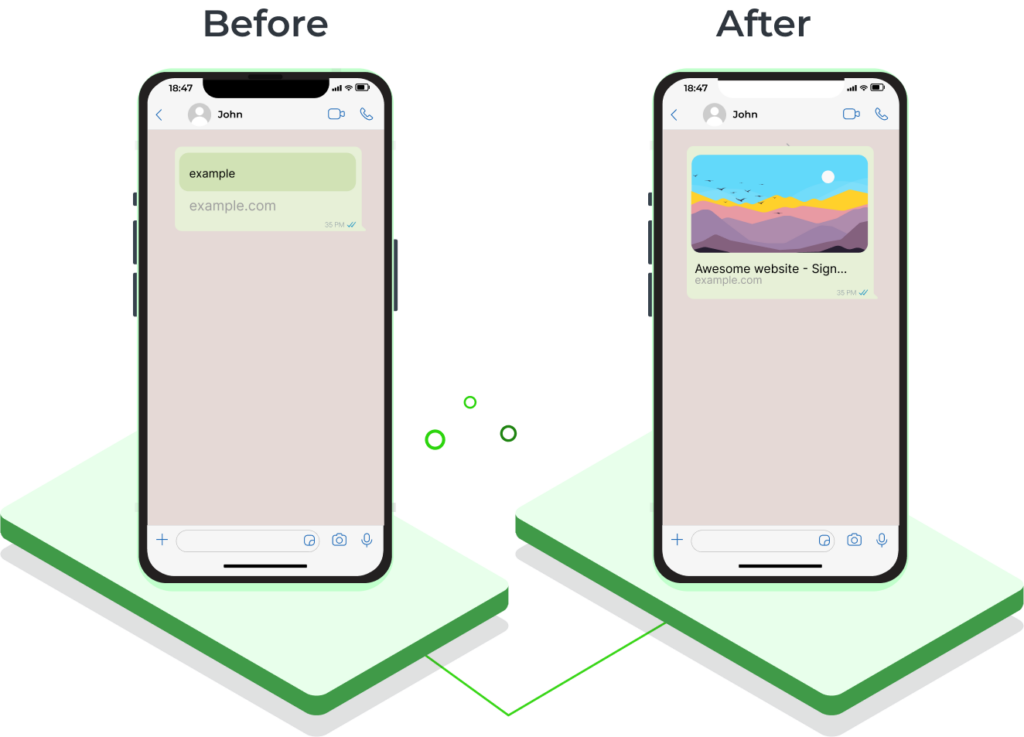
This can have a host of indirect benefits often caused by JavaScript rendering issues, such as slow or broken link previews.
Server-side rendering is also a solution to address JS visibility, but there are some downsides. Maintaining in-house SSR requires significant developer resources and ongoing maintenance costs, often costing you much more time and money than prerendering would.
Tools like Prerender.io offer a one-time integration that you can set and forget, ensuring that search engines, AI platforms, and social media platforms swiftly access your content without much oversight.
Here’s a short video of how Prerender.io works:
How to “Rank” for AI Crawlers with Prerendering
Here’s how you can optimize your rendering setup to “rank” for AI bots and gain visibility in LLMs like ChatGPT.
1) Audit JS-heavy content and pages
The first step is to identify parts of your website that load with JavaScript and aren’t visible in the raw HTML. Use tools like Oncrawl and launch a crawl without JS, Screaming Frog’s SEO Spider in “Text Only” crawl mode, or Chrome Developer Tools (right click > view page source) to find JS-loaded content.
Also, look for missing product descriptions, schema, or blog content in the page source.
2) Choose a reliable rendering solution like Prerender.io
Once you’ve identified the pages as mentioned above, it’s time to implement the right rendering solution.
The two main options are in-house server-side rendering or the prerendering route. While in-house SSR offers more control, it gets highly resource intensive, as mentioned earlier.
A prerendering solution like Prerender.io allows you to integrate and go, without disrupting your site’s architecture or requiring heavy ongoing maintenance.
3) Verify AI bots’ access
The next step is ensuring AI crawlers reach your prerendered pages.
You can do this during the Prerender integration process. After that, it’s essential to utilize tools like Oncrawl to analyze AI crawler behavior, review server logs for crawler activity, and update robots.txt to permit AI agents, such as ChatGPT-User, GPTBot, and OAI-SearchBot.
4) Focus on prerendering high-priority pages
While prerendering is cost-effective, it’s still important to make sure you aren’t rendering unnecessary pages. Focus on priority pages with important information, such as product pages, service pages, high-traffic blog posts, location pages, or support and FAQ pages. Avoid rendering any 404 pages, for example.
Focusing on these pages helps optimize your website’s crawl budget, ensuring that pages with the highest potential for AI visibility are prerendered and ready for AI crawlers.
5) Optimize your content
And last but not least, help AI crawlers process your content by making it easier for them. Here are some tips to make it more accessible:
- Ensure you have key elements present, like headings, images, schema markup, and internal links
- Make sure your high-value content is in the initial HTML and not hidden behind tabs, lazy loading elements, or modals that may not be indexed
- Prevent login walls or paywalls, like bot blockers or content gates, for content you want AI to index
- Write clearly and use contextual language without jargon
- Provide canonical tags and use consistent URLs to avoid duplicate content
Conclusion
Optimizing for AI crawlers is no longer a choice but a must-have strategy. AI Overviews are one of the most disruptive changes in search results; 13.14% of all search results triggered AI Overviews in March 2025, representing 54.6% of all search queries.
At the pace at which AI platforms and search engines are evolving, it’s clear that they’re geared towards more adaptive, context-driven, and intelligent systems that can even understand multimedia and visual elements.
To optimize your website for AI visibility in the current scenario and prepare for the future, Prerender.io is an excellent solution to enhance your website’s AI search visibility. Prerender.io ensures better AI crawling and faster indexing, supporting increased traffic, improved AI visibility, and higher conversions.
Try it for free to help your content reach AI search results and ChatGPT responses faster.
FAQs
What’s the difference between traditional crawlers and AI crawlers?
Traditional crawlers, like Googlebot, can render JavaScript (with some limits) and index full web pages. AI crawlers, like OpenAI’s GPTBot, typically cannot execute JavaScript and only capture the raw HTML on first load. This means dynamic content often gets missed.
Why can’t AI crawlers see my content?
AI crawlers skip JavaScript execution and rely on fast, static HTML. Content hidden behind scripts (often such as product details, reviews, or tabs) may be invisible to them, leading to reduced discoverability in AI-driven search tools like ChatGPT or Perplexity.
How does poor JavaScript rendering impact my business?
If AI crawlers can’t access your product details, pricing, reviews, or blog content, your site may not appear in AI-generated answers. This can reduce visibility, harm traffic, and even create trust issues if key information is missing.
How does prerendering improve AI visibility?
Prerendering generates a fully rendered HTML version of your web pages before bots visit. AI crawlers then receive the complete content upfront (text, images, schema, and metadata), ensuring nothing is hidden.
What pages should I prioritize for prerendering?
Focus on high-value pages: product and service pages, important blog posts, FAQs, and location pages. These pages are most likely to drive visibility, conversions, and trust when surfaced in AI-powered results.