What’s the best GEO tool to improve your site’s technical AEO and visibility across AI-powered search engines like ChatGPT, Gemini, and Perplexity?
Generative Engine Optimization (GEO)—also referred to as AEO (Answer Engine Optimization)—is the evolution of SEO for generative search. Instead of optimizing only for Google rankings, GEO focuses on whether AI systems can retrieve and trust your content to users’ search.
This is where technical GEO tools matter. They solve the underlying visibility problems that prevent AI search engines from accessing content, such as JavaScript rendering issues and prompt-level AI analysis.
TL;DR of Top Generative Engine Optimization Tools
Improving your content for better Generative Engine Optimization (GEO) performance is not a single-layer problem. Here is how to build a GEO stack that actually gets your brand cited in AI-generated answers:
- Ensure your web pages are readable. AI crawlers don’t execute JavaScript. If your site relies on JS, most AI bots see a blank page. Prerender.io resolves this by serving fully rendered HTML to AI crawlers on request.
- Measure where you stand. Once access is confirmed, tools like Profound, AthenaHQ, Conductor, and PeecAI track citation frequency, competitor share-of-voice, and which pages generative engine optimization platforms prioritize across ChatGPT, Gemini, and Perplexity.
- Optimize your content for GEO. With visibility data in hand, Surfer, Frase, and Writesonic restructure content around the gaps AI engines surface. HubSpot’s AI Search Grader offers a free starting benchmark.
In other words, to optimize your content for generative engines and LLMs, you need to: render first so the AI system can see your content, measure second so you understand your performance, and act third to close the content gaps revealed by the data. The following guide details how each tool fits into this specific workflow.
Why Most Generative Engine Optimization Tools Fail on JavaScript Sites
Most GEO tools start from the same assumption: that AI crawlers can already read your content. For JavaScript-heavy sites, that assumption is wrong.
AI crawlers don’t execute JavaScript. On a JS-rendered site, they receive an empty HTML shell — meaning AI citation monitoring tools have nothing accurate to measure, and content optimization tools are restructuring pages that AI engines were never able to access.
This is why the tools in this guide are split across two layers: infrastructure first, monitoring and optimization second.
How We Evaluated The AI Search Engine Optimization Tools
We evaluated 9 GEO tools against a JavaScript-heavy enterprise staging site — a similar web architecture pattern used by large-scale ecommerce and travel sites shipping content across multiple markets. Each tool was judged on four criteria.
- Multi-model coverage: Does the tool track ChatGPT, Perplexity, Claude, Gemini, and Google AI Overviews natively, or does it cover two engines and call itself a GEO platform?
- Actionability: Does it surface concrete fixes (content gaps, structural recommendations, rendering issues) or stop at a visibility chart that tells you something is wrong without telling you what to do about it?
- Enterprise scale: Does it support multi-brand or multi-market tracking, integrate with existing analytics stacks like GA4, and handle the prompt volume enterprise teams actually run?
- Technical depth: Does the tool address the access layer (through rendering, crawler analytics, or server-log evidence) or does it assume your content is already readable and only measure what happens after?
The Best Generative Engine Optimization Tools Comparison
| GEO Tool | Category | Best For | GEO Challenges Solved |
| Prerender.io | Infrastructure and Rendering | AI crawler accessibility on JS-heavy sites | Serves rendered HTML to AI crawlers on request; no SSR migration required |
| Profound | Citation Monitoring and AI Visibility | Enterprise multi-engine citation tracking | Measures citations across 10+ engines; server-log crawler analytics |
| AthenaHQ | Citation Monitoring and AI Visibility | Transparent citation measurement and content-gap action | Tracks share of voice, flags AI knowledge gaps, turns gaps into content fixes |
| Conductor | Citation Monitoring and AI Visibility | Enterprise AI visibility within existing SEO workflows | Tracks AI share-of-voice alongside organic rankings in one platform |
| PeecAI | Citation Monitoring and AI Visibility | Prompt-level AI mention tracking | Tracks brand mentions at the individual prompt level across major AI engines |
| Keyword.com | Citation Monitoring and AI Visibility | AI mentions and rank tracking | Monitors brand citations and keyword visibility across AI search platforms |
| Writesonic | Content Optimization for AI | Visibility monitoring plus content production | Combines AI citation tracking with content generation in a single workflow |
| HubSpot AI Search Grader | Free / Benchmarking | Quick AI visibility benchmark at no cost | Snapshots brand perception and AI visibility across engines; free entry point |
9 Best Generative Engine Optimization Tools To Improve AI Visibility
We went through each of the following tools against the same four criteria, so the takeaways below reflect how each one actually behaved rather than how it markets itself. The first one solves a problem; the rest assume away.
1. Prerender.io: Best for AI Crawler Accessibility and Rendering
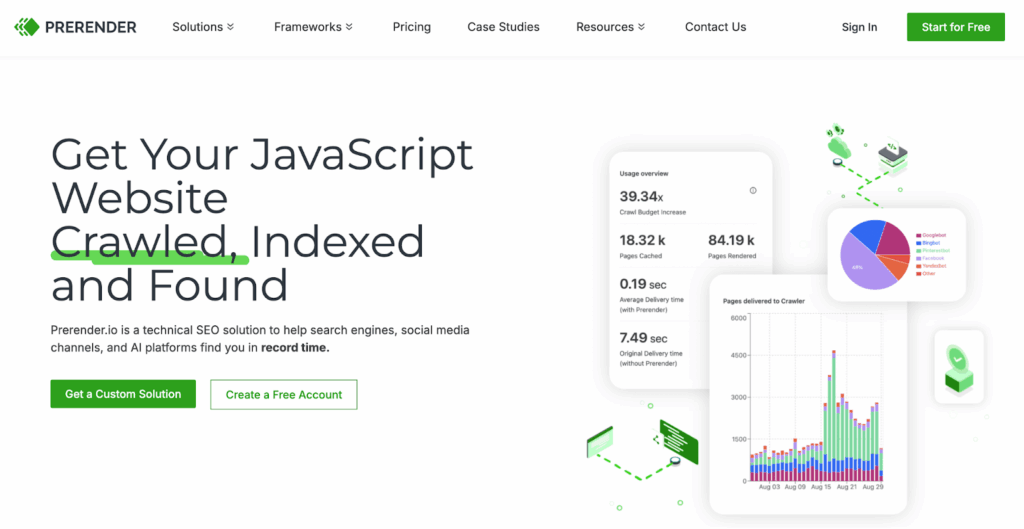
Prerender.io serves fully rendered HTML to AI search engines to solve JS rendering / render bottlenecks for AI crawlers, ensuring that JavaScript-built sites become readable at the moment a bot requests them. It operates at the access layer that the other generative engine optimization tools in this guide assume is already solved — and without it, their data is incomplete.
The GEO Problem Prerender.io Solves
Googlebot can afford to be patient with JavaScript. When it hits a JS-heavy page, it indexes the raw HTML first, then queues the page for a second rendering pass that can arrive hours or days later when computing resources free up. That deferred queue is why client-side content eventually gets indexed by Google despite the delay.
AI search bots do not work this way. Crawlers like OAI-SearchBot, PerplexityBot, and ClaudeBot are scraping live data to synthesize an immediate answer. There is no secondary queue and no return visit. As Prerender’s own breakdown of traditional versus AI crawlers notes, AI crawlers typically skip JavaScript execution and read only the raw HTML on first load. If your React or Vue components do not hydrate server-side by the time the bot reads the page, the crawler skips your script and pulls data from a competitor whose content arrives as flat HTML. The page that loaded in 1.2 seconds in a human browser is invisible to the model, and you never see why your competitor got cited instead.
Prerender.io removes that hydration tax for LLM crawlers. It intercepts crawler requests and serves a pre-rendered HTML snapshot, so the bot reads complete content on the first and only visit it makes.
Core GEO Features of Prerender.io
- AI crawler user agent configuration. Prerender.io can be configured to serve rendered HTML to AI crawlers. The recommended user agent list covers GPTBot, ClaudeBot, PerplexityBot, OAI-SearchBot, and more (see here for the full AI bot supported list).
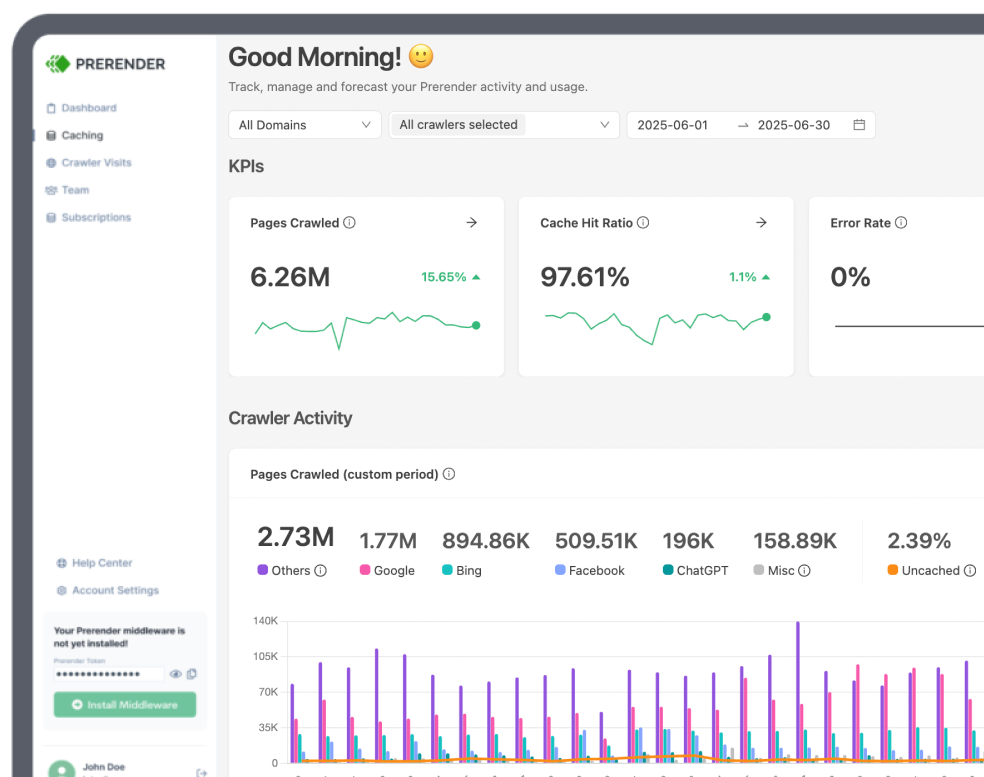
- Dashboard AI crawler filtering. Once configured, the Prerender.io dashboard breaks out AI crawler activity by individual bot, showing pages crawled, cache hit ratio, error rate, and average crawl time. This is the ongoing audit surface, not a one-time diagnostic. You can filter to AI and LLM crawlers specifically and watch how each engine reads your site over time.
- Plug-and-play JS prerendering. Prerender.io installs through a CDN integration with Cloudflare, Akamai, and similar layers, or through a backend integration when you need finer control over which requests get routed. Neither path requires re-architecting your site.
GEO Limitations of Prerender.io
Prerender.io does not track AI citations, monitor prompts, or tell you how your brand is framed in AI answers. It makes your content readable, so the measurement and content tools later in this list have something to measure accurately. Treat it as the foundation to get your website seen by AI crawlers, not the full stack.
Why Prerender.io Stands Out From Similar GEO Tools
Most GEO tools start from the assumption that AI systems can already see your content and focus on optimizing what happens next. Prerender.io solves the prior problem, whether the models can read your pages at all. By serving server-rendered HTML at the request level, it removes the rendering bottleneck that quietly blocks AI retrieval on modern JavaScript sites, making it the layer on which the rest of your GEO stack depends.
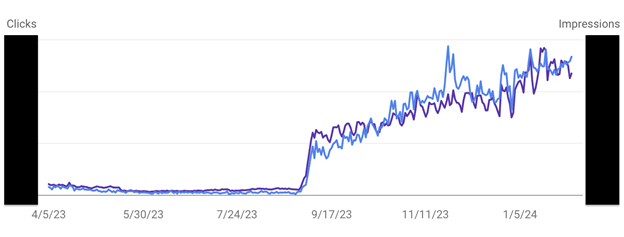
Here’s a real-life case study on how Prerender.io improves the GEO performance of an enterprise website. On, a global sportswear brand operating across 60+ markets on a JavaScript-heavy ecommerce stack, integrated Prerender.io ahead of a major frontend migration. Without a rendering layer in place, AI and search crawlers were receiving empty pages — causing indexing failures, broken ad campaigns, and stalled organic growth.
After integrating Prerender.io, On saw a 67% increase in Google traffic and a 98% increase in Bing traffic, while avoiding the months of engineering overhead that an SSR build would have required. When On temporarily disabled Prerender.io in one market as a controlled test, traffic dropped to less than 10% of normal levels. Read the full On case study to learn more.
| Note: On our staging site, the gap was clear. Before Prerender, fetching the React product pages as OAI-SearchBot returned an empty shell. After configuring the AI user agents, the same fetch returned fully rendered HTML on the first request. |
Resource: See Why AI Crawlers Struggle to Render JavaScript
2. Profound: Best for Multi-Engine Citation Tracking
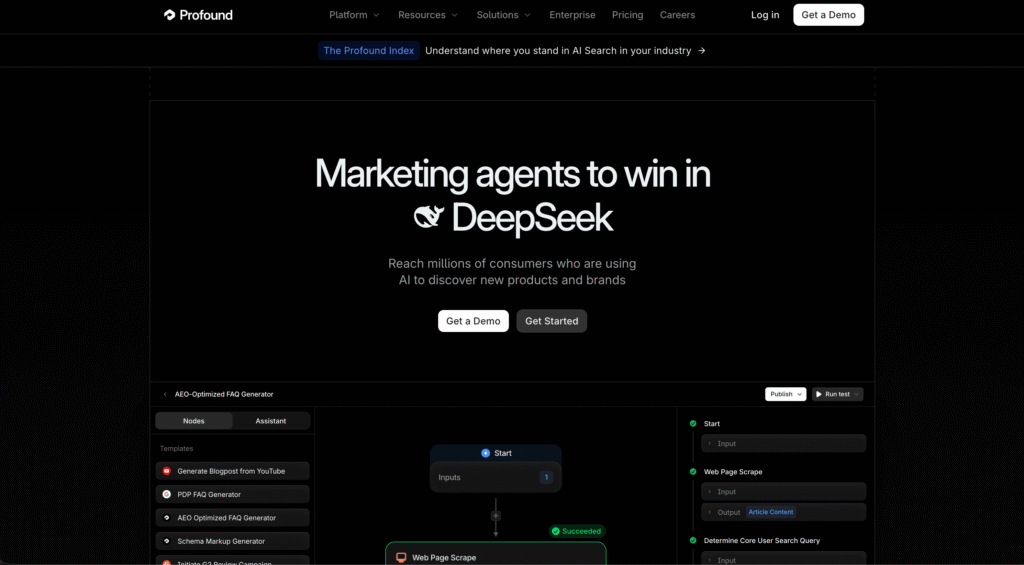
Profound is an enterprise AI visibility platform that combines citation tracking across major answer engines with server-log analytics on how AI crawlers actually interact with your site.
What Profound Solves
Enterprise brands need to know not just whether they appear in AI answers, but how often, on which engines, and what content the models pulled from. Profound tracks visibility across 10-plus answer engines, including ChatGPT, Perplexity, Claude, Gemini, Copilot, Google AI Overviews, Grok, and DeepSeek, then connects that to log-level evidence of crawler behavior.
Core Features of Profound
- Conversation Explorer. A prompt database built from a large pool of anonymized real user conversations, showing what people actually ask AI systems rather than what keyword tools estimate they search.
- Agent Analytics. Server-log analytics that track which AI crawlers visit your site, what content they access, and how that maps to traffic through a GA4 integration. This is the technical diagnostic layer that distinguishes Profound from monitoring-only tools.
- Answer Engine Insights. Citation and share-of-voice tracking across engines, with sentiment analysis, competitor mention mapping, and real-time alerts on visibility shifts.
- Shopping Insights and Workflows. Product visibility tracking inside ChatGPT Shopping, plus automated content workflows that move teams from a visibility gap to a brief and draft inside the platform.
Limitations of Profound
Profound is built for enterprise budgets, with entry plans reported around $99 per month and per-brand pricing that climbs with scale ($99 per month to track single-engine ChatGPT, whereas multi-engine Growth is $399/mo). Agencies managing many smaller client accounts often find the seat-based model expensive relative to the number of brands they track.
Why Profound Stands Out From Similar Tools
Profound pairs answer-engine measurement with server-log crawler analytics, so you see both the output (citations) and the mechanism (which bots read what). That combination of demand data, citation tracking, and log-level crawler evidence is rare on a single platform, which is why enterprise teams treat it as a primary measurement vendor.
3. AthenaHQ: Best for Citation Measurement and Content-Gap Action
AthenaHQ is a GEO platform built by former Google Search and DeepMind staff, focused on transparent citation measurement and an action center that turns visibility gaps into content fixes.
What Problems AthenaHQ Solves
Teams that care about the data underneath the dashboard need to trust how share-of-voice numbers are produced. AthenaHQ publishes details on how it constructs queries, parses citations across engine interfaces, and normalizes data, which makes it a credible primary measurement source for organizations running their own analysis on top of vendor data.
Core Features of AthenaHQ
- Multi-engine monitoring. Tracks brand visibility, mentions, citations, and sentiment across ChatGPT, Gemini, Claude, Perplexity, Copilot, and Google AI Overviews, with a geographical breakdown that matters for regionalized models.
- AI knowledge-gap detection. Flags concepts and entities where the models lack enough data to form an accurate view of your brand, which is distinct from standard keyword gaps and central to defensive GEO. If a model does not know your pricing structure, it will invent one.
- Action Center. Uses automated agents to help fill the gaps it identifies rather than only flagging them, closing the execution gap that passive monitoring tools leave open.
- Clean data export. CSV and API export make it straightforward to build custom reporting on top of AthenaHQ’s measurement.
Limitations of AthenaHQ
Pricing starts around $295 per month, which can put it out of reach for many small businesses. That said, it offers a free tier with 300 credits or $25 in credits before you commit.
Why AthenaHQ Stands Out From Similar Tools
AthenaHQ wins on methodology transparency. For buyers who weigh measurement integrity over polished dashboards, the published details on how queries run and how citations are parsed make their numbers easier to defend internally than those of vendors that treat their methodology as a black box.
4. PeecAI: Best for Prompt-level AI Mention Tracking
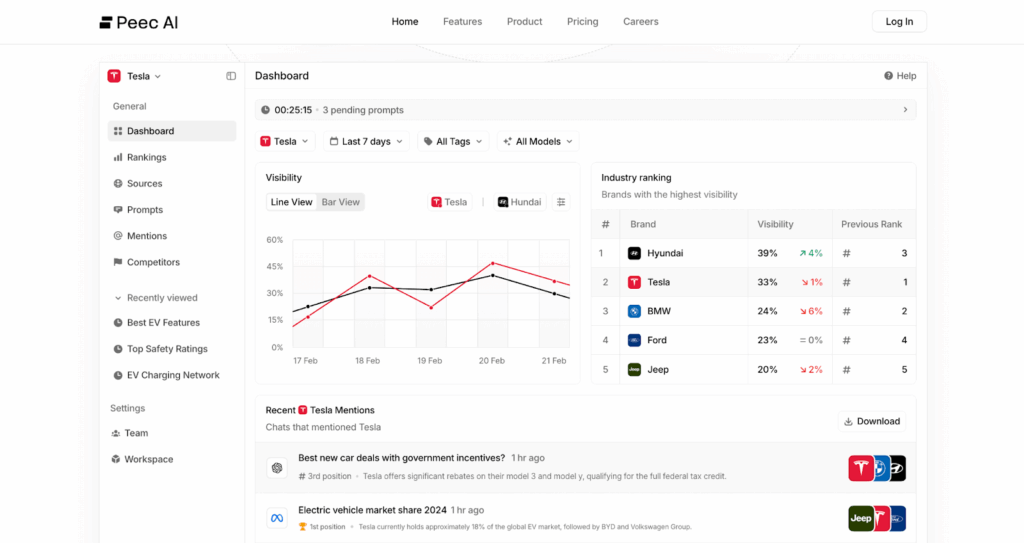
PeecAI focuses on prompt-level visibility, showing which specific prompts surface your brand and how your AI market share compares to competitors.
What Problems PeecAI Solves
Knowing you appear in AI answers is not the same as knowing why. PeecAI analyzes which prompts lead to your content being generated or cited, then measures visibility rate and source attribution so you can refine content around the prompts that actually matter.
Core Features of PeecAI
- Prompt tracking. Surfaces recent brand mentions are tied to specific prompts across major engines.
- Competitive share view. Shows how much AI visibility you hold against competitors.
- Real-time alerts. Notifies you when visibility shifts, so you can act on opportunities or losses quickly.
Limitations of PeecAI
PeecAI is a monitoring tool. It tells you what is happening at the prompt level, but does not render content, fix crawlability, or generate the content that its data implies. Its value depends on your content already being readable to the crawlers it tracks.
Why Peecai Stands Out From Similar Tools
PeecAI’s prompt-level granularity is its edge. Rather than reporting whether you were cited, it maps the specific prompts that trigger citations and quantifies attribution, giving teams a precise target for refinement across different models.
| Note: The real-time alerts were the standout in our review. We watched visibility on a tracked prompt shift within a day, and the alert turned what would have been a monthly-report discovery into a same-day one. For fast-moving categories, that speed is the difference between catching a citation loss and explaining it after the fact. |
Listen to our Get Discovered podcast, featuring Marius Meiners, the founder of PeecAI. In it, we discuss how brands can measure real-time visibility and stay ahead in AI search.
5. Keyword.com: Best for AI Mention and Rank Tracking
Why Keyword.com stands out from similar GEO tools
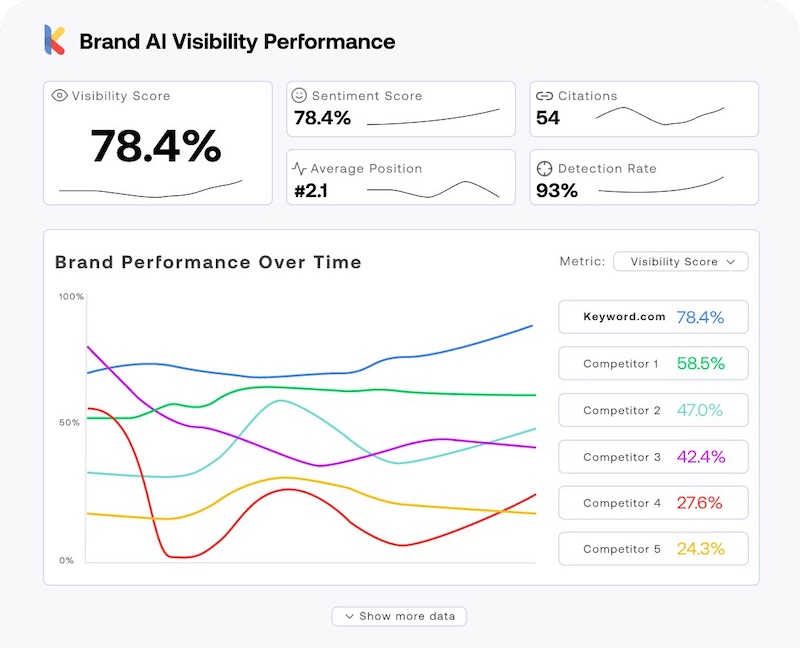
Keyword.com extended its long-standing rank tracking into AI search, monitoring where your brand stands across ChatGPT, Google AI Overviews, and other LLM engines.
What Problems Keyword.com Solves
Competitive position in AI search is hard to read without a tracker built for it. Keyword.com shows which content gets cited, how it appears in AI results, and how much AI referral traffic it drives, alongside the traditional rank data many teams already rely on.
Core Features of Keyword.com
- Cross-engine mention tracking. Monitors brand mentions across ChatGPT, Google AI Overviews, and other LLM search engines.
- Citation source mapping. Uncovers which content AI platforms pull from to answer questions about your brand.
- Competitive AI metrics. Tracks visibility score, mentions, citations, top-three visibility, and the sentiment around brands surfaced for a query.
Limitations of Keyword.com
Keyword.com reports position and citation presence but does not produce content recommendations or address the rendering layer. It tells you where you stand, not how to rebuild a page the models skipped.
Why keyword.com Stands Out From Similar Tools
Its AI overview tracker delivers competitive depth, letting you specify a query, see which brands surface, read the sentiment around them, and identify the content that earned their inclusion, which makes it strong for benchmarking against rivals.
| Note: The competitive view is what we kept coming back to Keyword.com. Specifying a query and seeing exactly which competitor content the models cited gave us a reverse-engineering target rather than a vague gap. If you already track rankings in Keyword.com, the AI layer slots into a workflow your team knows, which lowers the adoption cost. |
6. Writesonic: Best for Visibility Monitoring And Content Production
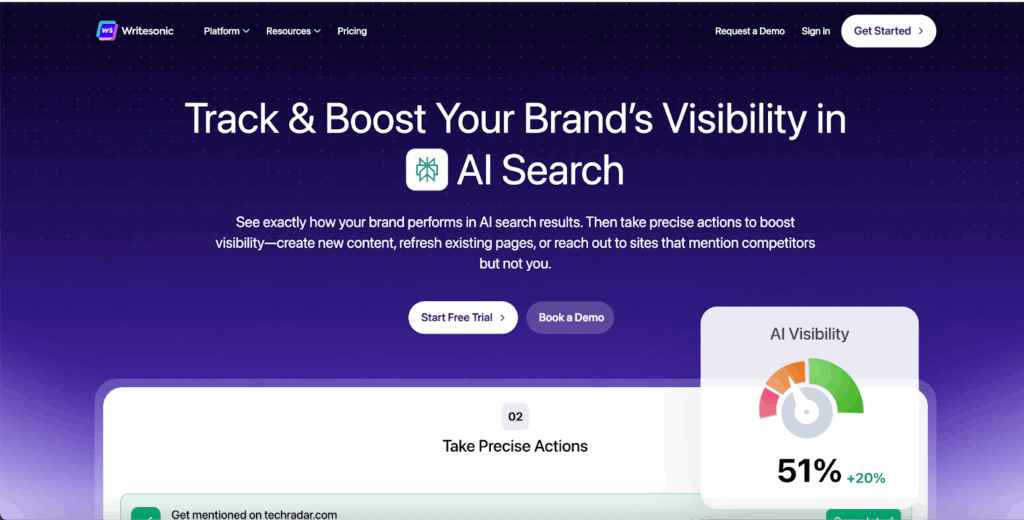
Writesonic combines AI visibility tracking with a content and on-page SEO engine, so teams can both spot citation gaps and act on them in one place.
What Problems Writesonic Solves
Many tools report where your brand appears and stop. Writesonic adds the fix, surfacing missing citations and content gaps, then provides the optimization and technical recommendations to close them.
Core Features of Writesonic
- Visibility tracking. Monitors mentions, citations, sentiment, and share of voice across AI platforms, and surfaces the real prompts users ask.
- AI Visibility Action Center. Returns recommendations for missing citations, content refreshes, and technical fixes, including schema, crawlability, and broken URLs.
- Built-in content engine. Keyword research, clustering, and AI-assisted content creation sit alongside the tracking data.
- Competitor gap analysis. Finds sites that cite competitors but not you.
Limitations of Writesonic
Combining tracking and content generation in one platform means neither goes as deep as a specialist. Teams that need server-log crawler evidence or rendering control will still need a dedicated tool for the access layer.
Why Writesonic Stands Out From Similar Tools
Writesonic pairs visibility insight with action inside a single workflow, which suits teams that want recommendations attached to their data rather than a separate dashboard to interpret.
7. HubSpot’s AI Search Grader: Best for Quick AI Benchmarking

HubSpot’s AI Search Grader is a free tool that analyzes how AI models perceive your brand and where your visibility can improve.
What Problems HubSpot AI Search Grader Solves
Teams new to GEO often need a fast read on where they stand before committing budget. The Grader delivers a quick snapshot of brand performance and perception across AI engines, with no technical expertise required.
Core Features of HubSpot AI Search Grader
- Visibility snapshot. Assesses brand performance across AI search engines at a glance.
- Perception analysis. Reads AI-generated responses to gauge how models frame your brand.
- Competitive comparison. Benchmarks your visibility against competitors on key queries.
Limitations of HubSpot AI Search Grader
As a free benchmarking tool, it offers breadth over depth. It highlights where to improve but does not track prompts continuously, render content, or generate fixes, so it works as a starting point rather than an ongoing GEO system.
Why Hubspot AI Search Grader Stands Out From Similar Tools
It is free, available worldwide, and requires no AI expertise, which makes it the most accessible on-ramp for teams testing whether GEO deserves a line in their budget.
| Note: We treat HubSpot AI Search Grader as a diagnostic tool. The snapshot it produced was enough to convince your team that the brand had an AI visibility gap worth funding. Once you have made that case, you will need to adopt one of the tracking tools above. |
8. Frase: Best for High-Volume Content Teams
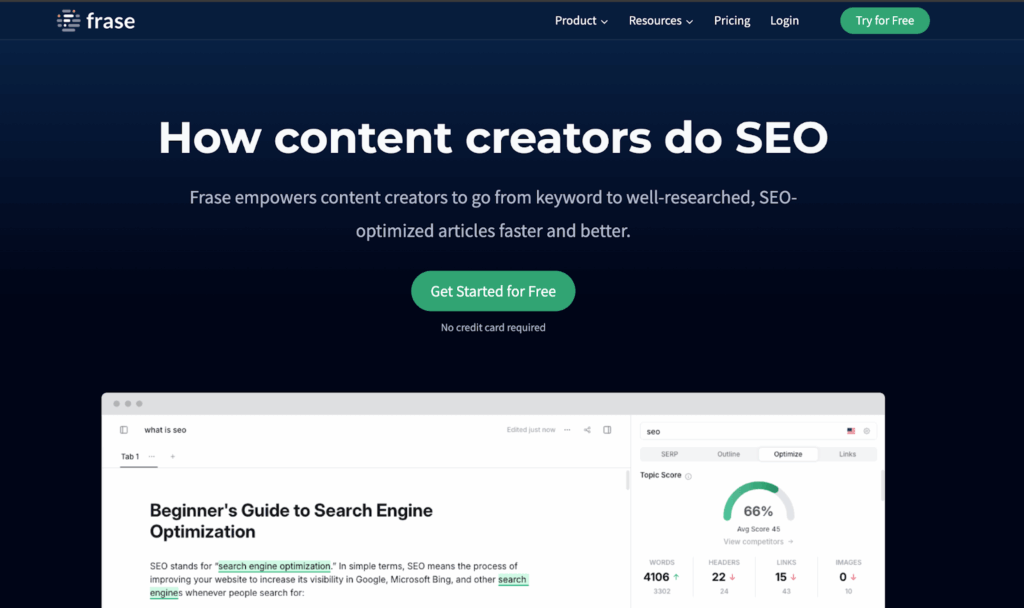
Frase combines research, writing, and SEO in one editor, structuring content so generative engines can extract and cite it.
What Problems Frase Solves
AI models pull most readily from clearly structured content. Frase helps teams produce articles with the headings, summaries, and FAQ sections that support retrieval, while keeping research and optimization in the same workflow.
Core features of Frase
- End-to-end content workflow. Research, briefs, writing, and optimization in one editor.
- Automated briefs and outlines. Outline Builder and automatic content briefs grounded in SERP and competitor analysis.
- AI-friendly structuring. Formats content with the headings, summaries, and FAQ blocks that help models extract answers.
- Multi-language support. Covers global content needs.
Limitations of Frase
Frase optimizes content structure but does not measure AI citations or address rendering. It will help you write retrievable pages, then leave the question of whether models actually cite them to a separate visibility tool.
Why Frase Stands Out From Similar Tools
Frase blends writing and optimization in real time, and its content agent and proprietary topic modeling automate the production of AI-search-friendly content at scale, which suits teams shipping large volumes of content..
9. Surfer: Best for Data-Driven Content Teams
Surfer grounds content optimization in SERP analysis, giving structured, real-time guidance on how to shape a page for both search engines and AI systems.
What Problems Surfer Solves
Content teams often guess at structure and length. Surfer replaces the guesswork with SERP-derived guidelines on keywords, structure, and depth, aligning content with search intent so it performs across both classic and AI search.
Core Features of Surfer
- Real-time content guidance. Live suggestions on structure, keyword usage, and optimization as you write.
- SERP analysis. Detailed keyword insights drawn from analyzing top results.
- Content audits. Evaluates existing pages and returns actionable improvements.
- Platform integrations. Connects to WordPress and Google Docs and includes AI detection and humanization tools.
Limitations of Surfer
Surfer optimizes for structure and intent but does not track AI citations or handle the rendering layer. Its keyword research is also less extensive than dedicated research suites, so it complements rather than replaces them.
Why Surfer Stands Out From Similar Tools
Surfer pairs SERP-grounded recommendations with a clean editing experience, enabling fast, data-driven content optimization for teams that want structured guidance without a steep learning curve.
How to Build Your Generative Engine Optimization Tool Stack
The three-layer sequence — infrastructure, monitoring, content — only works if each layer is confirmed before the next one starts. Here is how to execute it for a JS-heavy enterprise site:
Step 1: Confirm AI Crawler Access
Before running any GEO tool, verify that AI crawlers can read your pages. Fetch them as GPTBot and ClaudeBot and check whether responses return full content or an empty shell. For sites on React, Vue, or similar frameworks, configure Prerender.io to serve pre-rendered HTML to AI crawler user agents. Recheck at the page level — product pages, category pages, and market-specific URLs all need individual confirmation, not just the homepage.
Step 2: Establish a Citation Baseline
Once access is confirmed across your key page types, deploy a monitoring platform. Run a prompt set covering your core product categories across each market and record share-of-voice against named competitors on ChatGPT, Gemini, and Perplexity. Log this as your baseline before making any content changes.
Step 3: Identify and Close Content Gaps
Use citation data to surface which topics AI engines consistently associate with competitors rather than your brand. Feed those gaps to the GEO tool to restructure existing pages or brief new ones. Prioritize pages AI crawlers are already accessing (confirmed in Step 1), so optimization effort lands on content models that can actually be retrieved.
Repeat the cycle. GEO is not a one-time fix — crawler behavior, model training, and competitor visibility shift continuously.
Optimize Your Website for Generative AI Search Engines With Prerender.io
The best generative engine optimization tool for your team is the one that fixes the layer you are weakest on. There is no single winner because rendering, measurement, and content are distinct problems solved by distinct tools.
If your site runs on any JavaScript framework, start at the AI access layer. No amount of citation tracking or content optimization helps a page that AI crawlers cannot read, which is why Prerender.io comes first in this list and first in any sensible GEO sequence.
Once your pages render cleanly for AI crawlers, move to measurement. Profound, AthenaHQ, and Conductor give enterprise teams deep, defensible visibility into data. Then close the loop with content — Surfer, Frase, and Writesonic restructure pages around the gaps your measurement tools surface.
Render your JS content so the LLMs can see you, measure so you know where you stand, then fix what the data surfaces. Build your GEO stack in that order, and each tool has accurate inputs to work from, instead of optimizing content that AI engines were never able to read.
Start optimizing with Prerender.io today to make your content discoverable in AI search.
FAQs About Best AI Tools for Generative Engine Optimization
1. What Are the Best Generative Engine Optimization Tools for 2026?
The strongest generative engine optimization tools for 2026 span three layers. For the access layer, Prerender.io handles rendering and AI crawler delivery for JS-heavy sites. For measurement, Profound, AthenaHQ, and Conductor track citations, share-of-voice, and crawler behavior across engines. For content, Surfer and Frase structure pages for AI retrieval, and Writesonic supports content production at scale. HubSpot’s AI Search Grader offers a free benchmarking starting point.
2. How Do I Compare AI Search Engine Optimization Tools?
Check four things. Does it improve crawlability or rendering for AI crawlers (infrastructure)? Can it measure brand citations across ChatGPT, Perplexity, and other engines (visibility)? Does it only report problems or help you fix them (actionability)? And does it integrate with your existing analytics stack (flexibility)?
3. Which Geo Tools Track How Llms Interpret My Site?
Profound, AthenaHQ, and Conductor show which pages get cited, which prompts trigger mentions, and how your brand appears in AI answers. For that data to be reliable, your content has to be readable to crawlers in the first place — which is where Prerender.io comes in.
4. How Reliable Are Real-Time Brand Monitoring Features in GEO Platforms?
Platforms like Profound and AthenaHQ are increasingly accurate, connecting to model APIs and, in Profound’s case, server logs. Accuracy still depends on how accessible your content is. Serving fully rendered pages to AI crawlers makes the underlying visibility data more consistent.
5. How Can I Track My Website’s Performance in AI Search Engines?
Use a visibility platform like Profound, AthenaHQ, or Conductor to monitor citations and AI referral traffic, then confirm your technical setup supports AI crawlers with Prerender.io. Tracking both your rendering layer and your brand presence gives the clearest view of your generative engine optimization performance.