Showing up in AI answers starts with one overlooked question: can crawlers access your pages in the first place? If they can’t, those pages are invisible to your customers in AI search results, without you even knowing it.
Most tools measure AI visibility at the content quality or citation layer, such as whether you got mentioned in an answer. But none of that matters if crawlers can’t access your pages first. Prerender.io’s new AI Insights feature addresses this at the source.
AI Insights works at the crawl layer, so you can catch problems before they escalate and impact your business. Read on to learn more.
The Problem
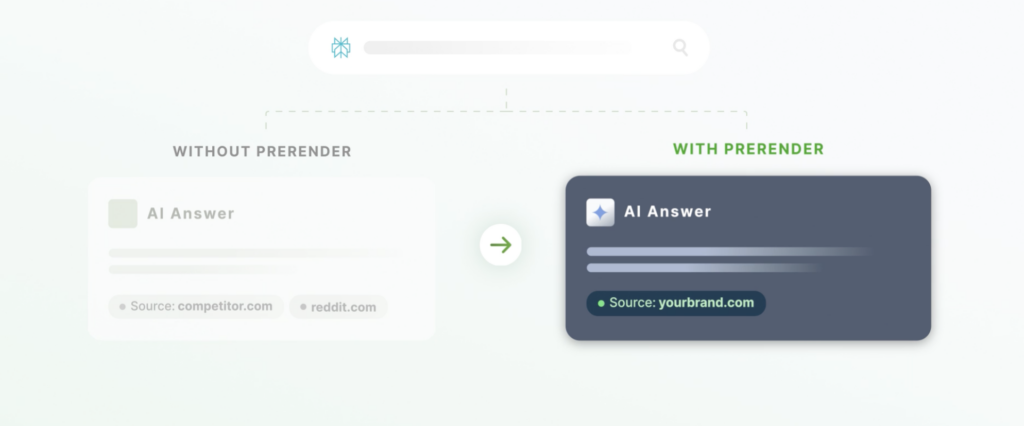
If AI crawlers can’t reach your pages, none of your content or SEO efforts have an impact. It doesn’t matter how strong your content is, how well it’s written, or how relevant it is to the question being asked. If a page is unreachable to AI crawlers, it’s invisible to customers in AI search.
Sometimes, this isn’t actually a content problem. It’s an infrastructure one. And infrastructure problems are harder to pin down. That’s because a page can look perfectly fine to you and Google, yet be completely invisible to AI crawlers like GPTBot or Claudebot.
It’s also becoming increasingly difficult to monitor this, largely because infrastructure issues are tough to catch early. And as a result, most infrastructure issues turn into real problems down the line, like lost citations or lack of brand mentions in AI search results. In the end, most SEO and growth leaders only catch it when traffic, signups, or sales dip and there isn’t a clear reason why.
Why This Happens
The AI crawler landscape is changing frequently, and most sites weren’t built with these crawlers in mind. Robots.txt (the file that tells crawlers which parts of your site they’re allowed to access) was written years ago with Googlebot in mind. It’s rarely revisited as new AI crawlers like GPTBot, ClaudeBot, and PerplexityBot continue to show up.
Infrastructure default settings compound the problem. A WAF (Web Application Firewall, the layer that filters incoming traffic for security threats) will sometimes block unfamiliar user agents by default, treating a new AI crawler the same way it’d treat a suspicious bot. CDN configurations can do the same thing. Some now block major AI crawlers out of the box, even before a request ever reaches your server or your robots.txt. None of these blocks are intentional on your part. They’re just what happens when infrastructure built for yesterday’s crawlers meets today’s, and platform defaults you never explicitly chose.
It’s also worth knowing that AI crawlers aren’t one-size-fits-all. The same provider can run separate crawlers for training, real-time retrieval, and search indexing, and blocking the wrong one can do more harm than good. This removes you from AI answers entirely, rather than simply opting out of having your content used for training.
How to Fix AI Visibility Issues at the Source
That’s the gap AI Insights is built to close.
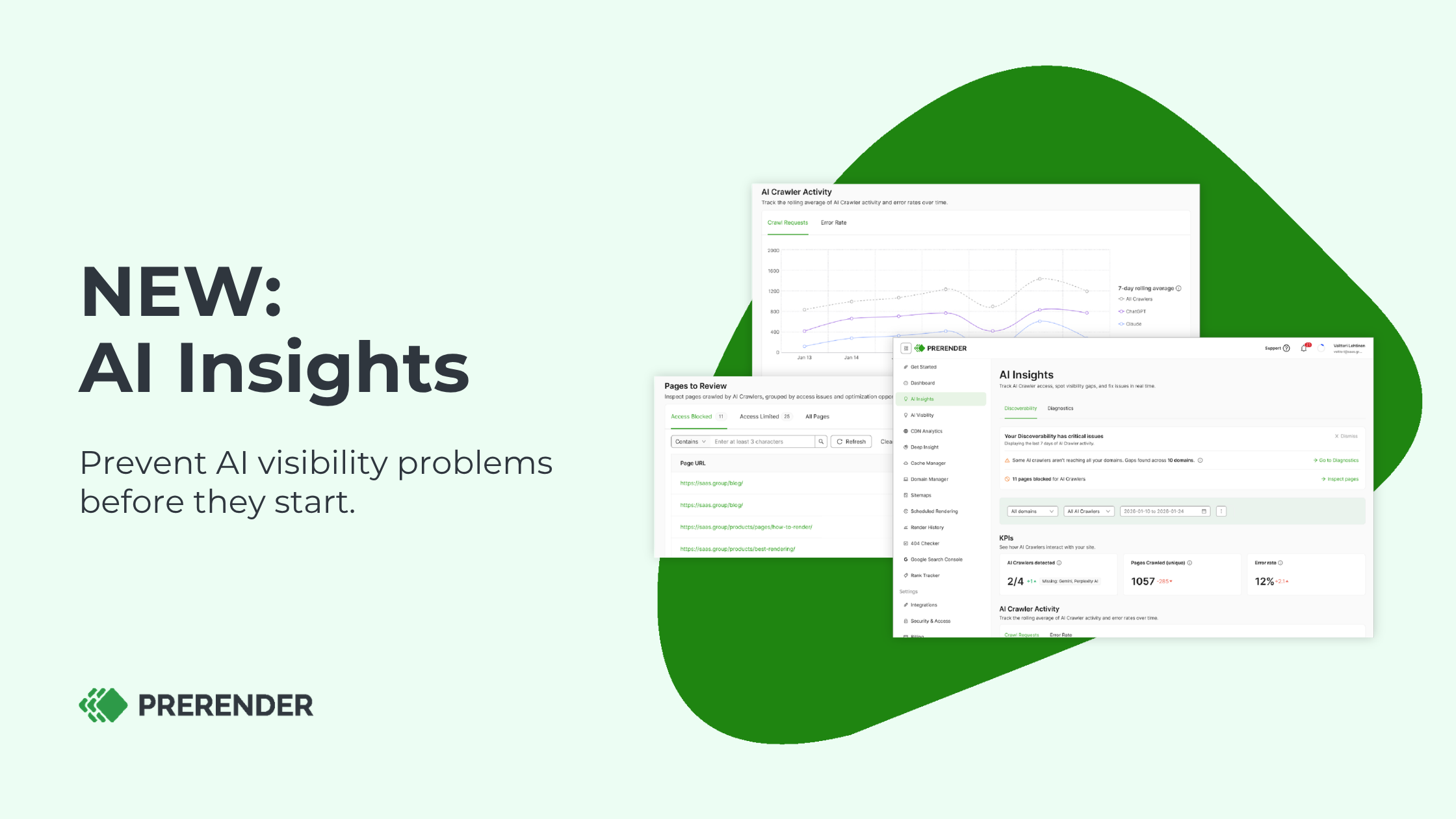
It works at the crawl layer, checking whether AI crawlers like GPTBot, ClaudeBot, PerplexityBot, and Google Extended can actually reach your pages before an access problem turns into something bigger. AI Insights catches the cause at the source and tells you what’s blocking access and how you can fix it.
Here’s what you get:
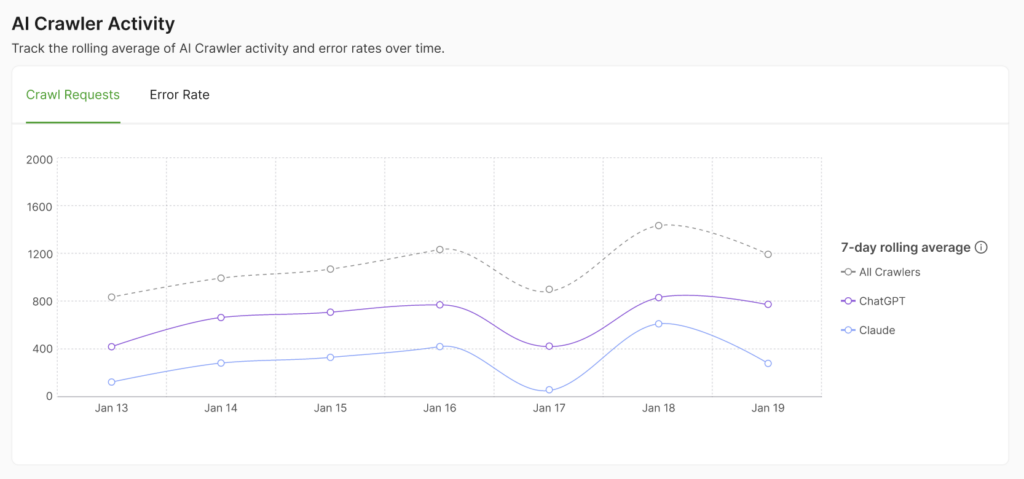
- A daily health status showing if major AI crawlers can access your site
- Warnings when certain crawlers can’t access a page
- A prioritized, page-level breakdown of the pages that are hardest hit, so you know what to tackle first
- Clear, step-by-step instructions on where access is blocked
- How you can fix these problems
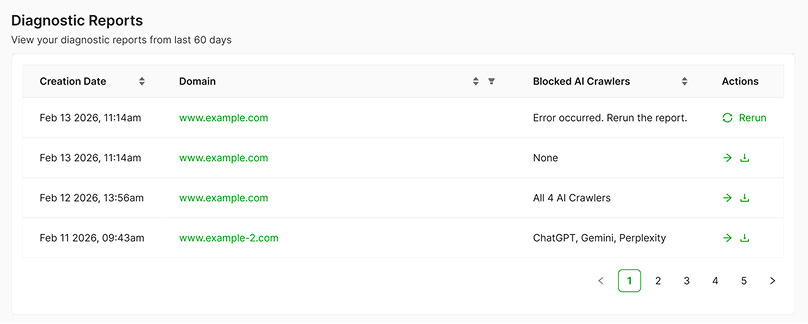
- An exportable report you can share with your development team to fix it
- Bi-weekly email status updates to prevent issues early
AI Insights is already included on current Prerender.io plans, with no extra setup or cost. Here’s a short video demo walking you through how it works.
5 Benefits of Prerender.io’s AI Insights Feature
The practical outcome is time saved and problems caught earlier. Instead of noticing a traffic drop weeks after the fact and reverse-engineering what changed, you solve the problem at the source.
1. You stop firefighting and start preventing.
Most teams only find out about a crawler access issue after it’s already cost them visibility, such as a dip in signups that no one can explain. AI Insights turns that into a daily check, so problems get caught while they’re still small and easy to fix.
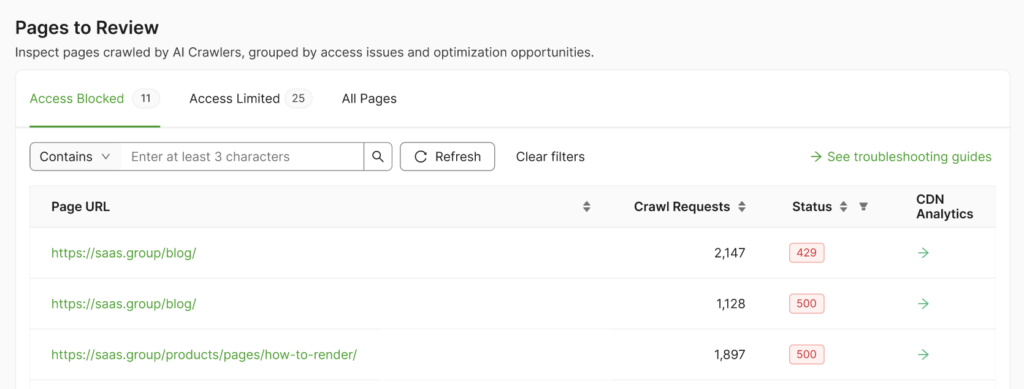
2. Instead of guessing, you know exactly where to focus your efforts.
Not every page carries the same weight. AI Insights prioritizes pages that crawlers actually want most, such as high-traffic blogs or revenue-driving product pages. That way, your team spends its time on the fixes that move the needle, rather than auditing your whole site page by page.
3. You get a paper trail your dev team can act on.
When something is blocking access, you’re not stuck describing a vague symptom. You can export the exact diagnosis report and hand it straight to engineering, which cuts down the back-and-forth that usually stalls infrastructure fixes.
4. It scales with the complexity of your setup.
AI Insights holds whether you’re managing a single site or a portfolio of twenty. The more properties, CDNs, and firewall rules you’re running, the more places something can break without you knowing it. The more valuable it is to catch that break before it costs you visibility, rather than after.
5. You protect a channel that’s only going to matter more.
As more of your traffic and signups originate from AI answers instead of traditional search results, crawler access starts being a revenue-protection concern. Catching these issues early means the investment you’re already making in content and SEO doesn’t go to waste on a technicality.
How to Get Started with AI Insights
Already a Prerender.io user? AI Insights is included as standard if you’re on our current pricing. If you’re on an older plan and don’t see it yet, reach out and we’ll get you moved over.
- Log in to your dashboard, or create your account
- Open the AI Insights tab on the left-hand side
- Check your daily health status across all of your domains
- Run a diagnostics report on anything flagged
- Follow the step-by-step fixes
Not a Prerender.io customer yet? Sign up and get instant access. For more details about the feature, check out our knowledge base.
Fix Your AI Crawler Visibility
Check your dashboard today to see exactly where your site stands, fix any blocks, and prevent AI visibility problems before they escalate.