Rendertron’s deprecation left teams searching for a replacement, but many search for the wrong alternative.
Many Rendertron alternatives marketed today are diagnostic crawlers. They crawl your site on a schedule and hand you a report. These are different jobs. Rendertron was a dynamic rendering solution—not an audit tool.
This guide categorizes Rendertron alternatives by what they actually do (JS prerendering vs. JS crawling tool), helping you distinguish between a temporary diagnostic aid and the infrastructure you need to get your JS content indexed and accessible to AI crawlers.
TL;DR: Best Rendertron Alternatives for JavaScript Prerendering
Tool | Category | What it actually does | Best for |
|---|---|---|---|
|
Prerender.io |
Live JS prerendering |
Intercepts bot requests in production, serves cached HTML in real time |
Established JS apps needing production-grade SEO scaling without maintenance |
|
SEO4Ajax |
Live JS prerendering |
Managed prerendering middleware that intercepts bot requests |
SPAs needing scalable managed rendering on a tighter budget |
|
Puppeteer / Playwright |
DIY Rendering |
A library to build a rendering service around yourself |
Hobby projects, custom pipelines, teams with spare DevOps capacity |
|
Browserless |
DIY Rendering |
Cloud-based headless Chrome API for browser fleet management |
Engineering teams building custom middleware need offloaded infrastructure |
|
Rendora |
DIY Rendering |
Open-source Go-based proxy middleware (inactive) |
Educational reference for middleware architecture |
|
SSR Frameworks |
DIY Rendering |
Renders pages on the server at the framework level |
Greenfield projects built from scratch |
|
Screaming Frog |
SEO Audit and Diagnostics |
Crawls on demand to surface rendering/indexing issues |
Technical SEO audits |
|
Sitebulb |
SEO Audit and Diagnostics |
Desktop crawler with prioritized issue hints and modern UI |
Technical SEO audits with deep-dive insights |
|
JetOctopus |
SEO Audit and Diagnostics |
Cloud-based crawler with real-time log analysis |
Small to mid-scale audits needing log insights |
|
Botify |
SEO Audit and Diagnostics |
Enterprise-scale platform for crawler and log analysis |
Reporting for million-page sites |
|
Lumar |
SEO Audit and Diagnostics |
Enterprise site intelligence for multi-domain monitoring |
Large-scale indexing, monitoring, and pre-production checks |
|
Oncrawl |
SEO Audit and Diagnostics |
Crawler plus log file analysis and visualization |
Correlating crawl data with bot behavior |
|
Conductor |
SEO Audit and Diagnostics |
SEO strategy and content planning |
SEO strategy and content planning (not rendering) |
Fundamentally, the landscape breaks down into three distinct buckets:
- Live rendering infrastructure (e.g., Prerender.io) sits directly in your production pipeline. When Googlebot or an AI crawler (such as OpenAI) hits your site, these tools intercept that request and serve rendered HTML on the fly. This is the exact function Rendertron performed, making it the only category that serves as a direct replacement.
- SEO audit tools (e.g., Lumar, JetOctopus) crawl your site on a schedule and produce a diagnostic report highlighting JavaScript issues or menu items hidden from search engines. They are diagnostic instruments that flag errors, but they do not actively fix them for incoming crawlers.
- DIY rendering (Puppeteer, Playwright, or an SSR migration) provides that same live rendering capability, but your team is responsible for building, hosting, and maintaining the infrastructure.
If you are working specifically with single-page apps, check out our comprehensive guide on optimizing SPAs for crawling and indexing to avoid common visibility traps
Note: A common and costly mistake is purchasing an audit tool to “replace Rendertron,” only to discover months later that search bots are still receiving empty JavaScript shells. The audit tool functions exactly as designed, but because it sits outside the request path, it cannot modify production delivery. To maintain crawler visibility after shutting down Rendertron, you must select a tool from either the live infrastructure or DIY categories. |
Rendertron Alternative: Self-Hosted vs. Fully Managed Rendering
The most critical decision when selecting a Rendertron alternative is determining where the rendering workload occurs.
Fully Managed Rendering
You outsource the infrastructure completely. A third party manages the headless browsers, scaling logic, and ongoing maintenance. Tools like Prerender.io and SEO4Ajax operate here. You exchange a predictable monthly subscription fee to eliminate rendering-related DevOps overhead.
To understand exactly what happens under the hood when a search bot triggers this sequence, read our deep dive into how the Prerender process works and its direct SEO benefits.
Self-Hosted Rendering
You own the infrastructure. Your team is responsible for managing the browser fleet, caching layers, Chrome security patches, and handling out-of-memory errors in the middle of the night. Tools like Puppeteer, Playwright, Rendora, and Browserless are self-hosted approaches. They provide total control with zero licensing fees, but they trade financial expenditure for operational debt.
A. Plug-and-Play Rendertron Alternatives (Live Rendering Infrastructure)
These services replace Rendertron’s live rendering function without requiring changes to your primary application infrastructure. You route your bot traffic through them and continue development.
1. Prerender.io: Best Rendertron Alternative for Prerendering JavaScript Websites
Why Prerender.io Is the Closest Rendertron Replacement
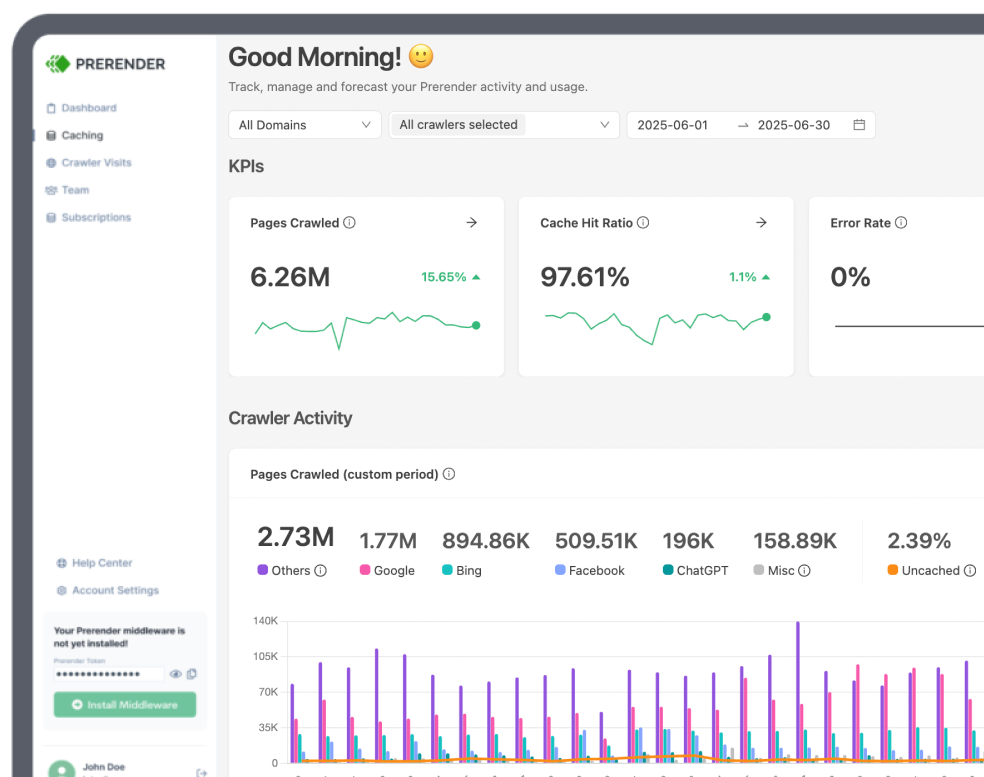
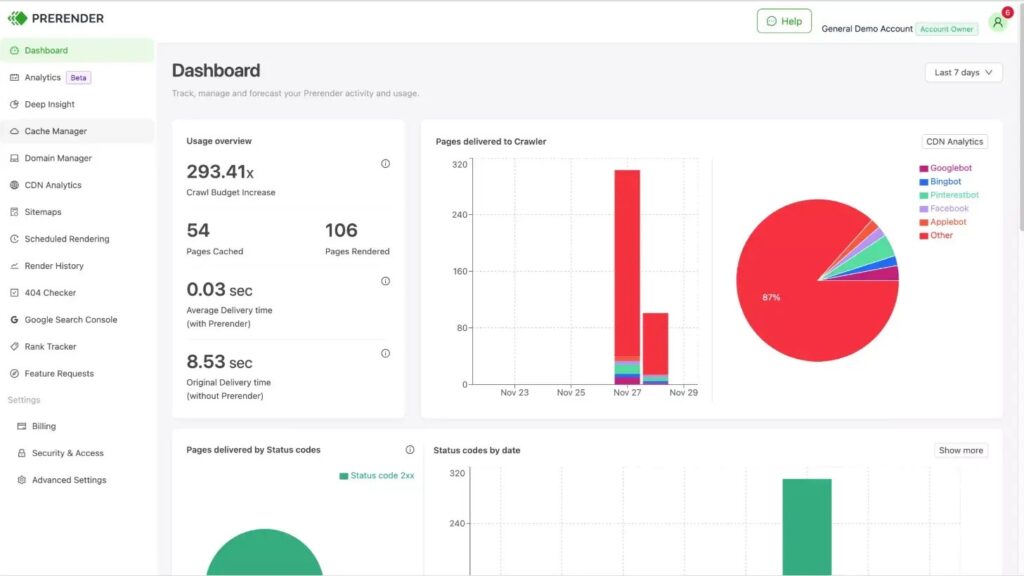
For a replacement of Rendertron’s core capabilities, Prerender.io is the closest structural match, while eliminating the infrastructure overhead that often causes teams to abandon self-hosted setups.
Rendertron intercepted bot requests, rendered the JavaScript pages via headless Chrome, and returned static HTML. Prerender.io follows this exact pipeline. It detects incoming crawlers, loads the requested page in a headless browser, generates a fully rendered HTML snapshot, caches it, and serves it to bots while human users continue to interact with your standard client-side application.
The primary difference lies in the operational execution. Rendertron provided the raw rendering engine but left server provisioning, scaling under traffic spikes, cache invalidation, browser patching, and memory leak management entirely to your team. Prerender.io handles these challenges as a fully managed service:
- Real-time interception: Live bot requests hit a distributed cache to return rendered HTML rapidly, maintaining the production-pipeline behavior of Rendertron.
- Automated scaling: High-volume crawls from Googlebot or emerging AI agents hit Prerender.io’s infrastructure rather than your primary application servers.
- Minimal maintenance: Chrome updates, cache eviction logic, and browser resource allocation are managed entirely on the provider’s side.
- Straightforward integration: The service integrates via middleware or a reverse proxy, fitting into existing stacks without requiring a complete code rewrite.
- Built-in diagnostics: An integrated crawl and rendering audit tool identifies technical SEO bugs within the same workflow.
- Targeted bot control: You configure exactly which crawlers receive rendered HTML, ensuring coverage for search engines alongside modern LLM agents like ChatGPT and Claude.
Who Is Prerender.io Best For?
Established JavaScript applications that require enterprise-grade SEO scaling without the burden of maintaining dedicated rendering infrastructure.
Prerender.io Pricing
Offers a 30-day trial, followed by tiers starting at $59/month for 30,000 renders, scaling up to custom enterprise pricing for high-volume sites.
2. SEO4Ajax

SEO4Ajax is another prerendering solution. While it shares the same core value proposition as Prerender.io, the trade-off lies in the ecosystem. You may find the configuration of SEO4Ajax (such as managing specific browser limits and storage caps) slightly more hands-on compared to the fully abstracted experience of premium alternatives.
Who Is SEO4Ajax Best For?
Single-page applications that require a scalable managed rendering solution but need to optimize for a tighter budget-per-page operational model.
Strengths and Limitations of SEO4Ajax
- Strengths: Provides a scalable managed rendering solution that is cost-effective for SPAs and offers SEO reporting capabilities as an add-on.
- Limitations: Requires a more hands-on administrative approach compared to fully abstracted premium alternatives, particularly regarding the management of browser boundaries and storage allocations. It also imposes fixed browser quotas and domain limits, and caching intervals are less flexible.
SEO4Ajax Pricing
Plans start at $52/month. A free plan is available for up to 1,000 pages per month (excluding the SEO reporting feature), with custom pricing plans available for higher volume needs.
B. DIY Rendertron Alternatives
These approaches offer complete architectural control but return the long-term engineering tax associated with self-directed infrastructure maintenance.
Drawbacks of DIY Approaches
Self-hosted alternatives lack direct software licensing fees but carry substantial hidden engineering costs. Operating your own rendering cluster introduces full provider responsibilities:
- DevOps overhead: Monitoring, container orchestration, and continuous process supervision.
- Browser maintenance: Patching vulnerabilities, managing browser-process exceptions, and resolving persistent memory leaks.
- On-call availability: If the rendering tier fails, site indexability drops immediately for incoming crawlers.
2. Puppeteer and Playwright: Build Your Own Renderer
Puppeteer (Google) and Playwright (Microsoft) are Node.js libraries designed to automate headless browsers. They are not out-of-the-box rendering services; rather, they are the foundational programmatic layers used to build one—mirroring how Rendertron itself was constructed. While a basic rendering prototype requires only about thirty lines of code, managing that architecture under production loads is a resource-intensive engineering endeavor.
Who Is Puppeteer and Playwright Best For?
Hobby projects, internal tooling, or engineering organizations with dedicated DevOps teams that require complete architectural control and have the capacity to maintain a self-hosted rendering cluster.
Strengths and Limitations of Puppeteer and Playwright
- Strengths
- Provides total architectural freedom, allowing for highly customized rendering pipelines tailored to specific needs.
- Eliminates third-party software licensing fees.
- Offers the most direct control over browser behavior and network interception logic.
- Limitations
- High DevOps Overhead: Requires managing container orchestration, process supervision, and continuous monitoring.
- Chrome Tax: The team assumes full responsibility for patching security vulnerabilities, managing browser-process crashes, and debugging complex memory leaks.
- Operational Risk: Because the team owns the rendering fleet, any failure or downtime directly impacts site indexability.
- Infrastructure Responsibility: You are responsible for designing custom caching layers, handling horizontal scaling, and managing the high memory consumption inherent to headless browser fleets.
Puppeteer and Playwright Pricing
There is no direct software licensing fee, as these are open-source libraries. However, the total cost of ownership is high. You must factor in the significant engineering hours required to build, secure, and stabilize the infrastructure, as well as the ongoing cloud compute costs for hosting and scaling the browser fleet.
| Note: A basic Puppeteer prototype can be built quickly, but engineering and stability under sustained crawl spikes will easily occupy an entire development sprint. Unmanaged headless Chrome instances under continuous load will regularly exhaust container memory ceilings. It is critical to design process supervisors and scheduled application restarts from day one. |
3. Browserless
Browserless operates as an Infrastructure-as-a-Service provider for headless browser fleets. It removes the most demanding aspect of self-hosted rendering—container management, scaling, and browser updates—while leaving the development of the dynamic rendering logic to your team.
By routing automation requests to their cloud API, you avoid manual browser maintenance and container crashes. However, your engineering team remains responsible for writing the middleware logic that identifies incoming bots, manages HTML caching, and controls cache purges.
Who Is Browserless Best For?
Development teams with the internal capacity to construct and maintain custom rendering middleware, but who want to offload browser-level system administration.
Strengths and Limitations of Browserless
- Strengths
- Eliminates the “Chrome Tax”: Removes the operational overhead of manual patching, container memory management, and debugging browser process crashes.
- Scalable Architecture: Provides a reliable, cloud-based API for handling high-volume browser tasks, suitable for complex scaling needs.
- Operational Middle Ground: Ideal if you have custom or complex rendering logic that is difficult to migrate to a fully managed service, but you want to eliminate the on-call burden of running your own Chrome containers.
- Limitations
- Development Intensive: You retain 100% responsibility for the “interceptor” code, including bot detection algorithms, HTML caching layers, and cache purging logic.
- Middleware Complexity: Unlike fully managed services, there is no plug-and-play middleware; the performance and success of your implementation depend entirely on the custom code your team maintains.
Browserless Pricing
As an Infrastructure-as-a-Service provider, Browserless typically employs usage-based or tiered subscription models. It is recommended to consult their official pricing documentation to select a plan that aligns with your specific request volume and scaling requirements, rather than a flat, per-page rendering fee.
| Note: Browserless sits in the middle tier between a raw library (Puppeteer) and a fully managed rendering ecosystem (Prerender.io). It is highly efficient if you possess legacy rendering logic that is difficult to port, but you want to eliminate the on-call burden of self-hosting raw Chrome containers. |
4. Server-Side Rendering (SSR)
The alternative DIY track bypasses bot-specific detection entirely. Application frameworks like Next.js (React) and Nuxt (Vue) execute rendering on the server for every request, serving uniform pre-rendered HTML to human users and search crawlers alike.
SSR is recognized as a highly stable, long-term solution for JavaScript application SEO and is frequently the optimal choice for greenfield projects. The primary challenge is the migration path for existing software assets.
Converting an established client-side single-page application to server-side rendering requires a fundamental codebase overhaul. It redefines data fetching protocols, state hydration, component lifecycle mounting, and deployment infrastructure. For mature applications, this translation can introduce months of development time and regression risks.
Who Is SSR Best For?
Engineering teams are currently planning a comprehensive platform rebuild. If the singular objective is resolving an immediate search indexing bottleneck on a live app, the near-term migration cost typically outweighs the immediate SEO advantages.
Strengths and Limitations of SSR
- Strengths
- Stable and Long-Term: Recognized as the modern standard for JavaScript application SEO, providing highly reliable crawler indexability.
- Uniform Experience: Eliminates the complexity of maintaining different rendering paths for humans versus bots.
- Unified Architecture: Improves site performance and UX while solving SEO issues, rather than just treating the symptom of crawlability.
- Limitations
- Extreme Migration Cost: Converting an established client-side SPA to SSR requires a fundamental codebase overhaul, including changes to data fetching, state hydration, and component lifecycles.
- Development Complexity: Introduces regression risks and requires months of development time for mature applications.
- High Resource Investment: Not a quick fix for an immediate indexing bottleneck; requires a strategic platform commitment.
SSR Pricing
SSR is an architectural strategy rather than a third-party service. While the frameworks themselves are open-source and free, the “cost” is measured in significant engineering hours, potential temporary productivity dips during the rewrite, and the cost of maintaining the server infrastructure required to execute rendering on the fly.
| Note: Before initiating a multi-month framework rewrite strictly to address crawlability, evaluate the total cost against a dedicated live rendering middleware. SSR delivers excellent value when your business also requires the associated user performance and architectural enhancements. As an isolated fix for crawler visibility, it represents a highly resource-intensive path. |
D. SEO Audit and Diagnostic Tools
The platforms detailed below are frequently grouped into rendering listicles. While they actively execute JavaScript, they do so as diagnostic tools rather than real-time application infrastructure. They serve to isolate indexing vulnerabilities, which must then be resolved using production-level rendering solutions.
5. Screaming Frog
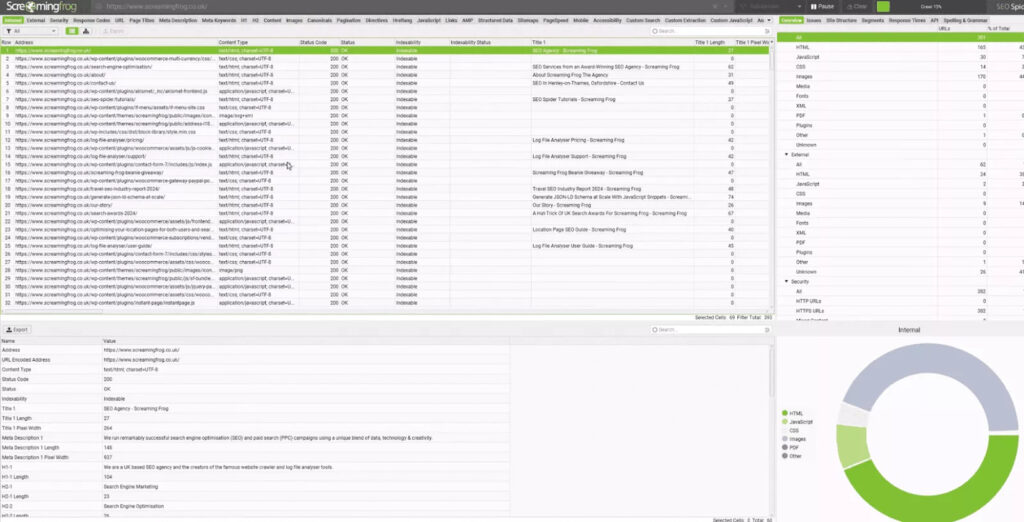
A widely adopted desktop-based crawler designed for comprehensive site auditing. The SEO Spider executes local crawls and renders JavaScript using an integrated Chromium engine, exposing hidden content, broken endpoints, and structural optimization errors.
Screaming Frog is a highly effective tool for isolating rendering errors during initial development or auditing phases. When auditing high-volume architectures, monitor your system resources closely, as large-scale crawls can easily saturate local hardware memory limits.
Who Is Screaming Frog Best For?
On-demand technical SEO analysis and diagnostic crawls for small to medium-scale sites.
Strengths and Limitations of Screaming Frog
Highly customizable and accurate, featuring deep integration with Google Search Console and PageSpeed Insights. However, as local desktop software, its scale is bounded by the hosting machine’s memory limits, and it operates strictly as an on-demand audit utility—it cannot serve live production code to search engines.
Screaming Frog Pricing
Free for up to 500 URLs per crawl; paid licenses are available at £199/year per user.
Tried Screaming Frog and not impressed by it? Check out these Screaming Frog alternatives, or see when to use Screaming Frog and Prerender.io.
6. JetOctopus
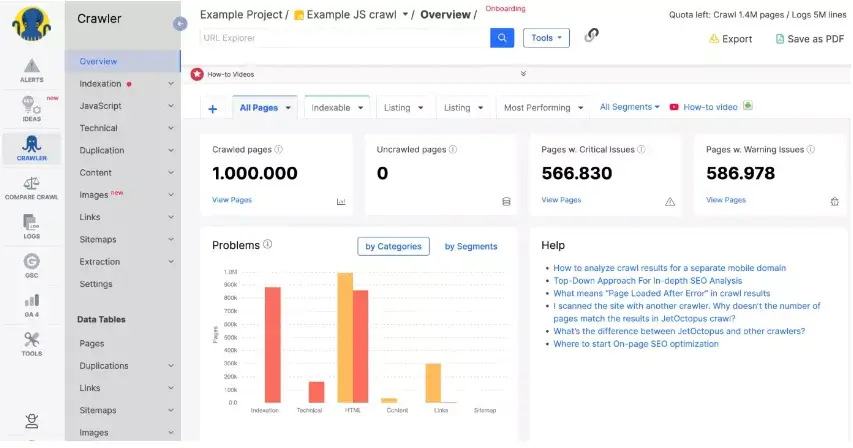
A cloud-native technical SEO platform that processes JavaScript rendering via cloud instances, combining crawl analytics directly with server log verification.
JetOctopus’ unified crawl-and-log view is exceptionally valuable. Matching real search engine hits against specific rendered outputs frequently exposes indexing gaps that isolated crawls fail to detect.
Who Is JetOctopus Best For?
Mid-to-large scale technical audits where correlating crawler data with server log file behavior is a core requirement.
Strengths and Limitations of JetOctopus
Eliminates local machine hardware constraints and offers advanced data visualizations. It remains entirely a diagnostic ecosystem; it cannot act as a live reverse proxy for production traffic.
JetOctopus Pricing
Tiers begin at $337/month for up to 500K pages and 2M log entries, with discounts for annual commitments.
See how Prerender.io. stacks up against JetOctopus.
7. Lumar
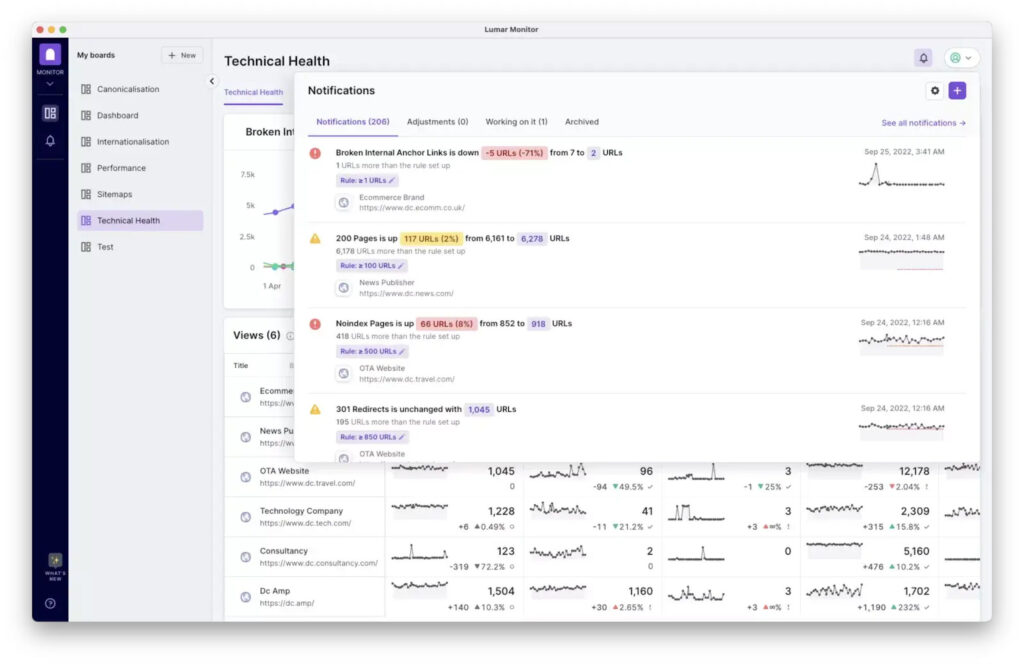
Formerly known as Deepcrawl, Lumar is an enterprise site intelligence platform configured for technical SEO, accessibility analysis, and automated web performance monitoring.
The pre-production testing suites provide immense value. Detecting a critical rendering regression in staging pipelines before code reaches production servers avoids severe indexing drops across large brand properties.
Explore some Lumar alternatives for mid to large-scale websites.
Who Is Lumar Best For?
Enterprise-scale multi-domain monitoring and automated pre-production rendering validation.
Strengths and Limitations of Lumar
Engineered to process millions of URLs rapidly with robust staging environment integration. The interface and deep data structures present a steep learning curve for smaller teams, and its enterprise pricing fits large-scale corporate budgets.
Lumar Pricing
Custom enterprise pricing provided upon operational request.
8. Oncrawl
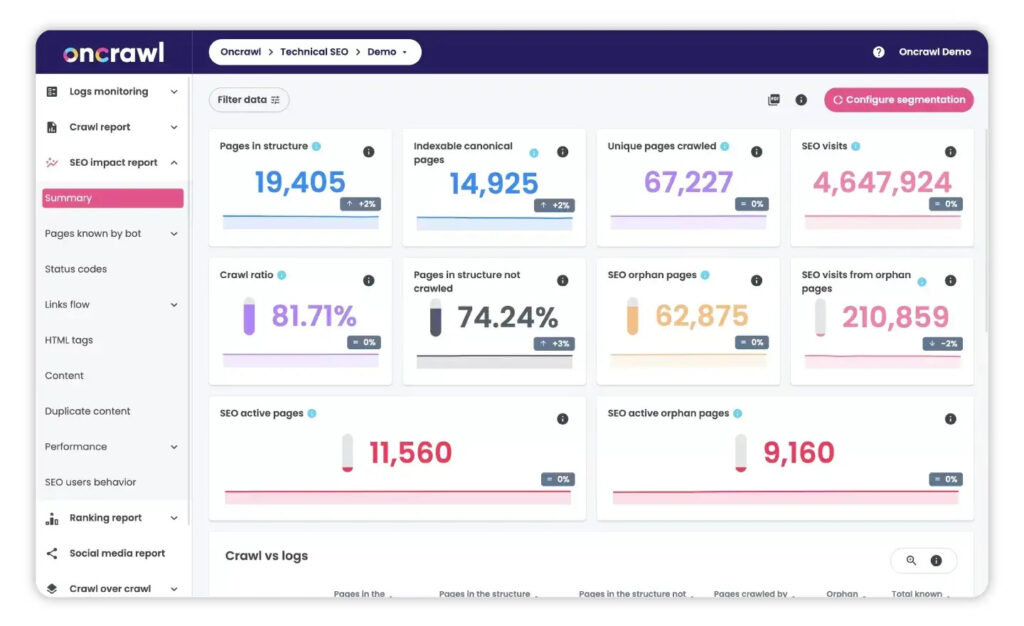
Oncrawl is an SEO platform combining cloud crawling with detailed log file processing to illustrate precisely how search engine bots behave across complex application structures.
The comparative rendered-versus-unrendered interface provides concrete, visual evidence of JavaScript rendering failures for non-technical stakeholders. Oncrawl is transparent about its role as an analytical platform rather than a live delivery layer.
Who Is Oncrawl Best For?
Advanced log file cross-examination and mapping data visualization against real search bot movements.
Strengths and Limitations Oncrawl
Provides highly reliable comparisons between rendered and unrendered page templates. It functions as a historical analytics platform, meaning it does not alter or serve production code in real time.
Oncrawl Pricing
Custom quote-based pricing available upon evaluation.
9. Conductor

An enterprise marketing and optimization suite oriented toward content strategy, keyword intelligence, and competitive market positioning.
Conductor is a strategic marketing tool rather than a technical infrastructure solution. If your primary roadblock is search engines encountering empty JavaScript containers, pair your strategy suite with a dedicated live-rendering mechanism.
Who Is Conductor Best For?
Inbound marketing workflows, content performance planning, and high-level SEO reporting.
Strengths and Limitations Conductor
Excellent for overarching marketing workflows and multi-domain visibility tracking, but it lacks the specialized engineering tools required to resolve deep core JavaScript rendering bugs.
Conductor Pricing
Enterprise subscription pricing based on organizational scale.
Key Considerations for Choosing a Rendertron Alternative
When selecting a path forward, focus on matching your current engineering reality to the correct operational category:
| Your Situation | Recommended Category | Operational Rationale |
|---|---|---|
| Established JavaScript application requiring immediate, enterprise-grade SEO scaling. | Prerender.io | Directly replaces Rendertron’s live request interception with zero local infrastructure footprint and minimal maintenance overhead. |
| Hobby project, limited budget, or a team that prefers managing infrastructure directly. | Puppeteer / Playwright | Provides full control with no upfront licensing cost, assuming the operational workload is manageable at your current scale. |
| Brand-new web application starting development from scratch. | Next.js / Nuxt (SSR) | Integrates rendering mechanics directly into the core architecture, avoiding the need for a separate bot-specific delivery layer. |
| Need to identify structural site breaks and crawling errors before deploying a fix. | Audit Tools (Screaming Frog, Lumar, etc.) | Provides full visibility into indexing bugs; use these insights to guide your live rendering implementation. |
When finalizing your choice, evaluate four key parameters:
- Engineering capacity: Maintain an honest assessment of available DevOps resources. A managed service often justifies its cost the moment a self-hosted browser fleet degrades outside of standard working hours.
- Scale requirements: Calculate your current crawl volume and application complexity, ensuring the selected architecture accommodates traffic spikes seamlessly.
- Stack integration: Verify compatibility with your content delivery networks (CDNs), hosting layers, and deployment pipelines before committing code.
- Total financial impact: Look beyond base licensing costs to calculate the engineering hours required to build, secure, and stabilize a custom solution over time.
Final Thoughts on Choosing the Right Rendertron Alternative
For teams seeking to maintain complete search crawler indexability after Rendertron’s deprecation—without rewriting their core codebase or dedicating engineering hours to browser fleet management—a managed infrastructure layer like Prerender.io offers the most direct transition. It integrates seamlessly into your existing web tech stack while offloading the system administration that made self-hosted rendering difficult to sustain long-term.
Give Prerender.io a try today and tell us what you think!
FAQs About Alternatives to Rendertron for JavaScript Prerendering Solution
What is dynamic rendering?
Dynamic rendering is the practice of routing known search engine crawlers to pre-rendered static HTML while serving standard client-side JavaScript to human visitors. This ensures complex applications remain fully discoverable and indexable without impacting front-end interactivity. Note that modern search guidelines increasingly frame dynamic rendering as a transitional workaround rather than a permanent architectural recommendation.
What should I look for in a Rendertron alternative?
First, identify the appropriate operational category (managed infrastructure, custom DIY execution, framework-level SSR, or diagnostic auditing). For live production infrastructure, prioritize accurate bot detection algorithms, high-speed rendering pipelines, robust caching controls, and seamless deployment integration.
What are the top alternatives to Rendertron for JavaScript-heavy sites?
For direct, live production replacements, Prerender.io is the closest managed equivalent. For custom engineering pipelines, Puppeteer and Playwright offer the standard foundational frameworks. For net-new builds, server-side rendering (SSR) via frameworks like Next.js or Nuxt represents the modern standard. Dedicated diagnostic platforms like Screaming Frog, Lumar, JetOctopus, and Oncrawl serve as vital debugging suites but do not modify live web traffic.