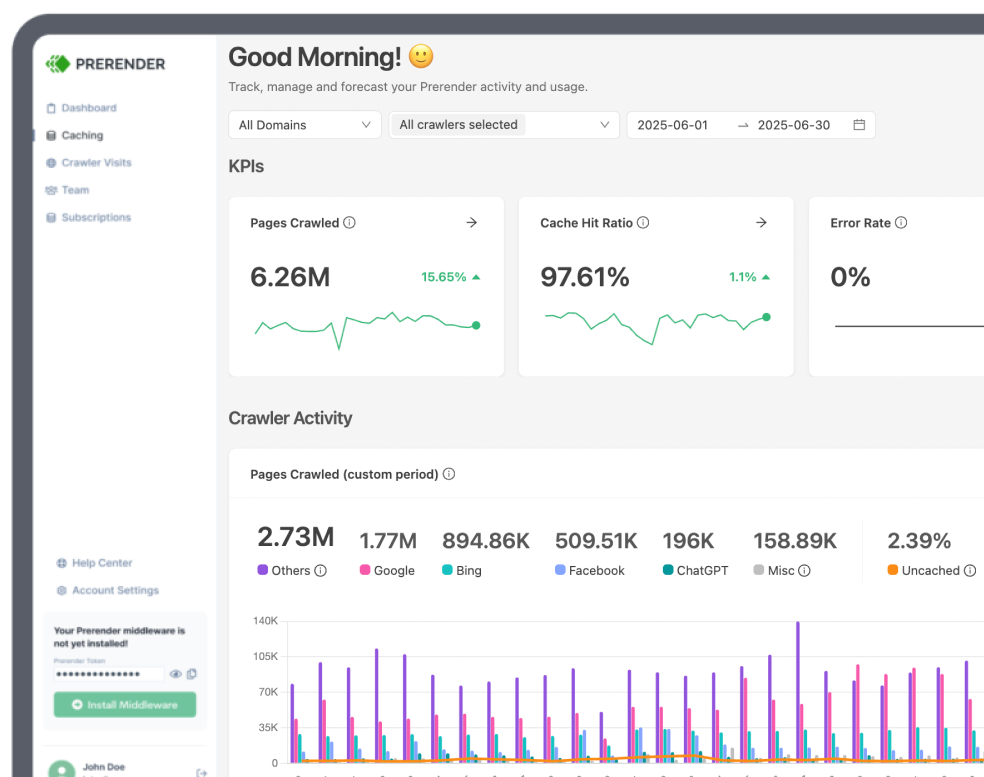
JavaScript-heavy websites complicate SEO audits. What users see isn’t always what bots see, and that disconnect can lead to indexing gaps, traffic drops, and content visibility issues.
That’s where tools like Screaming Frog and Prerender.io come in. While they’re sometimes viewed as alternatives, they serve distinct roles in your technical SEO workflow. Screaming Frog is a powerful auditing tool that helps identify rendering and on-page SEO issues. Prerender.io, on the other hand, solves visibility problems at the root by serving clean, pre-rendered HTML directly to bots.
In this technical SEO guide, we’ll break down what each tool does best, how they support JavaScript SEO audits for SEO specialists and web owners, and why using both is key to uncovering and fixing rendering issues—especially when indexing dynamic content or optimizing for AI-driven discovery.
Meet the SEO Auditing Tools: Prerender.io vs. Screaming Frog
Each tool plays a role in a JavaScript SEO campaign, and it’s not about picking one or the other. Knowing when (and how) to use each one is key to making sure your content gets found.
What is Prerender.io and When Should You Use It?
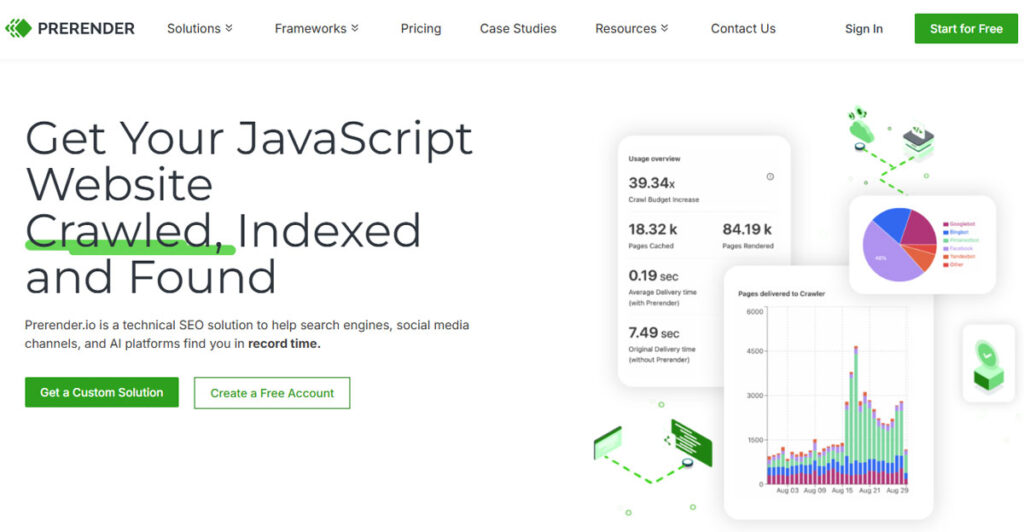
If your site relies on any JavaScript elements, Prerender.io helps ensure bots can easily see and promptly index your content.
Prerender.io works by serving pre-rendered HTML snapshots of your pages to search engine bots and AI crawlers that struggle to execute JavaScript. Instead of relying on client-side scripts to build your content in real time, Prerender.io delivers a clean, static version of the page on request—giving crawlers exactly what they need to index your site accurately.
This is especially important for dynamic content indexing, where critical content like product listings, blog articles, or structured data is injected after the initial page load. Without proper rendering, bots might never see that content, hurting your visibility in both traditional and AI-driven search.
Use Prerender.io when:
- You’re running a JavaScript-heavy site built with frameworks like React, Vue, or Angular.
- You rely on client-side routing (e.g., single-page apps, infinite scroll).
- You’ve noticed missing pages or incomplete content in Google’s index.
- You want better exposure in AI search results and LLM-powered discovery tools.
- SEO audits flag crawlability issues tied to JavaScript-rendered content.
Think of Prerender.io as the JS content visibility fix: it ensures your content is readable before you validate it with other tools.
What is Screaming Frog and When Should You Use It?
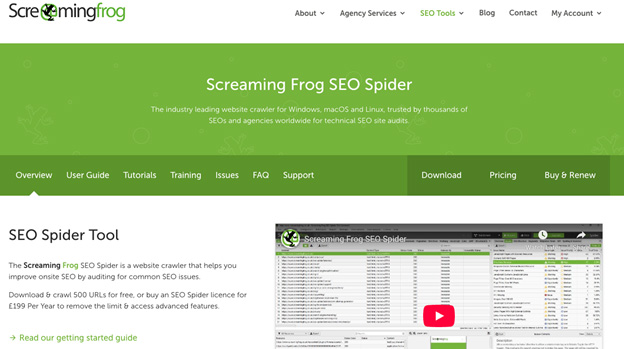
While Prerender.io makes your content visible, Screaming Frog confirms that visibility and reveals everything else that might be broken from an onsite and technical perspective.
Screaming Frog is a powerful SEO auditing tool that simulates how search engines crawl and render your website. It loads your pages (including JavaScript and AJAX elements) so you can inspect what the bots see once rendering is complete.
This makes Screaming Frog’s SEO spider especially useful for campaign-based, contextual audits: after Prerender.io is live, use Screaming Frog to check whether your fixes worked, and identify any remaining technical issues that might block performance.
Use Screaming Frog when:
- You need to validate rendered HTML after implementing Prerender.io.
- You’re auditing critical SEO elements like meta tags, canonicals, and internal linking.
- You want to compare raw vs. rendered content side by side.
- You’re conducting a JavaScript SEO audit campaign with specific target pages or site sections.
- You need to export crawl data for reporting, debugging, or prioritization.
Screaming Frog and its SEO spider are diagnostic tools. They don’t fix rendering issues, but tell you if your fixes worked.
Prerender.io vs. Screaming Frog: Not a This-or-That Decision
Despite how often they’re compared, Prerender.io and Screaming Frog are not interchangeable. They serve different roles in the JavaScript SEO auditing process, and the real power comes from using them together.
Here’s how they stack up across key criteria:
| Criteria | Prerender.io | Screaming Frog |
|---|---|---|
| Rendering Method | Serves cached HTML snapshots. | Simulates rendering via headless browser. |
| Primary Role | Pre-render dynamic JavaScript content into ready-to-index files. | Conducts comprehensive SEO audits and site crawls. |
| Output | Static HTML (pre-JS). | Rendered DOM (post-JS). |
| Usage | Always-on in production. | Manual or scheduled audits. |
| When to Use | After publishing new or updating content. | After Prerender.io renders content, to confirm and optimize the output. |
| Value | Enhances search engine indexing and AI crawler visibility by solving rendering barriers. | Validates rendering fixes, finds crawl and content issues to optimize overall website SEO performance. |
Key takeaway: Prerender.io fixes the visibility issue. Screaming Frog helps verify it’s actually fixed.
How to Validate Your Rendered Content in Screaming Frog
Once Prerender.io is set up to serve pre-rendered HTML, you’ll want to confirm that bots (and other SEO auditing tools) are receiving the content as intended. Screaming Frog is the best way to confirm JavaScript rendering fixes.
Here’s how to do it:
1. Enable JavaScript Rendering
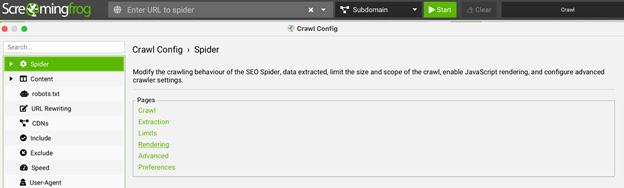
In Screaming Frog, go to Configuration → Spider → Rendering and select JavaScript rendering instead of Text Only (HTML). This tells Screaming Frog to load the page as a browser would, including client-side scripts.
2. Compare Raw HTML vs. Rendered HTML
After crawling, toggle between the ‘HTML’ and ‘Rendered HTML’ tabs in the lower window. You’ll see how the page looks before and after rendering—critical for understanding what bots actually see.

3. Inspect Critical SEO Elements
Check whether content injected via JavaScript (like titles, H1s, product info, or structured data) appears in the Rendered HTML. If it’s not visible, it’s likely not indexable.
4. Spot-Check High-Impact Pages
Focus on pages that previously had indexing issues or rely heavily on client-side rendering, like blogs, product listings, or faceted category pages. Confirm whether key content and links are appearing correctly.
5. Bonus Tip: Compare With Prerender.io Output
Export the rendered HTML from Screaming Frog and compare it with the output from Prerender.io. This lets you verify that prerendered content is being cached, served, and interpreted correctly across both tools.
Worried Google or AI bots can’t see your JavaScript content? You can now run a free basic audit with Prerender.io to discover which parts of your site are invisible—and how to fix them.
When to Use Both Tools for JavaScript SEO
To get the most out of your SEO auditing process, treat Prerender.io and Screaming Frog as sequential parts of the same technical workflow.
Workflow example:
- Use Prerender.io to make content crawlable: install and configure Prerender.io to serve static HTML snapshots to bots. This solves the root problem: content injected with JavaScript that bots otherwise can’t see.
- Use Screaming Frog to confirm what bots see: crawl your site using Screaming Frog’s JavaScript rendering mode. Check the rendered output for missing content, broken metadata, or internal linking gaps—then compare it to what Prerender.io serves.
- Continue optimizing over time: set regular Screaming Frog audits (weekly or monthly) to catch regressions, new rendering issues, or missed opportunities, especially after code changes, CMS updates, or framework upgrades.
Together, these tools help you launch smarter SEO and AEO campaigns, ensure dynamic content indexing, and future-proof your site against both traditional and LLM-powered discovery engines.
It’s Not Prerender.io vs. Screaming Frog—It’s Prerender.io and Screaming Frog
Modern SEO and the new AEO doesn’t give you a choice between fixing and validating—you need both. Prerender.io makes your content accessible to bots. Screaming Frog confirms that accessibility and helps you fine-tune your entire SEO and AEO experience.
Whether you’re working on a single-page app (SPA), a site with infinite scroll, or any campaign involving dynamic JavaScript content, using both tools ensures your content is not just there, but seen, indexed, and surfaced in search results.
If bots can’t see it, it doesn’t exist. Get started for free with Prerender.io to find out exactly where your site is invisible and fix it before your rankings disappear.
FAQs About Prerender.io and Screaming Frog for JavaScript Rendering
Let’s answer some of your more technical questions about using Prerender.io and Screaming Frog for JavaScript rendering.
1. Can Googlebot Render JavaScript?
Yes, but not reliably at scale. Googlebot uses a headless version of Chromium to render JavaScript after it downloads your page’s HTML. This allows it to index content generated by client-side JavaScript—but the rendering process is delayed, resource-intensive, and not guaranteed to succeed. If your content relies on JavaScript to load or display, any issues can cause Googlebot to miss or skip important content entirely.
3. Can Screaming Frog Render JavaScript Content Like Googlebot Does?
Yes, Screaming Frog also uses a headless Chromium browser to render JavaScript, similar to how Googlebot renders pages after fetching HTML. This lets you audit how your site appears post-render, including dynamic elements loaded via client-side JavaScript.
However, Screaming Frog is a diagnostic tool, not a fix. If key content (like product descriptions, reviews, or schema markup) is missing from the rendered output, it likely means search engine bots (including Google and AI crawlers) can’t access it either.
3. How Does Prerender.io Help Improve Indexing for JavaScript-Heavy Websites?
Prerender.io intercepts bot traffic and serves pre-rendered, static HTML versions of your pages—before JavaScript runs. This ensures that search engines and AI crawlers that struggle to render JS still get a fully readable, indexable version of your content.
This is essential if you’re using frameworks like React or Angular, rely on client-side routing, or load critical content (like product listings or structured data) dynamically.
4. Can I Use Screaming Frog to Verify What Prerender.io is Serving?
Absolutely. Once you’ve implemented Prerender.io, you can use Screaming Frog’s JavaScript rendering mode to confirm that your pre-rendered content is being correctly interpreted. You can:
- Compare raw HTML vs. rendered DOM.
- Check for missing titles, headings, or links.
- Validate that injected content appears in the rendered view.
- Cross-check Screaming Frog’s output with Prerender.io’s cached HTML.
This validation loop ensures your fixes are working across both tools.
5. Will Prerender.io Help Me Appear in AI-Powered Search Results Like ChatGPT or Perplexity?
Yes, Prerender.io is built for that. Many large language models and AI search tools don’t execute JavaScript and rely on fast, structured content access. Prerender.io ensures your site is visible to these systems by delivering clean HTML snapshots, helping your content surface in AI-powered discovery experiences, not just traditional Google SERPs.
6. How Much Does it Cost to Use Prerender.io for JavaScript Auditing?
Prerender.io uses a transparent, usage-based pricing model with a free tier and three paid plans based on your render volume:
- Starter plan: $59/month. Includes 30,000 renders, unlimited domains, flexible caching, and more. Explore this with a free 30-day trial.
- Growth: $169/month. Covers 100,000 renders, unlimited renders, premium caching, 6-month data retention, and more.
- Advanced: $419/month: Supports 500,000 renders, premium caching, priority support, location-specific rendering, 2-year data retention, and more.
- Enterprise Plus: Custom pricing. Designed for global teams and features custom caching, advanced security, multi-user support, and dedicated account management.
You can visit our pricing page for more information.