If someone shares a link to one of your company’s social media posts with a friend on WhatsApp and there is no link preview, they won’t even click on it. And if you share a LinkedIn post in your Slack channel but the link preview shows only a blank card, it undermines all your hard work. If the same thing happens on Instagram, it creates an impression of an unfinished brand.
Across the sites Prerender.io processes, broken social media link previews are one of the most consistent problems we see, and one of the most misdiagnosed. Developers validate their Open Graph tags, the Facebook Link Debugger returns a clean result, and the social sharing link previews are still broken where your audience hangs out: Discord, Slack, Facebook, Instagram, all of it.
This guide explains why social media link previews fail, what’s happening at the crawler level, and how to fix it, whether your site runs on a custom stack, a JavaScript framework, or an AI-built tool like Lovable.

Benefits of Optimizing Your Social Media Link Previews
The more engaging and visually appealing your links appear on LinkedIn, Twitter/X, or WhatsApp, the higher the likelihood of better business results. In fact, customers are 71% more likely to make a purchase based on social media referrals.
Proper social sharing is an important part of your brand’s personality. Here’s why.
- Your link preview, which consists of a title, image, and description, gives the first impression of your website.
- Well-optimized and professional link previews with eye-catching visuals and accurate descriptions increase CTR and traffic to your site while also improving brand trust, credibility, and consistency.
- Higher user engagement and interaction boost your social media algorithm and can improve your SEO, further improving brand visibility.
How to Tell If Your Social Media Link Previews Are Broken
Here are a few of the most common signs that’ll help you spot incomplete social share link previews:
- Inaccurate or empty title: the headline doesn’t match your page title or is missing entirely.
- Missing or inaccurate description: the preview text is blank, outdated, or irrelevant.
- Incorrect, missing, or broken image: the featured image fails to load, appears distorted, or pulls the wrong file.
- Incorrect domain name or URL: the preview shows an outdated or incorrect web address.
- Plain link with no preview at all: when nothing but the raw link appears, it’s often due to JavaScript rendering issues, missing Open Graph meta tags, or blocked social crawlers.

Link previews before and after Prerender.io
Why Is My Link Preview Not Working on Instagram, WhatsApp, Facebook, or Twitter/X?
There could be a few reasons why your link previews don’t display correctly. But at the end of the day, many of them boil down to your technical SEO and JavaScript rendering problems.
Social Media Crawlers Have Limitations
Most social media crawlers, including those from major social platforms like Twitter and Facebook, don’t actively execute JavaScript code when crawling web pages. Instead, they only read and execute static HTML source code of the pages.
Most websites use JavaScript in some way, so unless you use a server-side rendering solution or a platform like Prerender.io, you’ll need some help converting your site from JavaScript to easy-to-read HTML.
Watch this short video to see what happens when crawlers hit JavaScript-heavy sites.
Social media crawlers need to work harder to process your website’s content. This can cause delays or inconsistencies in responses when loading previews.
Even if the crawlers attempt to crawl and render the JS content of your website partially, they have limitations. This can impact how your content is displayed when shared across social platforms, making the end result look incomplete. If your social link preview image or description is missing, JavaScript rendering is almost always the cause.
Poor JavaScript rendering can also cause other problems like low indexing, declining organic traffic, and invisibility in AI search. See how Europe’s largest plus-sized fashion retailer found out they had JavaScript issues.
Open Graph Implementation Issues
Another reason why your social media link preview might not display correctly is because of Open Graph tags.
Open Graph (OG) meta tags are code snippets that determine how your website or links display when shared on social media platforms. These tags convert your website’s URL into rich objects that display page elements such as the featured image, title, description, and domain.
Multiple social media platforms, like Facebook/Meta, Instagram, and LinkedIn, use the Open Graph (OG) meta tags for link previews. (Twitter/X, on the other hand, uses the Twitter Card meta tag.) If these tags are incorrect, missing, or improperly structured, the link previews may not display correctly on these channels or as expected.
Look out for common mistakes, such as incorrect URL formats, incorrect structure of the OG tags, and the presence of multiple sets of OG tags.
Dynamic Content Challenges
Dynamic content also poses a greater challenge when it comes to ensuring correct link previews on social platforms, as the website’s content changes dynamically.
Social media crawlers only read the page’s initial raw HTML code and don’t wait for it to load fully. This is particularly problematic if your website uses JavaScript to load the content and meta tags, and this information is not added to the initial HTML.
Without open graph tags in the HTML, crawlers won’t know what to preview when sharing a link. At the same time, since bots don’t wait for JavaScript to load, this may lead to outdated or missing link preview information.
Caching Issues
Social media platforms often cache the link preview information to optimize performance and save resources. Even after updating your website’s metadata, social platforms may still display the previous, incorrect preview of the page stored in the cache.
Read: Page Caching in JavaScript and How It Affects Web Performance
What Goes Wrong During Implementation
We’ve seen this happen across hundreds of site setups: OG tags that are correctly implemented, validated in every audit tool, and still produce broken previews on social platforms. Everything checks out on paper, from the markup to the site audit, but the previews remain broken because the tags are injected by JavaScript, and the social crawler never renders that JavaScript.
Most developers use validation tools like Facebook’s Link Debugger as proof that things work. The Facebook Link Debugger, also known as the Facebook Sharing Debugger, lets you inspect the title, description, and image that Facebook has fetched for a URL. But these tools typically render the page more thoroughly than the crawlers that generate real-time previews. A validator might execute JavaScript, wait for the DOM to settle, and report that your tags are present. The actual crawler operates under completely different constraints.
We’ve also seen the failure mode vary by framework.
- React apps that commonly inject metadata after hydration mean crawlers only receive a minimal shell document.
- Vue applications can produce timing-related inconsistencies depending on how meta management libraries are configured.
- Angular setups often introduce rendering delays tied to client-side bootstrapping. The core problem is the same across all three, but the shape of the failure differs in each.
We’re also seeing this increasingly with AI-built sites. Tools like Lovable and Bolt generate React or Next.js applications by default, which means a site that was shipped in an afternoon through vibe coding has the same JavaScript-dependent structure as an enterprise SPA. The OG tags exist in the component. The crawler never sees them.
The final layer we see is that not all crawlers are equally patient. Facebook’s Debugger is a heavyweight that allocates rendering resources and may wait longer for a response. That’s why previews can look perfect in the Debugger and break everywhere else.
Scrapers for platforms like Slack, Discord, and Telegram run on aggressive timeouts, sometimes sub-second, because their priority is keeping the chat UI responsive. If your server doesn’t return fully formed HTML with OG tags within that window, the preview renders empty. Your previews end up broken, specifically on the platforms where your users are sharing links and having conversations.
How Can I Fix My Social Media Link Previews?
If your WhatsApp or Instagram social sharing link preview isn’t showing, here’s how to diagnose and fix the problem fast.
Use Proper Twitter Card and Open Graph Meta Tags
The primary solution to ensuring correct and optimized social media link previews is to properly use the Open Graph and Twitter Card meta tags.
Incorrect or missing meta tags lead to inaccurate, broken, or missing link previews. Here are a few points to consider when using these meta tags:
- Make sure these tags are in the <head> section of your webpage’s HTML code. This helps guarantee that social media crawlers can find these tags easily.
- Use absolute URLs instead of relative URLs for images and links. For insurance, use the URL format https://websitename.com/image.jpg instead of /image.jpg—the latter doesn’t work well for social media crawlers.
- Set and choose the right image size and format. This ensures it will appear properly in the link previews. At the same time, make sure to use high-quality images and accessible image URLs.
Prevent Caching Issues
Social media platforms store the link preview you share the first time in the cache. When you change the title, description, or image of the page, the old preview may still appear even after the update.
In such cases, you can configure your website’s HTTP cache-control headers to enable the server to allow crawlers to fetch metadata after the changes are made.
You can also use debugging tools to refresh the cache manually. Tools like Twitter Card Validator, Facebook Link Debugger, and LinkedIn Post Inspector refresh the cache, enabling the crawler to use the updated metadata.
Use Prerender.io’s to Easily Fix Your Social Media Link Previews
If both of the above solutions don’t work, another solution to fixing your social sharing link preview issues is to use Prerender.io.
Prerender.io is a near-instant fix for your JavaScript rendering issues. It improves your missing or broken link preview issues almost instantly by providing a fully rendered HTML version of the page to social media crawlers. This ensures that your webpage’s link previews appear instantly as expected.
See How Social Crawlers Interact with Your Site with Prerender.io
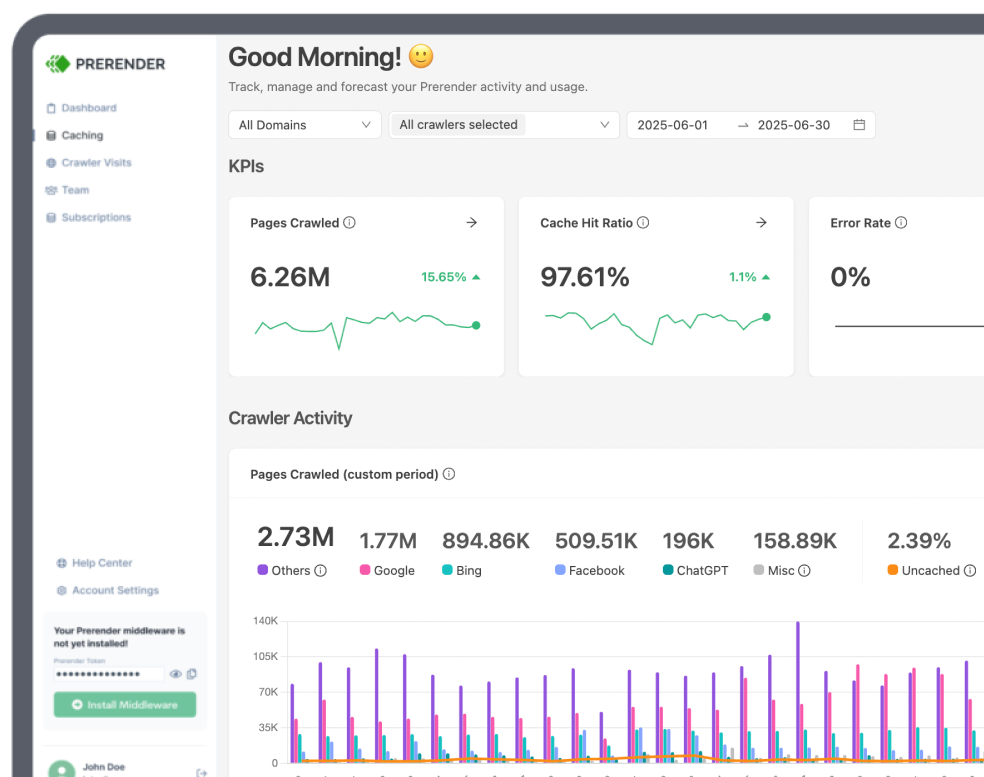
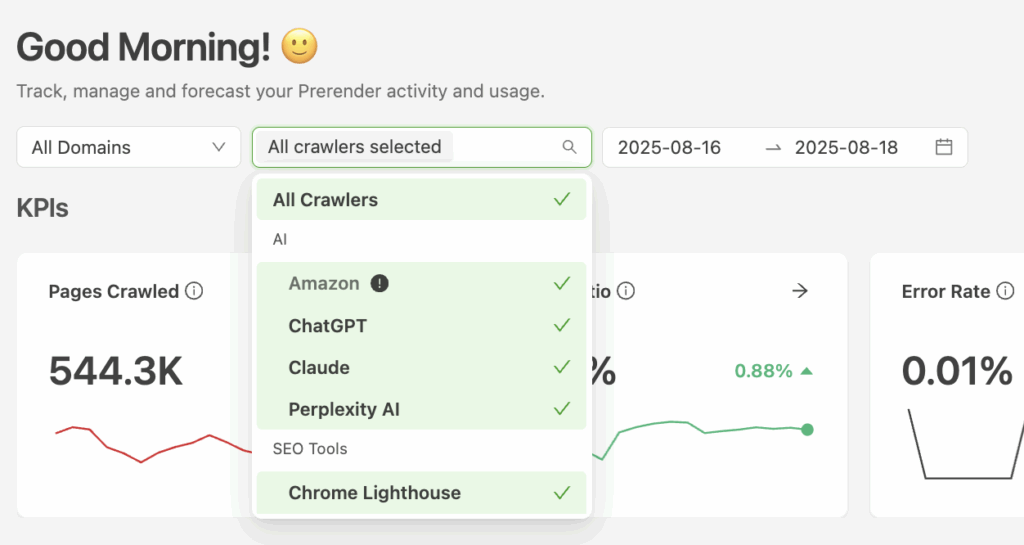
Prerender.io’s Crawler Type view lets you filter and track visits from social platforms like LinkedIn, Facebook, Twitter/X, Discord, and Slack, giving you clear visibility into how crawlers interact with your pages.
This helps you ensure previews are fetched correctly, spot issues before they affect link displays, and optimize your content so your brand always looks its best when shared.
What Broken Social Previews Act Like in the Real World
The gap between a clean validation and a broken preview is predictable. Here’s a scenario we see all the time.
A mid-sized ecommerce brand runs its product catalog on a React SPA deployed on Vercel, with a CDN layer in front. Stock updates are frequent, and product pages get shared constantly by affiliates and influencers. The development team has done the work: every product page has proper OG tags, the Facebook Sharing Debugger returns a clean fetch, and they’ve cleared the platform caches after their last round of updates.
But two days later, the marketing team notices that links shared on LinkedIn and WhatsApp are still displaying blank previews, outdated product images, or missing descriptions entirely.
At that point, the investigation usually goes in the wrong direction first. The developer re-checks the metadata. The OG tags are present, they validate correctly, and the CDN cache gets purged again. Someone suspects a platform-side caching issue; another developer tests the page locally and confirms the tags exist in the browser.
From the frontend perspective, nothing appears broken, but the problem sits much earlier in the request lifecycle.
The React SPA serves a bare HTML shell before JavaScript hydrates the page, and LinkedIn’s and WhatsApp’s crawlers read that shell and move on. The CDN makes the problem worse by caching that bare response, so even updated OG tags in the application code never reach the crawler.
This is where a prerendering solution like Prerender.io becomes necessary. By serving fully rendered HTML to social crawlers at request time, the metadata becomes immediately available in the first response instead of appearing later through client-side execution.
How Long Does It Take to Fix Broken Link Previews on Social Media?
The time it takes to fix a broken or missing link preview depends on what’s causing it, which is usually incorrect metadata or cached preview data.
If the Metadata Is Incorrect or Missing
Fixing Open Graph (OG) or Twitter Card tags can usually resolve preview issues within a few minutes, as long as you can edit and republish your metadata. Make sure your OG tags include a proper title, description, and image in the <head> section of your HTML.
If the Preview Is Cached
When social platforms store outdated preview data, it typically takes 5–30 minutes to refresh using the platform’s debugging tools. In some cases, it may take a few hours before the new preview appears everywhere.
Platform-Specific Timing and Challenges
- LinkedIn: even after using Post Inspector to refresh and update cached previews, LinkedIn may take several hours to display the new information. Patience (and correct OG tags) is key here.
- Facebook: Facebook often caches link previews indefinitely. If you change your metadata after a page has already been shared, the new preview won’t update automatically, so you’ll need to use the Sharing Debugger to force a refresh.
- WhatsApp: WhatsApp relies on Open Graph tags but only supports a limited set. It ignores some advanced properties like
og:videoandog:audio, so even perfectly implemented metadata might display inconsistently.
- Twitter/X: X uses Card Validator to fetch updated metadata, but cache refreshes can be slow. Expect a delay before your new title or image shows up in shared links.
When the Problem Runs Deeper
If your social sharing link preview still doesn’t update after clearing caches or fixing metadata, the problem likely isn’t caching; it’s JavaScript rendering. Social crawlers from platforms like LinkedIn, Facebook, Twitter/X, Discord, and Slack don’t execute JavaScript, meaning they can’t “see” your Open Graph tags or preview images if they’re loaded dynamically.
That’s exactly what Prerender.io was built to solve.
Prerender.io: An Easy Solution for Unoptimized Link Previews
Prerender.io detects requests from social media crawlers and serves them a fully rendered HTML version of your page, complete with accurate Open Graph and Twitter Card metadata. This ensures your links display the right title, image, and description instantly and consistently across every platform.
Why marketers and developers use Prerender.io:
- Accurate, platform-ready previews that display correctly on every social channel.
- Faster social crawler response, ensuring links render in seconds, not minutes.
- Cached updates that reflect instantly, so changes to your title, image, or description appear without manual debugging.
- Reliable JavaScript rendering for AI crawlers and social bots alike.
For a single page, a broken preview is an easy fix. However, for a retailer with 500K+ product pages that affiliates, partners, and influencers constantly reshare, every broken preview compounds across every shared link, on every channel, indefinitely. At that scale, manual debugging and one-off cache clears stop working, and the problem becomes an infrastructure gap that a dedicated rendering layer like Prerender.io is built to handle.
Start improving your social share previews today: explore our pricing plans to find the right fit for your team.
FAQs About Broken Social Sharing Link Previews
Why Do Link Previews Look Fine on Some Social Platforms and Not Others?
Different social media platforms have different requirements and caching mechanisms. For example, while LinkedIn and Facebook use Open Graph meta tags, Twitter relies on Twitter Cards to display link previews.
Because of missing or incorrect tags for specific platforms, link previews might look different. At the same time, due to aggressive caching, previews on LinkedIn might not look correct but appear fine on other social platforms.
Why Are My Social Media Preview Links Not Showing Content Correctly?
Your link previews aren’t showing the correct content because many social platforms rely on bots to scrape your website for link previews. If your site uses JavaScript or dynamic content, these bots may miss it, resulting in blank or incorrect previews. Prerender.io solves this, ensuring all your content (images, titles, and descriptions) is visible to social media crawlers. This guarantees accurate and engaging link previews whenever you share your pages on social media.
How Do I Fix My Page’s Preview on LinkedIn and Facebook?
You can clear the cache and add updated metadata. If the issue still persists, it could be related to JavaScript rendering problems. Try a solution like Prerender.io to help clear up the issue and ensure that your previews show up correctly. You can watch this video to see how Prerender.io works.
Can My Website’s Security Settings Impact Social Link Previews?
Yes, security-focused browser extensions and some ad blockers may prevent social media crawlers and bots from accessing the correct metadata—leading to incomplete or missing link previews.
Does Website Speed Impact Social Link Previews?
Yes. Slow-loading pages can cause crawlers to time out before fetching your metadata, leading to blank or partial previews. By caching pre-rendered HTML versions of your site, Prerender.io ensures that crawlers receive the correct data instantly, improving both load speed and preview accuracy.
Can I Change My Link Preview Image?
Yes, but your updates won’t appear unless social platforms refresh their cache. After replacing the og:image tag in your HTML, clear each platform’s cached data using its debugger or inspector tool. If the new image still doesn’t show, your site may need a rendering solution like Prerender.io to ensure updated metadata is visible to crawlers.
How Can I Tell If My Site Has a JavaScript Rendering Issue?
Broken social link previews are a reliable early sign, especially when previews look correct in platform debuggers but fail in real shares. To confirm, do a view-source check on your URL: if the <head> contains empty or placeholder OG tags, or if og:image and og:title are absent entirely, your metadata is being injected by JavaScript after load.