Many enterprises use Adobe Experience Manager (AEM) to publish content across multilingual sites. But when an AEM site relies on a JavaScript-heavy frontend, the content visitors see is not always the content that search engines and AI crawlers receive.
Visitors may see the complete site once the page loads. Meanwhile, search engines, AI crawlers, social platforms, and ad bots may receive an incomplete version of the page. The results are familiar: pages do not index, schema is missed, internal links are discovered late, and important content never appears in AI search.
Our expert team at Prerender.io created this guide to explain how to confirm whether rendering is the problem, separate it from other technical SEO issues, and choose the right next step for an AEM site: a rebuild, custom SSR, or managed prerendering.
TL;DR: Is JavaScript Hiding Your Adobe Experience Manager Content From Crawlers?
- The problem: your AEM site looks complete to visitors, but crawlers may receive an almost empty page instead of the content you want them to find.
- What this affects: delayed indexing, missed structured data, broken social previews, and content that may be unavailable to AI search.
- How to confirm it: compare your page source with Google Search Console’s rendered HTML. If essential content appears only after JavaScript runs, you have a rendering issue.
- Ways to fix it: rebuild around server-side rendering (SSR), build and operate your own SSR setup, or use managed prerendering.
- A practical route for existing AEM single-page applications: Prerender.io delivers complete HTML to crawlers without requiring a frontend rebuild, while AEM continues to manage content and publishing.
Why AEM SEO Can Break Even When the Site Looks Fine
Adobe Experience Manager manages content, assets, localization, workflows, and publishing. But it does not automatically turn a JavaScript-heavy site into a complete HTML page before it reaches a crawler. This matters most for headless AEM sites, AEM React app or pages that are built with Angular, and existing SPA Editor implementations.
That means content can be published correctly in AEM and load normally for visitors, yet still be missing from Google or AI search. Google can render JavaScript, but rendering adds another step between crawling and indexing.
Google also notes that server-side or prerendering can make pages easier for crawlers to process, particularly because not every bot renders JavaScript.
This does not mean every AEM implementation has a problem. Traditional AEM pages that include their main content in the initial response can be highly crawlable, and Adobe’s Edge Delivery guidance likewise emphasizes delivering canonical content in the initial HTML. The risk begins when the signals that explain what a page is about are added only after JavaScript runs in the browser.
This is even more crucial for enterprise teams. A single frontend template created on Adobe Experience Manager can power thousands of product, category, location, or content pages. If that template delays copy, links, hreflang, canonicals, or JSON-LD, the result is a site-wide delivery issue that scales with the catalog and number of markets.
Related: 10 Signs you have JavaScript rendering problems.
How to Confirm a JavaScript Rendering Problem on Your AEM Site
The evidence exists in one place: the HTML returned before JavaScript runs.
Use a representative sample rather than one URL. Include a product or category page, a recently published page, a localized page, and a high-value template with structured data.
1. Compare the Initial HTML With the Rendered Page
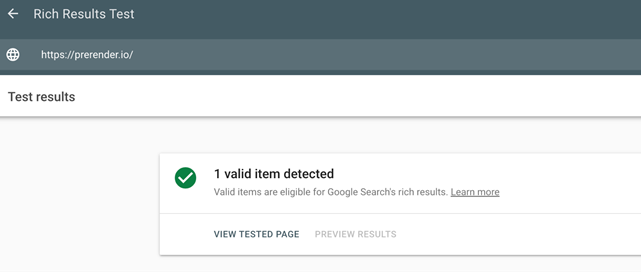
Open View Source or fetch the URL without a browser. Then compare it with the rendered HTML in Google Search Console’s URL Inspection tool or the Rich Results Test. Check whether the primary heading, descriptive copy, internal links, title tag, canonical, hreflang annotations, and JSON-LD are present in both versions.
A blank shell is the most obvious failure, but a partial response can also be a problem. A product page may include its heading but omit availability, price, product schema, or links to related categories until a client-side API call finishes. A localized page may show translated copy to users while serving only default-language metadata to crawlers.
| Run this check: choose one important page per template and market. Search the raw response for a phrase that appears in the visible copy, then search for the matching canonical, hreflang, and JSON-LD block. |
2. Review Indexing and Discovery Symptoms
Rendering problems often surface as ordinary SEO issues: an increase in Crawled – currently not indexed URLs status, missing rich results, slow discovery of new pages, or internal links that appear in the browser but not in source HTML.
On a large site, the pattern may be uneven. Top-level pages are indexed, while deep product or regional pages remain invisible because they receive fewer crawls and provide less useful HTML when crawled.
| Run this check: in Search Console, compare index coverage and crawl timing for clean, high-value URLs against deep or parameterized URLs. Then inspect a localized URL and confirm that Google sees the same content and signals that users see. |
3. Rule Out Problems Prerendering Cannot Fix
A rendering layer cannot fix a URL blocked by robots.txt, a noindex tag, a conflicting canonical, a redirect loop, thin content, broken internal linking, or an incomplete sitemap. These issues often coexist, which is why a diagnosis should start with delivery but not end there.
| Run this check: confirm that each sample URL returns a crawlable 200 response, uses the expected canonical, appears in the correct sitemap, and is reachable through ordinary HTML links. Only then decide whether a rendering change is needed. |
What AEM’s Client-Side Rendering Changes for Search and AI Crawlers
Google’s rendering system can execute JavaScript, but it first crawls the response, then queues eligible pages for rendering, and finally processes the rendered output for indexing. That means important content can still be found by Google, but only if scripts, API calls, resources, and page states work within its rendering environment.
Not all crawlers behave like Googlebot. Social preview bots usually read Open Graph data from the initial response. AI crawlers may fetch raw HTML without completing a full browser rendering cycle. For those systems, copy, links, structured data, and metadata that exist only after JavaScript runs may not be available at all.
This affects four search signals in particular:
- Content: crawlers cannot evaluate copy they never receive.
- Internal links: discovery slows or fails when navigation and related-page links are added only after rendering.
- Structured data and metadata: schema, canonical tags, hreflang annotations, and Open Graph data become less reliable when injected late.
- Freshness: if crawler-facing output is cached or assembled separately, content updates need a dependable refresh path.
This does not mean JS prerendering solves every performance issue. Heavy JavaScript can still hurt real-user LCP and INP, and those metrics require work on bundles, images, loading behavior, and interactions. Crawler visibility and Core Web Vitals overlap in their root architecture, but they are not the same measurement problem.
Three Ways to Fix an AEM Rendering Gap
Option 1: Use Prerender.io to Deliver HTML to Crawlers
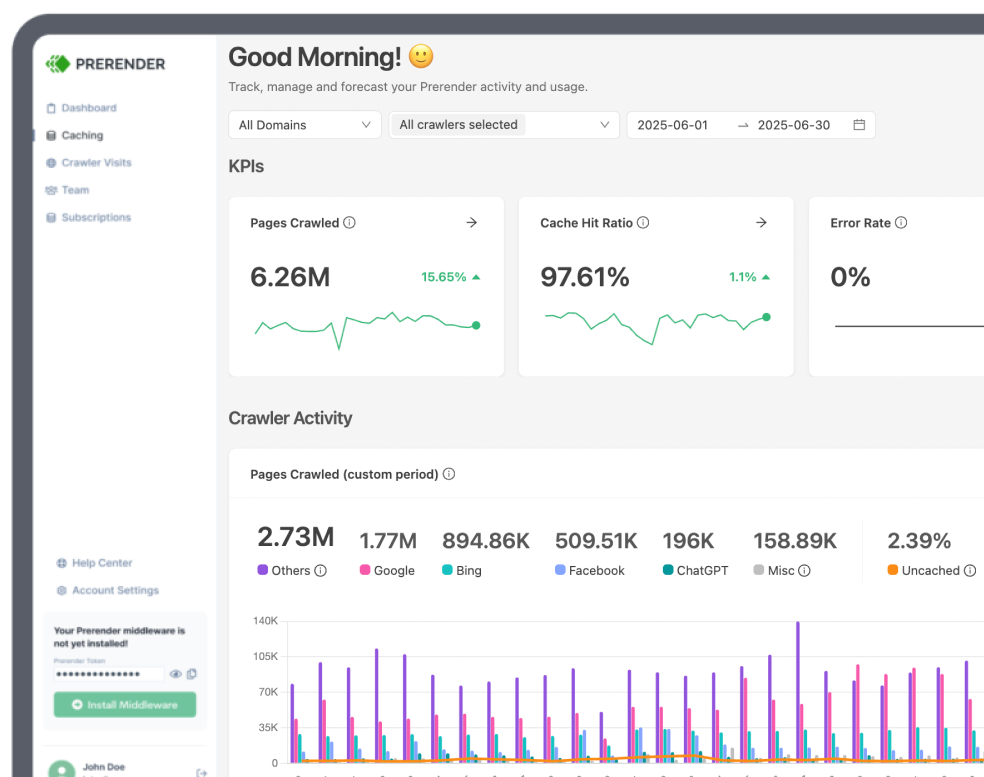
Prerender.io renders JavaScript pages, caches the resulting HTML, and serves crawler-ready versions to eligible bots. AEM remains the system of record for content and publishing; visitors keep receiving the normal JavaScript experience.
For an existing AEM React or Angular site, this creates a narrower implementation path than a frontend rebuild. The team configures crawler delivery at the CDN, reverse-proxy, or web-server layer, validates content parity, and sets cache refresh behavior that follows AEM publishing or frontend deployments.
This route fits enterprise teams that need to protect organic and AI discoverability for their large, multi-market website and cannot justify a full SSR project immediately.
Option 2: Build a Custom SSR With Adobe I/O Runtime
Adobe I/O Runtime is often the recommended solution for AEM JS SEO issues. It is a serverless platform for custom code. It can host part of a custom rendering solution, but it is not a plug-and-play AEM SSR product. A team still needs to design the renderer, connect it to AEM content and data sources, handle authentication, cache and invalidate output, test every template, and monitor it in production.
This can be the right investment when a company is already rebuilding its frontend architecture around SSR or static generation. It is less compelling when the narrow requirement is simply to make an existing JavaScript site readable to crawlers.
For a comparison of managed prerendering and an Adobe I/O Runtime build, see Prerender.io vs. Adobe Experience Manager.
Option 3: Self-Host SSR Infrastructure
A team can also host its own Node.js rendering application on AWS, Azure, or another platform. This offers maximum architectural control, but ownership extends beyond the initial build. Every route, component, API dependency, cache rule, and frontend release must preserve rendering parity over time.
For AEM 6.5, self-hosting may fit an established stack. For AEM as a Cloud Service, the same question remains: does the organization want to operate a rendering product, or does it need a managed way to solve crawler delivery?
Prerender.io vs. Custom SSR for Adobe Experience Manager: The Operational Difference
The choice is not between AEM and Prerender.io: AEM manages content. The real choice is whether a team wants to build and maintain the JavaScript content rendering layer itself.
With a custom SSR approach, the organization owns the renderer, content data flow, cache invalidation, observability, production releases, and the regressions that appear when a frontend changes. With prerendering with Prerender.io, the organization still owns content quality, indexation, and SEO governance, but it does not own the rendering service.
Why Solving AEM SEO Matters for Multi-Market Websites
AEM is frequently chosen because a central team needs to publish across countries, languages, brands, and business units. That same scale makes rendering defects more expensive. A missing hreflang tag, delayed schema block, or incomplete page model is rarely isolated to one URL. It propagates through every market that shares the component or template.
A managed rendering layer can cover configured domains and URL patterns from one platform, while cache rules keep crawler-facing HTML aligned with AEM publishing. That does not remove the need for locale sitemaps, valid canonicals, or correct hreflang. But it does ensure that search crawlers can receive those SEO signals and use them to ensure your webpages perform well in search, as intended.
For teams managing a multi-market site, the priority is simple: validate one equivalent URL per locale after every frontend deployment. Compare raw HTML for language-specific copy, canonical URLs, hreflang clusters, JSON-LD, and response status. This turns rendering from a one-off migration concern into a permanent release check.
Related: International SEO: Technical Guide for Multi-Market Websites
Case Study: Why Popken Chose Prerender.io Over In-House SSR
Popken Fashion Group manages 32 ecommerce domains across 16 countries. Its JavaScript sites needed more reliable search visibility, but developer capacity was already committed to a major frontend migration.
Rather than build and maintain custom SSR alongside that work, Popken chose managed prerendering. When Prerender.io was temporarily switched off, the company reported visibility declines across markets. After it was restored, rankings began recovering within a week, and one market recorded roughly 15,000 additional indexed pages. Read the full Prerender.io and Popken story here.
Final Thoughts: Prerender.io Makes Your AEM Sites Discoverable in Search
AEM SEO problems are often delivery problems. You may publish complete, localized, well-structured content, while crawlers receive a stripped-down or incomplete version of the page.
Start with the HTML crawlers receive. If important copy, links, metadata, or schema are missing, Prerender.io gives crawlers complete, index-ready HTML without requiring a frontend rewrite or custom SSR project. Your AEM content workflow and visitor experience stay exactly as they are.
Ready to make your AEM content visible to every crawler that matters? Explore Prerender.io pricing and find the right plan for your site.
FAQs About AEM SEO and JavaScript Rendering
Does Adobe Experience Manager hurt SEO?
No, AEM can support strong SEO, but problems arise when important content is inaccessible or unreliable for crawlers, often because the frontend relies on client-side JavaScript to assemble the page. See if you experience common JavaScript rendering issues.
How do I know if my AEM site is client-rendered?
You can check whether your AEM site is client-rendered by comparing the page source in your browser with the rendered page in Search Console. If primary copy, internal links, metadata, or schema appear only after JavaScript runs, your site has a client-rendered layer that needs testing.
Does Prerender.io replace Adobe Experience Manager?
No, Prerender.io does not replace AEM. AEM manages content, assets, workflows, and publishing, while Prerender.io helps deliver crawler-readable HTML for JavaScript pages. See the full Prerender.io vs. Adobe Experience Manager comparison for how the two fit together.
Do I need Adobe I/O Runtime to use Prerender.io?
No. Adobe I/O Runtime is relevant only when your team chooses to build and host custom SSR infrastructure. Prerender.io provides managed JS rendering without that custom application.
Does Prerender.io work with AEM 6.5 and AEM as a Cloud Service?
Prerender.io can integrate at the CDN, reverse-proxy, or web-server layer. The right route depends on your delivery architecture, security requirements, and existing infrastructure.
Will crawler-ready HTML guarantee AI citations?
No, crawler-ready HTML does not guarantee AI citations, but it makes content available to crawlers. Citations still depend on relevance, authority, retrieval systems, and each AI platform’s behavior. Start by giving AI crawlers access to your content, then apply the wider recommendations in this guide to optimizing for AI crawlers.