Across the many JavaScript-heavy sites we process, one issue shows up more than almost any other: product descriptions, FAQ answers, and pricing sections that are fully visible in a browser, but completely missing from the HTML Googlebot receives.
Essentially, Google and AI crawlers cannot see behind JavaScript-styled dropdowns and tabbed content. This limitation can damage your SEO and AEO rankings and cost you traffic and conversions. The biggest threats to your Google SERP and LLM visibility aren’t just spammy links or algorithm updates; they’re hidden in plain sight.
In this blog, we’ll cover what hidden content is and how Google handles it, common hidden content types that harm SEO and AEO performance, and how to make your JS content visible to Google and AI crawlers. We’ll also walk through a pattern we see on Next.js sites, where every diagnostic tool returns clean results, but rankings still drop.
What is Hidden Content (White-Hat SEO)?
Hidden content tactics in white-hat SEO refer to text, links, or other elements on a webpage that aren’t immediately visible when the page first loads. Instead, they’re hidden behind clickable buttons, hover actions, or expandable menus to provide additional information when needed. This includes the accordion-style FAQs, “read more” button, and product details hidden behind dropdowns.
When done right, this “hidden content” can improve user experience, declutter your layout, and help mobile pages load faster. When done wrong, it can block search crawlers from discovering key content or even violate Google’s Spam Policies.
Learn how crawlers process hidden and dynamic content: How to Optimize for AI Crawlers.
How Does Hidden Content White-Hat vs. Black-Hat SEO Differ?
In SEO, hidden content refers to text or links concealed from users but visible to search engines, often used to manipulate rankings. Black-hat SEO employs hidden content unethically, such as using white text on a white background or embedding invisible keywords to deceive search engines into ranking a page higher. These practices violate search engine guidelines and can lead to penalties or removal from search results.
Conversely, white-hat SEO focuses on ethical strategies, ensuring all content is visible to users and search engines alike. For instance, using structured data or semantic HTML enhances content accessibility without resorting to deceptive tactics. Prioritizing user experience and adhering to search engine guidelines, white-hat SEO fosters sustainable, long-term success.
7 Examples of Hidden Content That Google and AI Crawlers Struggle to See
Not every website design choice benefits your SEO. Some of the most common practices can quietly sabotage your site’s visibility in search results if you don’t optimize them properly. Here are seven types of hidden content (white-hat SEO) that might be working against you.
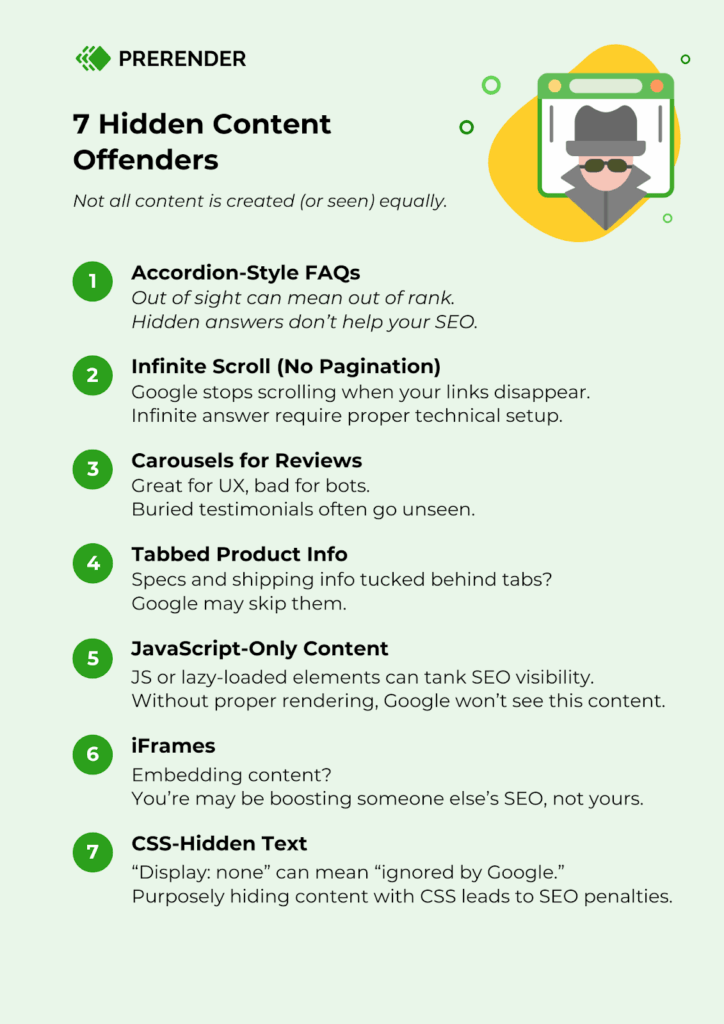
1. FAQs Hidden Behind Clicks
Expandable FAQs (where you click a plus sign or dropdown to reveal answers) are a popular way to organize information, but they can be risky SEO-wise.
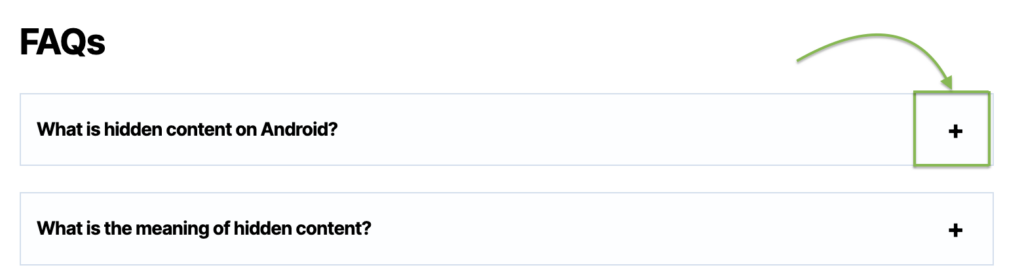
Google gives more weight to visible content that loads by default, so FAQs hidden behind interactions often lose ranking value.
Tip: keep top questions and answers expanded on load, or use structured FAQ markup to signal importance.
2. Infinite Scroll Without Proper Pagination
Infinite scrolls are slick but dangerous without proper paginated URLs (e.g., ?page=2). Googlebot can’t “scroll,” so it may only crawl the first set of items, leaving the rest of your content unindexed.
This is a common issue for large e-commerce sites. Without crawlable links, Google might only index the first batch of content while everything else remains hidden, unindexed, and unranked.
Fix: implement crawlable pagination or a “Load More” button that generates unique URLs.
3. Reviews and Testimonials Trapped in Carousels
Carousels seem like a great way to display testimonials, but they often do more harm than good for SEO.
First, carousels can frustrate users. If they move too quickly, are poorly optimized for mobile, or glitch on touchscreens, bounce rates can skyrocket, indirectly hurting your SEO.
Second, valuable content inside carousels can be hidden from search engines, especially if dynamically loaded via JavaScript after the initial page load. Important reviews stuck in hidden slides may not be indexed at all.
Resource: need a refresher on how Google handles JavaScript crawling and indexing? This JS rendering guide can help.
4. Core Product Information Hidden in Tabs or Accordions
Tabs and accordions are great for decluttering and organizing product pages. But, you should be careful not to hide core product information (like specifications, sizing charts, shipping info) behind them.
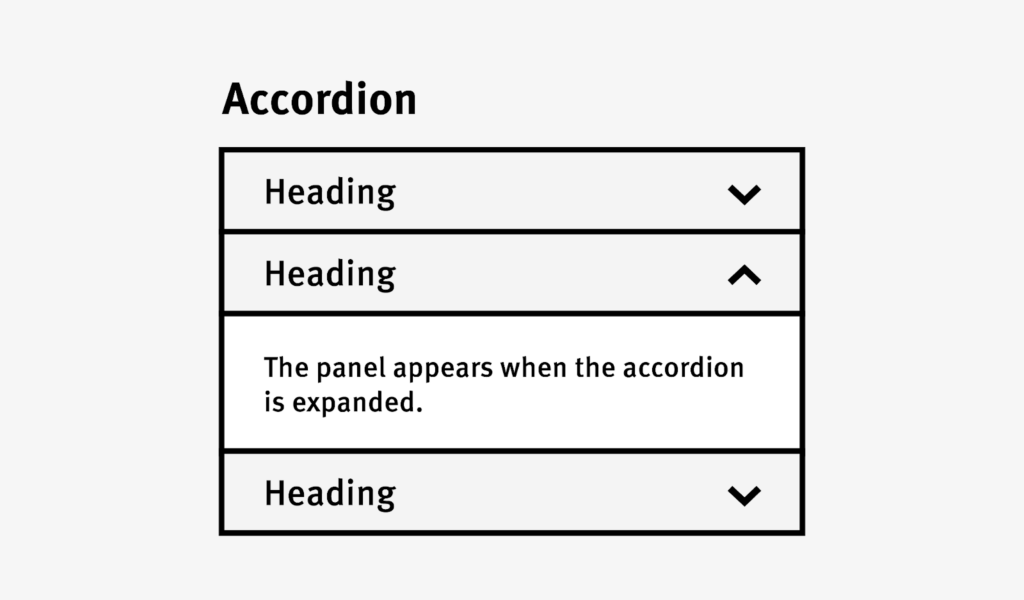
While Google can crawl tabbed content, it often assigns it less ranking weight. This hidden content also relies on JS to display content, so it can pose crawling challenges if incorrectly implemented.
Tip: make sure vital details appear in the HTML when loading.
5. Content Hidden via JavaScript or Lazy Loading
What our team sees most often: React SPAs where the initial HTML is an empty root container. The content is there, but only after a client-side API call that Googlebot’s renderer may never complete.
For example, frameworks like AngularJS rely on client-side rendering. Without server-side rendering or proper prerendering, Googlebot may struggle to crawl and index the content consistently. This delay or failure in rendering can cause search engines to miss critical parts of your page.
Aside from AngularJS, each major JavaScript framework introduces its own variation of this problem:
- React SPAs often fetch critical content after component mount. Product descriptions, reviews, or article bodies may only load after an API request, either within lifecycle hooks or in client-side data-fetching logic. The initial HTML response contains an empty root container, so Googlebot receives the application shell with no content inside it.
- Next.js applications can still suffer rendering gaps when teams rely on useEffect or other client-only logic to fetch pricing or inventory data. The framework supports SSR and static generation, but these dynamic fields only populate after hydration. Googlebot’s second-wave rendering may miss them entirely, depending on crawl budget and rendering priority.
- Angular applications commonly introduce issues through lazy-loaded route modules. The content technically exists, but entire sections of the application may not be included in the initial JavaScript bundle. If crawlers perform only shallow rendering or fail to fully execute deferred route loading, important page sections may never be discovered or indexed.
Note: AI-built sites (Lovable, Bolt, and similar vibe-coded tools) default to client-side rendering. They’re fast to launch and look polished, but Googlebot often receives an empty shell. If you’ve built or inherited a site using an AI website builder, assume this issue exists until you’ve verified otherwise.
6. Content Embedded in iFrames
iFrames are commonly used for embedding third-party content like videos, forms, or maps, but they can be problematic for SEO.
Google treats iFrame content as a separate document from your main page. So, if you embed critical content—say, a product description or reviews—inside an iFrame, that content doesn’t contribute to your site’s SEO relevance. Essentially, you’re giving up valuable ranking power.
| What is an iFrame? An iFrame (short for inline frame) is an HTML element that lets you embed another webpage within your own. |
7. CSS-Hidden Content
CSS techniques (like display: none or visibility: hidden) can be useful for design purposes. But Google may interpret CSS-hidden content as non-essential and ignore it, or worse, devalue it. If Google suspects you’re using CSS to hide content deceptively to manipulate rankings, it could trigger penalties, severely crushing your site’s visibility.
Tip: only hide non-essential content. Avoid using CSS to conceal keyword-stuffed or manipulative text.
How Does Google Handle Hidden Content?
Google can crawl and index hidden content as long as it’s present in the HTML when the page loads. This has been confirmed multiple times by Google’s representatives, including John Mueller, who recently stated that “if the content is in the HTML when the page is loaded, we (Google) can index it.”
However, page indexing is only part of the story. Just because Google indexes hidden content doesn’t mean it ranks it equally. Although Google claims to treat hidden and visible content equally, real-world SEO experiments show that visible, default-on-load text often carries more ranking weight than collapsible content.
This discrepancy likely stems from Google’s ranking systems, which heavily prioritize user experience. So hidden content may (rightly or wrongly) be interpreted as less critical to a page’s main purpose and ranked lower, even if it’s technically indexed.
There is one notable exception. With mobile-first indexing, Google gives tabbed content intended for better UX the same weight as the rest of the text on the page. In Google’s Gary Illyes’ words: “In the mobile-first world, content hidden for UX would have full weight.”
But even this creates a false sense of security. Most teams hear “if the content is in the HTML, Google can index it” and assume server-side rendering guarantees that. SSR does solve the JavaScript rendering problem. What it doesn’t solve is whether the HTML Googlebot actually receives matches what your users see (we break this down further in Why SSR Alone Doesn’t Solve Enterprise SEO Problems).
Take caching, the most common failure mode. SSR pages are almost always cached for performance. When you update pricing, swap a CTA, or publish a new FAQ section, the cache may still serve the old version for hours or days. Users see today’s content, Googlebot indexes yesterday’s, and your rankings reflect a page that no longer exists.
Other failure modes are subtler. Some SSR setups render conditionally based on user-agent, skipping expensive API calls for non-browser requests. The page returns a 200 status, the DOM looks complete, and every SSR diagnostic passes. But the response is missing the dynamic content that actually matters for rankings. Similarly, if Googlebot hits your page during a deployment or a traffic spike and the cache has been flushed, it may receive a timeout or fallback response instead of the fully rendered page.
In each case, the problem is invisible. The site appears to do everything right, so when rankings drop, nobody thinks to check whether the HTML Googlebot received is complete and current.
Ultimately, it’s best to always keep your most valuable content visible and easy to access on page load. Reserve hidden layouts for supplementary information only.
You can also use the URL Inspection Tool in Google Search Console to audit your site’s SEO crawling and indexing. It’ll show you what Googlebot sees so you can catch and fix any issues early.
Best Practices to Fix Hidden Content SEO Issues
Below are practical tips to ensure your hidden content is user-friendly and search engine-friendly.
- Ensure your tabbed content is visible in the HTML on page load.
- Don’t overuse hidden content—treat it as a supplementary feature, not a main content strategy.
- Avoid deceptive hidden content practices like cloaking or keyword stuffing.
- Properly optimize hidden content for mobile devices to enhance user experience and SEO.
- Place key content upfront and use clear labels, buttons, or cues to help users discover secondary content.
- Use a prerendering tool like Prerender.io to support your dynamic content SEO efforts, ensuring search engines can crawl and index your JS-dependent site.
- Implement Schema Markup to provide context about your hidden content to search engines.
- Be cautious with lazy loading; ensure that your SEO-critical content is in the DOM and crawlable by default.
- Use elements like ‘Load More’ buttons that generate paginated URLs to help search engines and users easily discover and access your content.
- Test hidden content visibility with Google’s tools (URL Inspection, Mobile-Friendly Test, or PageSpeed Insights).
- Track user interactions with hidden content using analytics to identify what’s engaging and worth surfacing more prominently.
What This Looks Like in Practice
As we covered earlier, SSR caches can quietly serve stale content to crawlers even when everything else checks out. Here’s a more vivid scenario of how that tends to play out.
A Next.js e-commerce site with a large product catalog has done everything by the book. Product descriptions are server-side rendered. The developer runs URL Inspection on a handful of pages, and the fetched HTML looks clean. Content is present, structured data is intact, and there is no rendering error. On paper, the site is fully optimized.
But over the following weeks, what we’ve seen happen repeatedly in setups like this: product pages underperform in rankings, new descriptions stop surfacing in search results, and pages that should be competing for long-tail product queries remain stagnant.
The first instinct, from what we’ve seen, is to check for JavaScript rendering issues. Teams revisit their SSR configuration, audit their hydration logic, and re-run URL Inspection. Everything still looks correct. The content is there. This is where most debugging stalls, because the standard diagnostic tools return clean results.
Two weeks later, a broader crawl analysis reveals the problem. The crawl data shows that the SSR cache had been serving stale snapshots to crawlers without revalidation. The cache invalidation logic wasn’t accounting for bot crawl timing.
While users were seeing the current content, the cached HTML Googlebot received matched what had been rendered when the cache was last warmed.
What we’ve seen across sites with this pattern is that standard fixes run out of road. The SSR implementation is correct. The content is rendered server-side. The issue sits in the caching layer between the server and the crawler, and most teams don’t monitor that gap because their debugging tools don’t flag it.
A pre-rendering layer like Prerender.io catches this by generating and serving freshly rendered HTML snapshots directly to crawlers, independent of the application’s own caching logic. The crawled version stays current without relying on the SSR cache to behave correctly when Googlebot arrives.
Resource: check out this technical guide on how to optimize your JavaScript website
How Prerender.io Ensures Your Hidden Content Gets Discovered
Across the JS-heavy sites we at Prerender.io typically process, product descriptions are among the content types that consistently appear invisible to crawlers. They’re present in the browser view, but absent from the cached HTML Googlebot receives.
Most issues with hidden content visibility trace back to JavaScript rendering. Because 98% of modern websites rely on JS, rendering delays can prevent Googlebot and AI crawlers (like GPTBot, ClaudeBot, or PerplexityBot) from seeing your full content.
Prerender.io solves this by generating pre-rendered, HTML-ready versions of your JS pages.
This allows search engines and AI crawlers to process your site immediately.
With Prerender.io, you get:
- Faster crawling and indexing.
- Complete visibility of dynamic elements.
- Better rankings for content previously hidden behind JS.
At the enterprise level, this stops being a per-page fix and becomes a bigger problem. A retailer with hundreds of thousands of product pages isn’t debugging one hidden description. Every product Googlebot can’t read, on every crawl, across the entire catalog, becomes lost visibility that grows with each crawl cycle.
Watch our demo and create your Prerender.io account to start fixing visibility issues in minutes.
Stop Hidden Content From Hurting Your SEO
Hidden content isn’t inherently bad, but hidden visibility is. When essential information lives behind tabs, carousels, or unrendered JavaScript, both users and crawlers miss it.
Here’s the summary about hidden content, as well as how to let search engines find and feature content faster and accurately:
- Hidden content types like infinite scroll, carousels, tabs, and lazy loading can weaken your SEO if not implemented correctly.
- Always prioritize making critical content visible by default, using hidden layouts only for secondary information.
- Google indexes hidden content if it’s in the HTML, but it often carries less SEO weight than visible content.
- JS-heavy sites are especially vulnerable to hidden content issues, but using tools like Prerender.io can solve these issues.
- Best practices, such as structured data, mobile optimization, and ethical use of hidden content, will help you optimize your site’s search performance.
Ready to fix your hidden content and future-proof your visibility? If your content isn’t in the HTML Googlebot receives, it doesn’t exist for search. Prerender.io fixes that. Get started today.
FAQs About Hidden Content and SEO Visibility
1. Does Hidden Content Hurt SEO And AEO Performance?
Black-hat hidden content tactics—like using white text on a white background—can harm your SEO and lead to penalties. Even white-hat techniques, such as “load more” buttons or content hidden via JavaScript or display:none, can reduce visibility if crawlers (including Google or AI crawlers) can’t access it. This can lower your ranking potential across both traditional SEO and AI-driven (AEO) platforms.
2. How Does Google Handle Hidden Content?
Google can index hidden content if it’s in the HTML when the page loads, but it may not rank it as strongly as visible text. With mobile-first indexing, hidden content used for UX is treated equally, but default-visible content still performs best in tests.
3. How Can I Make Hidden Or Dynamic Content Visible To Crawlers?
Use pre-rendering or server-side rendering to ensure crawlers can see your content. Tools like Prerender.io convert JavaScript-based pages into fully crawlable HTML, helping Googlebot, GPTBot, and other AI crawlers access and index every element.
4. Does Using Hidden Content Ever Lead To Penalties?
Only if it’s deceptive, like hiding keyword-stuffed text or links to manipulate rankings (black-hat SEO tactics). Hidden content used for user experience or accessibility (such as accordions or tabs) is safe and supported by Google’s guidelines.