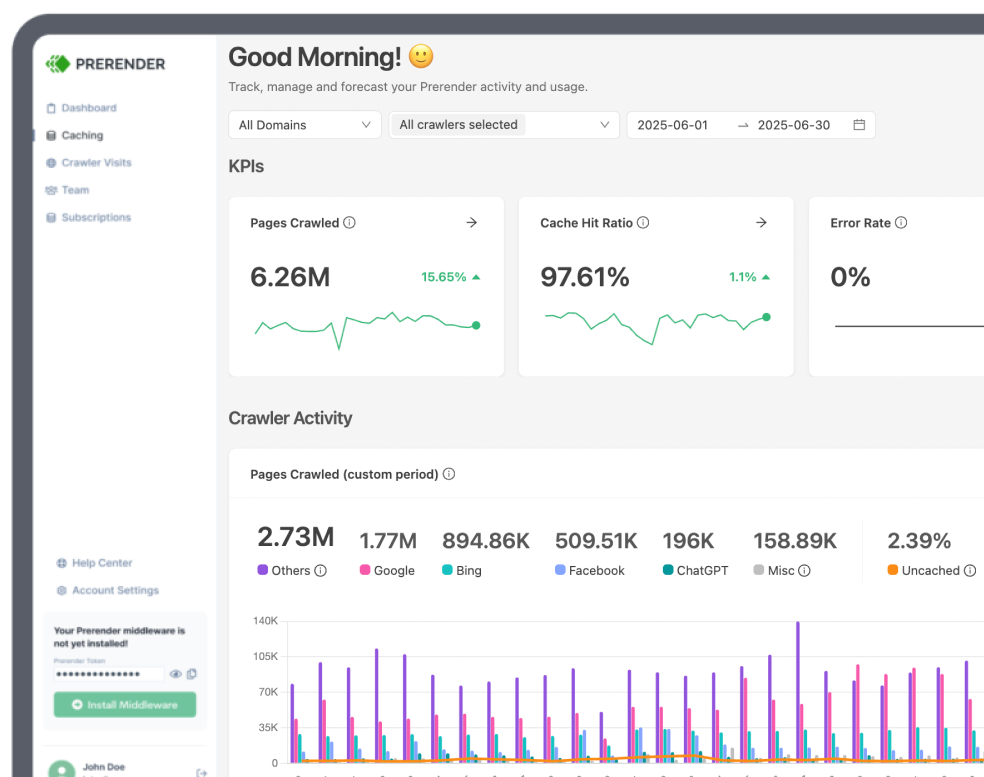
ReactJS has fundamentally shifted how engineering teams build modern user interfaces, particularly for single-page applications (SPAs). While it provides excellent flexibility for frontend developers, it introduces significant architectural obstacles to search engine optimization (SEO), especially in its content indexation process.
In this React SEO guide, we’ll explore it’s advantages and disadvantages, its SEO performance challenges, and discuss strategies for optimizing ReactJS websites. We’ll also compare it to other popular JavaScript frameworks like Vue.js and Angular to understand their relative strengths and weaknesses. By the end, you’ll have a clear understanding of how to make your ReactJS applications SEO-friendly.
Why this guide is different: Instead of sharing generic framework definitions, we have added practical context based on the real-world obstacles we often encounter when helping teams optimize React sites. The engineering trade-offs, common setup friction points, and indexing quirks highlighted in this guide are pulled directly from our experience working to bridge the gap between client-side JavaScript execution and search engine visibility.
What is ReactJS?
ReactJS, or React, is a powerful JavaScript framework created by Facebook (now Meta) for building user interfaces, specifically for single-page applications (SPAs).
At its core, React focuses on the “view” layer of an application, meaning it’s all about how users interact with and see the content on a web page. Unlike traditional methods where each change in the user interface (UI) requires a full page reload, React allows developers to build web applications that update data dynamically without needing to refresh the page—a concept known as “re-rendering.”
The magic behind React JavaScript framework lies in what is called the Virtual DOM. Essentially, React creates a lightweight copy of the actual DOM (the structure that defines a web page’s content) and keeps track of what changes. When data updates, React only updates the necessary parts of the real DOM, leading to faster and smoother user experiences.
In short, ReactJS simplifies how developers build modern web applications by allowing them to create reusable components, handle dynamic content efficiently, and ensure smooth user interactions. That’s why it’s become a go-to choice for everything from small websites to large-scale platforms like Instagram and Airbnb.
Understanding ReactJS SEO Problems
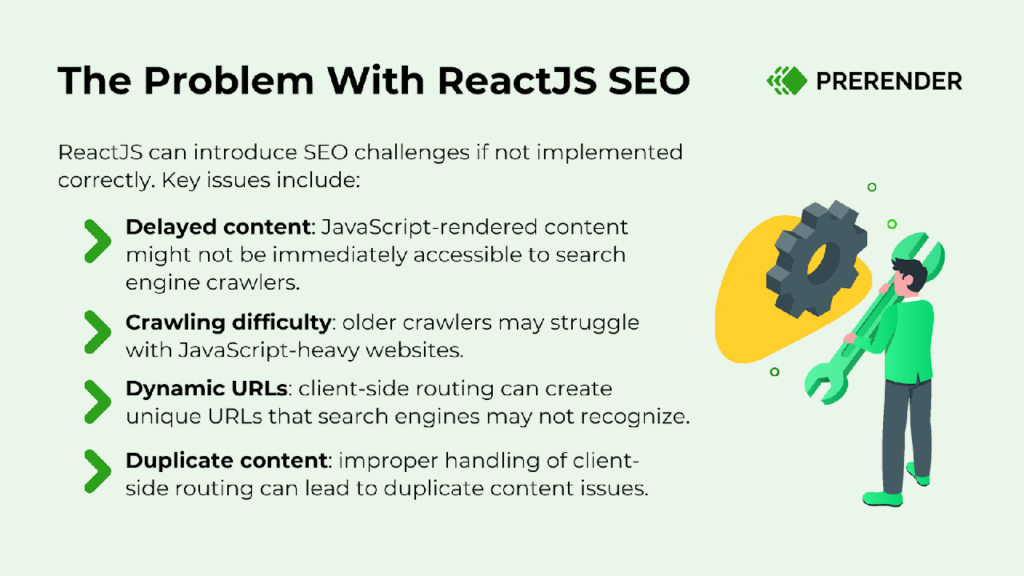
The primary React SEO issue stems from its default client-side rendering behavior. This means that the initial HTML sent to the browser is often minimal, with the bulk of the content being populated dynamically through JavaScript.
Search engine crawlers, like Googlebot, struggle to interpret and index such dynamically rendered content. They prefer static HTML, which is easily understood and can be crawled efficiently. As a consequence, when a crawler encounters a mostly empty HTML page, it may misinterpret the content, leading to lower search engine rankings and reduced visibility.
It is like ReactJS is showing a search engine a blank canvas and telling it to paint a picture. The search engine ends up confused, thinking there’s nothing to see.
Top tip: Need to refresh your knowledge of how Google crawls and indexes JavaScript content? This JS rendering guide can help.
That said, there are several ways to make your React website SEO-friendly. But before we look at these techniques, let’s discuss the negative impact of React JS on a website’s SEO health.
5 Effects of React on SEO Performance
A. Slow Indexing
Since ReactJS primarily uses client-side rendering (CSR), where JavaScript dynamically generates the page content, its websites face slower indexing by search engines. Why? Because Googlebot and other crawlers need to execute the JavaScript to fully load and render the page, which can delay how quickly the content is indexed.
For websites that rely on frequently updated content (e.g., blogs, ecommerce, news sites), this delay can mean that fresh content may not get indexed in a timely manner, reducing your site’s ability to appear in search results for trending or time-sensitive topics.
How the Failure Sequence Plays Out on React Sites
What we see across React deployments is a specific sequence that the standard indexing checklist doesn’t surface. Googlebot’s first-wave fetch hits the URL and receives the React app shell: a minimal HTML document with a <div id=”root”></div> and a JS bundle reference. That response contains none of the content the page is supposed to show, so product data, metadata, and page copy are all loaded after hydration and absent from the initial HTML.
From there, the page enters Google’s render queue, where it can sit for days or weeks before the rendered version is requested and processed. During that window, the developer checks the page in Chrome and it loads perfectly. GSC shows the URL as crawled. The coverage report shows “Crawled — currently not indexed” with no explanation for why.
This mismatch between crawled status and actual response content is what makes the problem invisible to standard diagnostics. GSC confirms the fetch happened, but it doesn’t confirm that the fetch returned anything beyond the app shell. On React sites without pre-rendering, every URL in the catalogue can carry that same crawled-but-not-actually-indexed gap.
Google’s ability to render JavaScript doesn’t change what happens during the wait. The two-wave system means every React page goes through a fetch-then-queue-then-render cycle, and the queue is where the unpredictability lives. A page can sit in “Discovered — currently not indexed” for weeks with no visible technical fault. The entire product catalogue is one useEffect away from invisible, and the standard diagnosis (check robots.txt, check canonical tags, check manual penalties) won’t surface because those checks all pass.
For an ecommerce React SPA, every week those pages sit unindexed is a week of lost product visibility in search. On a catalogue with thousands of SKUs, the gap compounds silently because the dashboard never flags it.
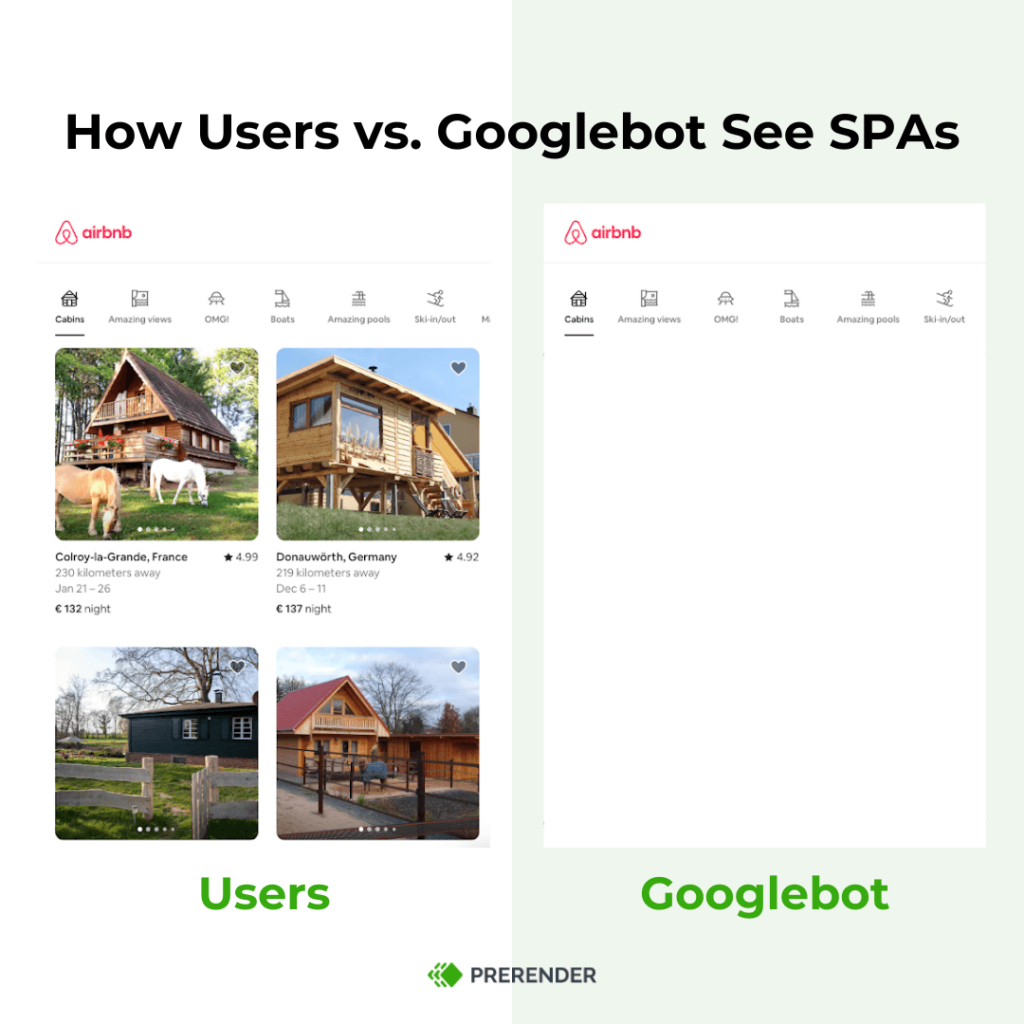
B. ‘Empty Pages’ on Single-Page Applications (SPAs)
React is frequently used to build SPAs, which can create issues with URL structures and internal linking. SPAs often rely on JavaScript-based routing, which search engines may not fully understand. This causes challenges when search engine bots attempt to crawl pages and navigate between different sections of the website.
Top tip: Discover some proven techniques to optimize SPAs for better crawling and indexing results.
When Every Diagnostic Passes and the Pages Still Aren’t Indexed
Here’s what that failure sequence looks like on a specific React build.
The site is a React SPA running a large ecommerce catalogue with client-side routing via React Router. The developer has done everything right: sitemap submitted, pages internally linked, no robots.txt blocks, Core Web Vitals passing.
From there, Googlebot visits /category/running-shoes/ and receives the app shell. The product list is loaded via a useEffect hook after hydration, which means Googlebot doesn’t see it on the first-wave fetch. GSC shows the URL as crawled.
At this point, the developer opens the URL in Chrome and the category page loads perfectly. They run a URL inspection in Search Console and the rendered preview looks fine too, because the inspection tool renders the page fully, unlike a real crawl. The coverage report still shows “Crawled — currently not indexed” two weeks later.
The wrong turns start here. The sitemap gets resubmitted, internal links get audited, and the page gets flagged for indexing manually. None of it moves the number.
The root cause only becomes visible when the developer checks what Googlebot actually received on first fetch: a <div id=”root”></div>, a script bundle, and nothing else.
Pre-rendered HTML enters the picture after that diagnostic dead end. Once each URL returns fully rendered content on first fetch, the coverage report starts moving. The response body was the variable the entire time.
C. Missing Content Loading
Since React relies on JavaScript to dynamically load content after the initial page load, there may be delays in how quickly the content becomes visible to search engines. If a crawler visits the site and doesn’t wait long enough for JavaScript to execute, it might miss out on essential content, a condition called ‘missing content,’ which can harm rankings.
D. Social Media Sharing Issues
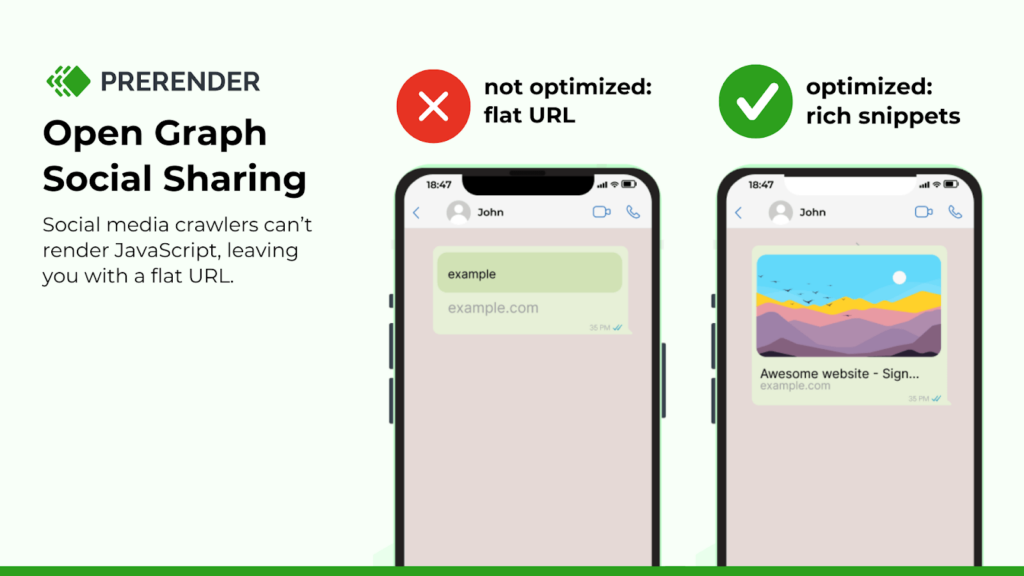
Meta tags like Open Graph and Twitter Cards are critical for determining how your content appears when shared on social media platforms. In React applications, if these tags are not rendered server-side, social media platforms like Facebook and Twitter will not pick up the correct titles, descriptions, or images when a user shares a link to your site.
Poorly formatted or incomplete social media previews can result in fewer clicks and shares, as users are less likely to engage with links that don’t provide a clear description or an attractive image.
E. Slow PageSpeed
ReactJS applications can suffer from slow page speed primarily due to large JavaScript bundles, which need to be downloaded, parsed, and executed by the browser before the content is fully rendered. This can lead to longer load times, particularly on slower networks or less powerful devices, and directly impacts both user experience and JS SEO performance.
Search engines like Google consider page speed a ranking factor, meaning slower sites may rank lower in search results. Additionally, heavy reliance on client-side rendering (CSR) further delays content visibility, as the browser must execute the JavaScript before rendering the page. This adds to the load time and potentially causes higher bounce rates.
4 Ways to Make Your React App SEO-Friendly
Consider implementing these ReactJS SEO strategies to ensure optimal search engine visibility for your ReactJS applications. They are all designed to ensure that search engines can crawl and index the content properly.
1. Consider Server-Side Rendering (SSR)
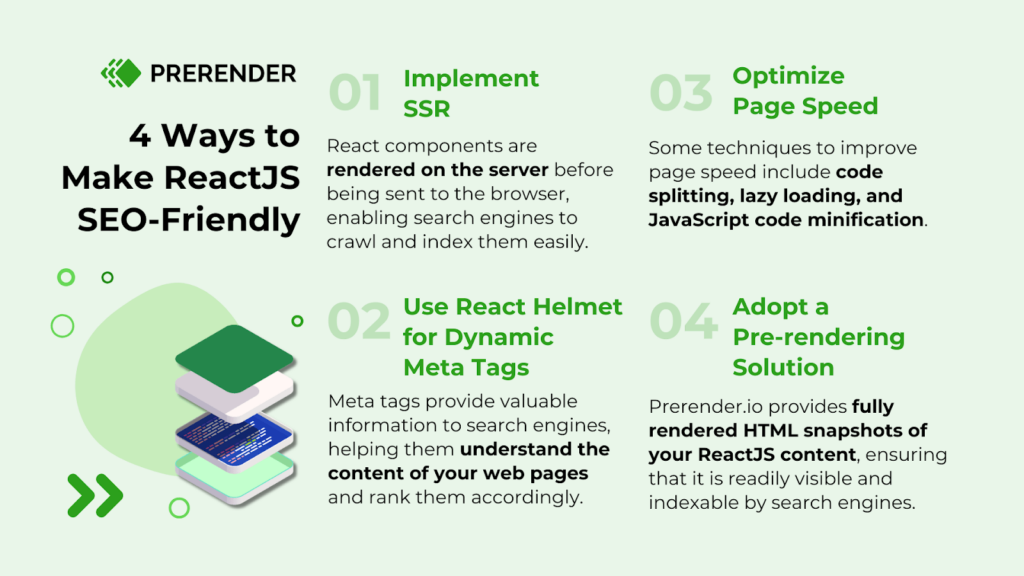
SSR renders your React components on the server before sending them to the browser. The browser receives fully formed HTML, which crawlers can read on first fetch. For SEO, this is a meaningful improvement over pure client-side rendering.
| // pages/index.js export default function HomePage({ data }) { return ( <div> <h1>Server-Side Rendered Page</h1> <p>{data}</p> </div> ); } // This function is executed on the server side and passes props to the component export async function getServerSideProps() { const data = “This is rendered on the server!”; return { props: { data }, // will be passed to the page component as props }; } |
What we hear from teams who’ve implemented SSR is that the rendering problem gets solved for the critical path, but three operational gaps emerge at scale. Each one affects how reliably Googlebot receives current, complete content across the full catalogue.
- Cache freshness. SSR generates HTML at request time or at build time. On large catalogues with frequent content changes (stock updates, price changes, new product additions), the version Googlebot receives may not reflect the current state. The staleness is often invisible until it surfaces as outdated content in the index or mismatched prices in search results.
- Inconsistent coverage. SSR implementations also frequently cover the homepage and top category pages but leave long-tail URLs on the client-side rendering path: deep product pages, faceted navigation results, filtered views. In effect, SSR covers the pages that already rank and skips the pages fighting to get indexed, which on a large catalogue is where the majority of organic opportunity sits.
- Infrastructure cost. Beyond the coverage question, SSR requires the server to render each page on demand or maintain a build pipeline that handles full-catalogue regeneration. For a site with 500K pages refreshing frequently, that rendering load is a non-trivial engineering problem that compounds as the catalogue grows.
Given these trade-offs, SSR remains a valid choice, but the gaps become visible at scale. What we consistently hear from teams evaluating the full cost comparison between in-house SSR and a pre-rendering service is that the infrastructure and maintenance burden is usually where the calculus shifts.
2. Use React Helmet For Dynamic Meta Tags
Proper meta tag management is essential for SEO success. Meta tags provide valuable information to search engines, helping them understand the content of your web pages and rank them accordingly.
Related: Learn 5 key meta tags that impact your visibility on SERPs.
Using React Helmet, you can dynamically set and manage meta tags such as titles, descriptions, and Open Graph tags. This ensures that each page has unique, relevant metadata, which is crucial for proper indexing and improving search engine rankings.
3. Optimize Page Speed
Optimizing page speed is crucial for both SEO and user experience in React applications. Key techniques include:
- Code splitting: it breaks large JavaScript bundles into smaller chunks, ensuring only essential code is loaded initially
- Lazy loading: components are deferred until they’re needed using React.lazy, reducing the upfront load.
Tools like Webpack can help minimize bundle sizes and manage assets effectively. Additionally, reducing the use of third-party scripts and optimizing images and fonts further enhances performance. These strategies lead to faster page loads, lower bounce rates, and improved search engine rankings.
Another option is to implement a JavaScript pre-rendering tool, discussed below.
4. Adopt a JavaScript Pre-rendering Solution
While achieving SEO success with ReactJS involves options like SSR or manual optimization techniques like code splitting and lazy loading, these approaches can be costly and require significant technical expertise. In contrast, Prerender.io offers a simpler, more cost-effective option.
As a plug-and-play JavaScript SEO solution, Prerender.io optimizes your ReactJS website’s SEO by doing the following:
- Pre-rendering for efficiency
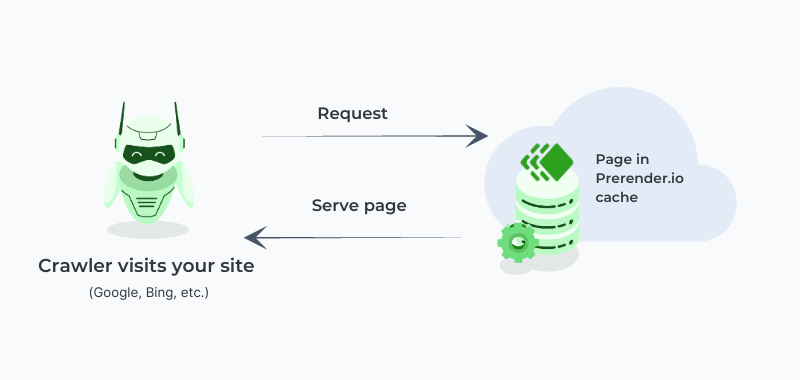
Prerender.io crawls your website and generates static HTML versions of your JS pages ahead of search engine requests or on demand. This pre-rendered content is then served directly to the search engine crawlers and saved as caches.
- No more JavaScript delays
By intercepting search engine crawler requests and serving pre-rendered HTML, Prerender.io eliminates the need for browsers or crawlers to execute JavaScript before displaying content. This particularly benefits SPAs and React apps where content relies heavily on JavaScript execution.
- Making ReactJS Content SEO-friendly
When a crawler like Googlebot visits your site, Prerender.io provides fully rendered HTML snapshots, ensuring that your website’s content is readily visible and indexable by search engines. This translates to improved web page efficiency and, ultimately, better search engine rankings.
Get the details on how Prerender works and the benefits of adopting it.
Now that we’ve seen how to make ReactJS SEO-friendly, let’s examine some of ReactJS pros and cons.
Advantages of Using ReactJS
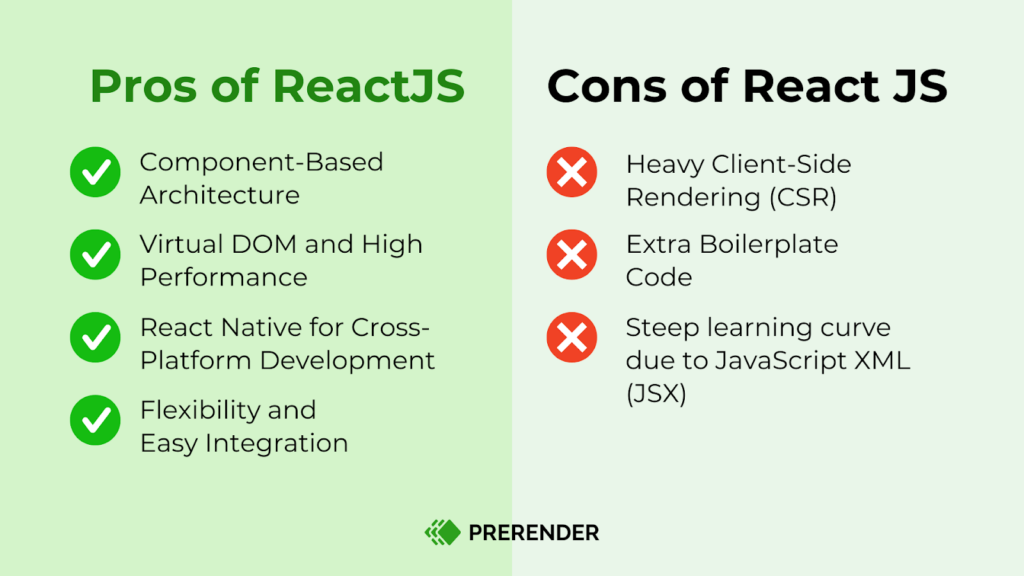
Component-Based Architecture
Imagine building a house with pre-made walls, floors, and windows. That’s kind of like what React does. It lets you create reusable building blocks (components) for your website.
Each component manages its own logic and rendering, making maintenance and updating the application easy. This modular approach also makes it easy to build and change your website, as the same components can be used across different parts of an application or even in other projects.
Virtual DOM and High Performance
The virtual DOM optimizes UI updates, making React applications faster and more efficient by only re-rendering components that change. This approach significantly improves performance, especially in applications with complex UIs and frequent updates.
React Native for Cross-Platform Development
All of React’s core concepts can be extended to mobile development with React Native, allowing for cross-platform app development using the same skills. So you can save development time and costs while ensuring that apps maintain high performance and native-like functionality across platforms.
Flexibility and Integration
Due to its vast popularity, React can be easily integrated with other libraries and frameworks, offering flexibility in choosing additional tools for state management, routing, and more. For instance, React Router can be used for routing, and third-party APIs or tools can be used for specific functionalities like form handling or animations. This flexibility allows React to fit into any part of an existing project easily.
Disadvantages of Using ReactJS
Heavy Client-Side Rendering
Without optimizations like server-side rendering (SSR) or prerendering, React’s default client-side rendering causes slow initial load times, negatively impacting SEO and user experience.
Extra Boilerplate Code
Managing state, routing, and other functionalities in React often requires additional libraries (like Redux or React Router), which can lead to extra boilerplate code and complexity in setting up projects.
JavaScript XML (JSX) Syntax Burden
While powerful, JavaScript XML (JSX) can feel counterintuitive to developers who are accustomed to keeping HTML, CSS, and JavaScript separate. This mixing of concerns can initially lead to confusion and a steeper learning curve, especially for beginners or developers transitioning from other frameworks.
Additionally, JSX can sometimes make the code harder to read and maintain, particularly in large components or when complex logic is embedded within the markup, contributing to a more complex codebase.
How Does ReactJS Compare to VueJS and Angular?
Now that you understand the advantages and disadvantages of ReactJS, let’s compare it with VueJS and Angular, two other widely used JavaScript frameworks.
One thing to note here is that React isn’t a full-fledged framework like Angular or Vue.js. It’s often described as “just the V in MVC” (Model-View-Controller), meaning it handles the view (what users see) while leaving other aspects like data handling and routing to external libraries. This flexibility has made React a favorite among developers who want control over how they build their applications.
DOM vs. Virtual DOM (vDOM)
Both ReactJS and VueJS utilize a Virtual DOM (vDOM), which enables them to update specific elements on the page without re-rendering the entire DOM. This approach results in faster, more efficient applications.
Angular, by contrast, relies on the real DOM. This can cause single-page applications (SPAs) built with Angular to be slower and less performant, particularly in complex scenarios with frequent updates. For performance-driven applications, React and Vue typically have the advantage of rendering speed.
Learning Curve
When comparing the learning curves of these three JavaScript frameworks, VueJS is often considered the easiest to learn, as it builds directly on HTML, CSS, and JavaScript without requiring additional tools like JavaScript XML (JSX).
ReactJS has a steeper learning curve, primarily because it uses JSX, which combines HTML with JavaScript, and often requires additional libraries for routing and state management.
Angular, however, has the most challenging learning curve due to its comprehensive and opinionated structure. It requires familiarity with concepts like TypeScript, decorators, dependency injection, and a larger API. While it’s typically harder for beginners, Angular offers more built-in features than React and Vue.
Mobile Development
ReactJS has a clear advantage in mobile app development through React Native. This allows developers to create cross-platform mobile apps using the same React components, making React Native a popular choice for mobile-first projects.
Vue also offers mobile development options, such as Weex, though these are less established and less widely used than React Native.
Angular, meanwhile, offers a mobile solution with Ionic. However, it doesn’t match the performance of React Native, which provides native rendering capabilities for a smoother, more responsive experience.
Scalability
React’s component-based architecture and extensive ecosystem of libraries make it highly scalable, even for large enterprise applications. Its flexibility allows developers to customize the tech stack to fit specific needs, whether for small apps or complex, large-scale projects.
Angular, as a comprehensive framework, provides a structured development approach that can be advantageous for large-scale applications requiring a robust and maintainable codebase.
Vue strikes a balance between flexibility and structure, making it particularly well-suited for small to medium-sized applications.
Related: How does ReactJS compare to Svelte and Preact? This JavaScript comparison guide will tell you.
Make ReactJS and SEO Work Together
Optimizing ReactJS websites for SEO can be a complex task. However, with Prerender.io, you can streamline this process.
By pre-rendering your website’s content into static HTML, Prerender.io makes it easier for search engine crawlers to understand and index your pages. This leads to improved search engine rankings and a better user experience.
Well-known businesses such as Salesforce and Wix trust Prerender.io to improve their JavaScript performance. Find out the tangible results Prerender.io has brought to its customers in these case studies.
Ready to get started with Prerender.io? Sign up today for free!
FAQs About React SEO and Its Pros and Cons
Is React Still Worth Learning In 2025?
Yes, React remains one of the most popular JavaScript libraries with strong market demand. Its component-based architecture, large community, and continuous updates make it valuable for modern web development. However, it does pose challenges for SEO—this is something to consider with the changing search landscape.
What Are The Main Disadvantages Of Using React?
The main challenges include:
- SEO difficulties with JavaScript rendering
- Initial learning curve
- Documentation complexity
- Fast-paced updates
React vs Angular: Which Is Better For SEO?
Both frameworks face similar SEO challenges due to JavaScript rendering. React offers more flexibility but requires additional solutions for SEO.
How Do I Make React Sites SEO-Friendly?
To ensure your React site is optimized for search and AI crawlers, consider these tips:
- Use proper meta tags and routing
- Optimize loading performance
- Ensure proper content structure
- Monitor indexing in Search Console
- Use a prerendering solution like Prerender.io